The tcolorbox package
The Core Package
6 Side by Side
A side by side box is a special tcolorbox where the upper and lower part of the box are set side by side. All boxes of this kind are unbreakable.
Further side by side options for code examples are /tcb/listing side text, /tcb/text side listing, /tcb/listing outside text, and /tcb/text outside listing.
6.1 Basic Settings
/tcb/sidebyside=true|false(default true, initially false)
Normally, the upper part and the lower part of the box have their positions as their names suggest. If sidebyside is set to true, the upper part is drawn left-handed and the lower part is drawn right-handed. Both parts are drawn together with the geometry settings of the upper part but the space is divided horizontally according to the following options. Colors, fonts, and box content additions are used individually. The resulting box is unbreakable.


% \usepackage{lipsum}

% \tcbuselibrary{skins}

\begin{tcolorbox}[bicolor,sidebyside,righthand width=3cm,

    sharp corners,boxrule=.4pt,colback=green!5,colbacklower=green!50!black!50]

  \lipsum[2]

\tcblower

  \includegraphics[width=\linewidth]{goldshade}%

\end{tcolorbox}
/tcb/sidebyside align=⟨alignment⟩(no default, initially center)Updated: 2024-11-26
center: identical to minipage option c.
top: identical to minipage option t (aligns the top lines of the left-handed and right-handed side according to their baselines).
This value of ⟨alignment⟩ needs luacolor to work properly since version 6.0.0 (2023-02-10). Adding \strut may help alternatively to simulate the effect for equal font heights.
bottom: identical to minipage option b (aligns the bottom lines of the left-handed and right-handed side according to their baselines).
center seam: aligns the center of the left-handed and right-handed side.
top seam: aligns the very top seam of the left-handed and right-handed side.
bottom seam: aligns the very bottom seam of the left-handed and right-handed side.
Sets the vertical ⟨alignment⟩ for the left-handed and right-handed part.
Feasible values for ⟨alignment⟩ are:

\tcbset{colback=red!5!white,colframe=red!75!black,fonttitle=\bfseries,nobeforeafter,

  left=2mm,right=2mm,sidebyside,sidebyside gap=6mm,width=(\linewidth-2mm)/3}


\begin{tcolorbox}[adjusted title=center,sidebyside align=center]

This is a text which is too long for one line.

\tcblower

This is a short text.

\end{tcolorbox}\hfill

\begin{tcolorbox}[adjusted title=top,sidebyside align=top]

This is a text which is too long for one line.

\tcblower

This is a short text.

\end{tcolorbox}\hfill

\begin{tcolorbox}[adjusted title=bottom,sidebyside align=bottom]

This is a text which is too long for one line.

\tcblower

This is a short text.

\end{tcolorbox}
center, top, and bottom are identical to the known corresponding minipage options. While this is the preferred approach for text content, the result for boxed content like tables or images may not be as expected.
For such content, one may use center seam, top seam, and bottom seam. For example, top seam aligns the very top seam of the left-handed and right-handed side.
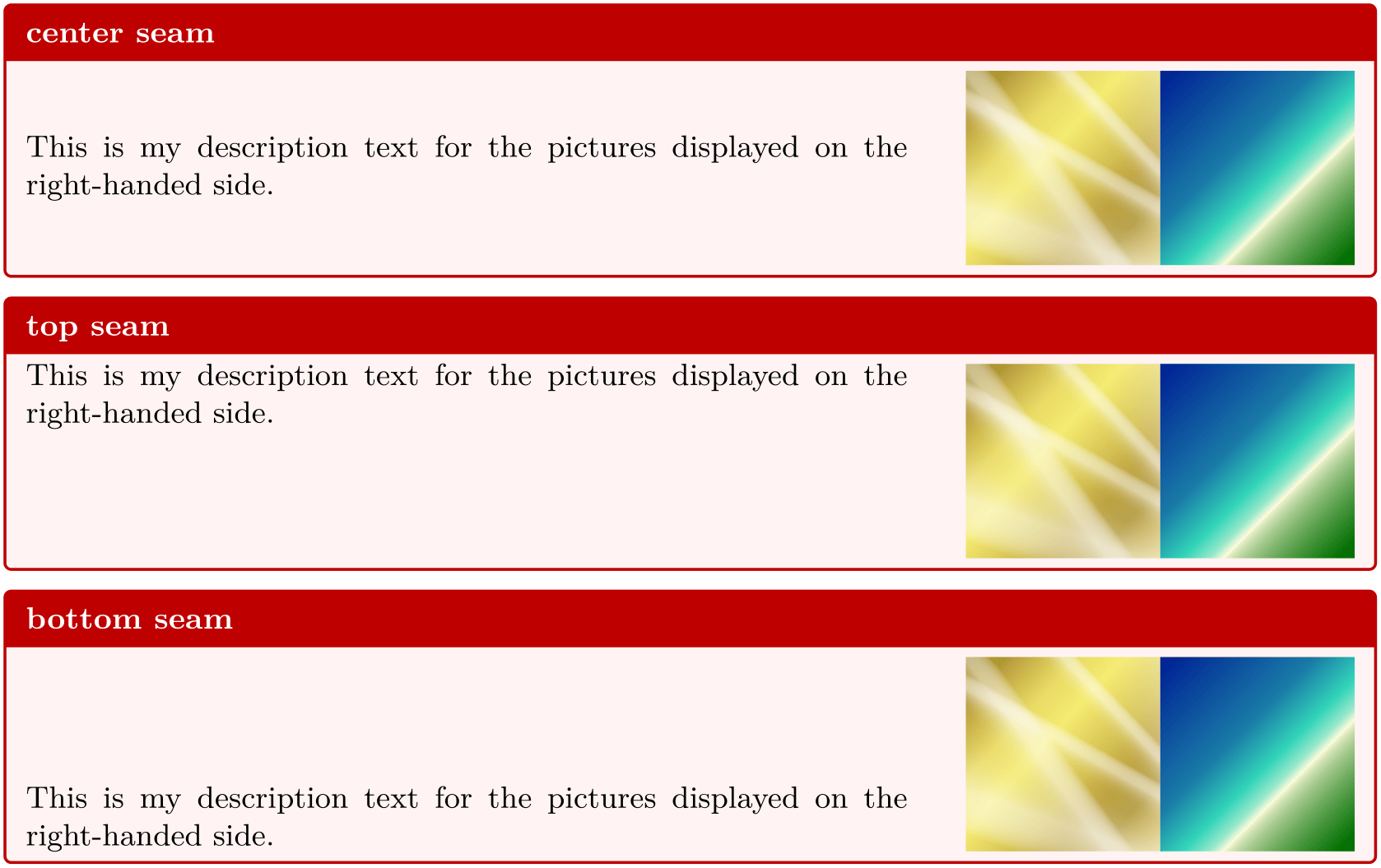
\tcbset{colback=red!5!white,colframe=red!75!black,fonttitle=\bfseries,

  size=small,righthand width=4cm,sidebyside,sidebyside gap=6mm,lower separated=false}


\begin{tcolorbox}[adjusted title=center seam,sidebyside align=center seam]

  This is my description text for the pictures displayed on the right-handed side.

  \tcblower

  \includegraphics[width=\linewidth/2]{goldshade}%

  \includegraphics[width=\linewidth/2]{blueshade}

\end{tcolorbox}


\begin{tcolorbox}[adjusted title=top seam,sidebyside align=top seam]

  This is my description text for the pictures displayed on the right-handed side.

  \tcblower

  \includegraphics[width=\linewidth/2]{goldshade}%

  \includegraphics[width=\linewidth/2]{blueshade}

\end{tcolorbox}


\begin{tcolorbox}[adjusted title=bottom seam,sidebyside align=bottom seam]

  This is my description text for the pictures displayed on the right-handed side.

  \tcblower

  \includegraphics[width=\linewidth/2]{goldshade}%

  \includegraphics[width=\linewidth/2]{blueshade}

\end{tcolorbox}
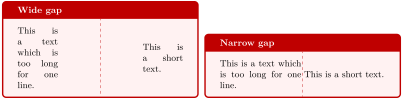
/tcb/sidebyside gap=⟨length⟩(no default, initially 10mm)
Sets the horizontal distance between the left-handed and right-handed part to ⟨length⟩.
\tcbset{colback=red!5!white,colframe=red!75!black,fonttitle=\bfseries,nobeforeafter,

  sidebyside,width=(\linewidth-2mm)/2}


\begin{tcolorbox}[adjusted title=Wide gap,sidebyside gap=30mm]

This is a text which is too long for one line.

\tcblower

This is a short text.

\end{tcolorbox}\hfill

\begin{tcolorbox}[adjusted title=Narrow gap,sidebyside gap=1mm]

This is a text which is too long for one line.

\tcblower

This is a short text.

\end{tcolorbox}
/tcb/lefthand width=⟨length⟩(no default, initially unset)
Sets the width of the left-handed part to the given ⟨length⟩.

\tcbset{colback=red!5!white,colframe=red!75!black,fonttitle=\bfseries}


\begin{tcolorbox}[title=My title,sidebyside,lefthand width=3cm]

This is the upper (\textit{left-handed}) part.

\tcblower

This is the lower (\textit{right-handed}) part.

\end{tcolorbox}
/tcb/righthand width=⟨length⟩(no default, initially unset)
Sets the width of the right-handed part to the given ⟨length⟩.

\tcbset{colback=red!5!white,colframe=red!75!black,fonttitle=\bfseries}


\begin{tcolorbox}[title=My title,sidebyside,righthand width=3cm]

This is the upper (\textit{left-handed}) part.

\tcblower

This is the lower (\textit{right-handed}) part.

\end{tcolorbox}
/tcb/lefthand ratio=⟨fraction⟩(no default, initially 0.5)
Sets the width of the left-handed part to the given ⟨fraction⟩ of the available space. ⟨fraction⟩ is a value between 0 and 1.

\tcbset{colback=red!5!white,colframe=red!75!black,fonttitle=\bfseries}


\begin{tcolorbox}[title=My title,sidebyside,lefthand ratio=0.25]

This is the upper (\textit{left-handed}) part.

\tcblower

This is the lower (\textit{right-handed}) part.

\end{tcolorbox}
/tcb/righthand ratio=⟨fraction⟩(no default, initially 0.5)
Sets the width of the right-handed part to the given ⟨fraction⟩ of the available space. ⟨fraction⟩ is a value between 0 and 1.

\tcbset{colback=red!5!white,colframe=red!75!black,fonttitle=\bfseries}


\begin{tcolorbox}[title=My title,sidebyside,righthand ratio=0.25]

This is the upper (\textit{left-handed}) part.

\tcblower

This is the lower (\textit{right-handed}) part.

\end{tcolorbox}
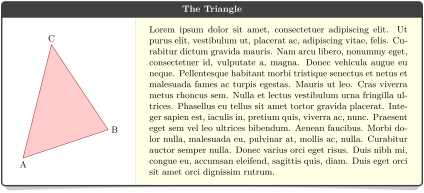
If one side of a side-by-side box should be adapted to the width of its content, this width has to be computed beforehand. The following example uses a savebox \mysavebox to store the picture to determine its width. A more convenient way to handle this task is to use the methods from Section 6.2.
% \tcbuselibrary{skins}

% \usepackage{lipsum}

% \newsavebox\mysavebox  % preamble

\DeclareTotalTColorBox \mysidebox { O{} +m +m }{

  bicolor,colback=white,colbacklower=yellow!10,

  fonttitle=\bfseries,center title,

  sidebyside,

  code={\sbox{\mysavebox}{#2}},

  lefthand width=\wd\mysavebox,

  drop lifted shadow,

  #1

}

{\usebox{\mysavebox}\tcblower#3}


\mysidebox[title=The Triangle]{%

  \begin{tikzpicture}

    \path[fill=red!20,draw=red!50!black]

      (0,0) node[below]{A} -- (3,1) node[right]{B}

      -- (1,4) node[above]{C} -- cycle;

  \end{tikzpicture}%

}{%

  \lipsum[1]

}
6.2 Advanced Settings
\tcbsidebyside[⟨options⟩]{⟨left-handed content⟩}{⟨right-handed content⟩}New: 2015-11-20
Creates a colored box using more or less arbitrary ⟨options⟩ for a tcolorbox. The /tcb/sidebyside option is set to true and the ⟨left-handed content⟩ and ⟨right-handed content⟩ is filled into the box appropriately. The resulting box is unbreakable.
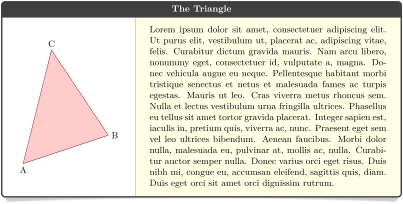
\tcbsidebyside is not only a shortcut for using a normal tcolorbox with /tcb/sidebyside, but allows setting further options like /tcb/sidebyside adapt and /tcb/sidebyside switch.
% \tcbuselibrary{skins}

% \usepackage{lipsum}

\tcbsidebyside[title=The Triangle,

  sidebyside adapt=left,

  bicolor,colback=white,colbacklower=yellow!10,

  fonttitle=\bfseries,center title,drop lifted shadow,

]{%

  \begin{tikzpicture}

    \path[fill=red!20,draw=red!50!black]

      (0,0) node[below]{A} -- (3,1) node[right]{B}

      -- (1,4) node[above]{C} -- cycle;

  \end{tikzpicture}%

}{%

  \lipsum[1]

}
/tcb/sidebyside adapt=⟨side(s)⟩(no default, initially none)New: 2015-11-20
none: no measurement of left-handed and right-handed side.
left: the actual width of the left-handed content is used to set /tcb/lefthand width.
right: the actual width of the right-handed content is used to set /tcb/righthand width.
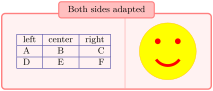
both: the actual width of the left-handed and right-handed content is used to set /tcb/lefthand width, /tcb/righthand width, and the overall /tcb/width.
The option allows the left-handed and/or right-handed side to determine the dimensions of the box. This option is only valid inside \tcbsidebyside.
Feasible values for ⟨side(s)⟩ are:

% \tcbuselibrary{skins}

\tcbsidebyside[sidebyside adapt=left,

  title=Very important table,

  beamer,colframe=blue!50!black,colback=blue!10,

  lower separated=false,sidebyside gap=5mm

]{%

  \begin{tabular}{|l|c|r|}\hline

    left & center & right\\\hline

    A & B & C\\\hline

    D & E & F\\\hline

  \end{tabular}

}{%

  This table contains the most important figures for

  all future actions. You may notice that B follows A,

  C follows B, and so on.

}

% \tcbuselibrary{skins}

\tcbsidebyside[sidebyside adapt=right,

  blanker,sidebyside gap=5mm

]{%

  \lipsum[2]

}{%

\begin{tikzpicture}

  \path[fill=yellow,draw=yellow!75!red] (0,0) circle (1cm);

  \fill[red] (45:5mm) circle (1mm);

  \fill[red] (135:5mm) circle (1mm);

  \draw[line width=1mm,red] (215:5mm) arc (215:325:5mm);

\end{tikzpicture}

}
% \tcbuselibrary{skins}

\tcbsidebyside[sidebyside adapt=both,

  enhanced,center,

  title=Both sides adapted,

  attach boxed title to top center={yshift=-2mm},

  coltitle=black,boxed title style={colback=red!25},

  segmentation style=solid,colback=red!5,colframe=red!50

]{%

  \begin{tabular}{|l|c|r|}\hline

    left & center & right\\\hline

    A & B & C\\\hline

    D & E & F\\\hline

  \end{tabular}

}{%

\begin{tikzpicture}

  \path[fill=yellow,draw=yellow!75!red] (0,0) circle (1cm);

  \fill[red] (45:5mm) circle (1mm);

  \fill[red] (135:5mm) circle (1mm);

  \draw[line width=1mm,red] (215:5mm) arc (215:325:5mm);

\end{tikzpicture}

}
/tcb/sidebyside switch=true|false(default true, initially false)New: 2015-11-20
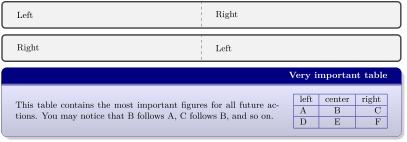
If set to true, the ⟨left-handed content⟩ and ⟨right-handed content⟩ of \tcbsidebyside are switched. Obviously, this option is only valid inside \tcbsidebyside.
The side switching can be made even/odd page sensitive, if used inside /tcb/if odd page.
% \tcbuselibrary{skins}

\tcbsidebyside{Left}{Right}


\tcbsidebyside[sidebyside switch]{Left}{Right}


\tcbsidebyside[title=Very important table,

  if odd page={sidebyside switch,sidebyside adapt=right,flushright title}%

              {sidebyside adapt=left},

  beamer,colframe=blue!50!black,colback=blue!10,

  lower separated=false,sidebyside gap=5mm

]{%

  \begin{tabular}{|l|c|r|}\hline

    left & center & right\\\hline

    A & B & C\\\hline

    D & E & F\\\hline

  \end{tabular}

}{%

  This table contains the most important figures for

  all future actions. You may notice that B follows A,

  C follows B, and so on.

}