The tcolorbox package
Libraries
11 Library skins - Catalog of Skins
The skins library provides a catalog of skins to choose from which is documented in the following. The skins library has to be loaded by a package option or inside the preamble by:
See Section 10 for the documentation of all other options of the skins library.
In principle, a skin is applied by choosing a value for /tcb/skin, e. g. enhanced. Since the parts of a breakable box should look different, there are individual skins for breakable boxes, also see Section 19.8. Skins for breakable boxes derived from a base skin are called a skin family in the following.
Instead of setting values for /tcb/skin, equally named options can be used which are shortcuts and which sometimes also change some geometry or style settings. These are the intended options for normal users. Typically, one of the following options is sufficient to select a skin:
Additionally, there are some special applications:
The auxiliary macro \skinExampleSet is used for the following examples to display skin applications. Note that \skinExampleSet is not part of the package, but is defined just for this documentation.
\NewDocumentCommand{\skinExampleSet}{m}{%

  \begin{tcbraster}[raster equal height,raster columns=3,

      colback=LightGreen,colframe=DarkGreen,colbacktitle=LimeGreen!75!DarkGreen,

      #1,

      left=1mm,right=1mm,top=1mm,bottom=1mm,middle=1mm,

      sidebyside gap=4mm]

    \begin{tcolorbox}

      This is my content.

    \end{tcolorbox}

    \begin{tcolorbox}

      This is my content.

      \tcblower

      More content.

    \end{tcolorbox}

    \begin{tcolorbox}[sidebyside]

      My content.

      \tcblower

      More content.

    \end{tcolorbox}

    \begin{tcolorbox}[adjusted title=My title]

      This is my content.

    \end{tcolorbox}

    \begin{tcolorbox}[adjusted title=My title]

      This is my content.

      \tcblower

      More content.

    \end{tcolorbox}

    \begin{tcolorbox}[adjusted title=My title,sidebyside]

      My content.

      \tcblower

      More content.

    \end{tcolorbox}

  \end{tcbraster}

}
11.1 Skin Family “standard”
Note that the option keys /tcb/frame style, /tcb/interior style, /tcb/segmentation style, and /tcb/title style are not be applicable to the standard skin. Also, watermarks (see Section 10.3) are not usable with the standard skin.
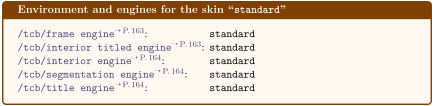
/tcb/standard(style, no value)
This is an abbreviation for setting skin=standard.
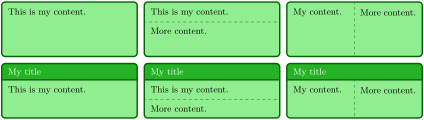
\skinExampleSet{standard}
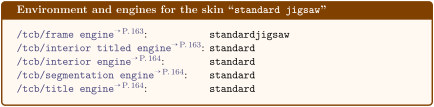
/tcb/skin=standard jigsaw(skin)
This is the standard jigsaw skin from the core package. It differs from the skin standard by its frame engine, see Section 10.11.
/tcb/standard jigsaw(style, no value)
This is an abbreviation for setting skin=standard jigsaw.
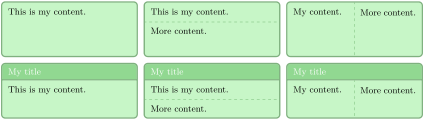
\skinExampleSet{standard jigsaw,

  opacityframe=0.5,opacityback=0.5,opacitybacktitle=0.5,

}
11.2 Skin Family “enhanced”
If you like the standard appearance of a tcolorbox but you want to have some “enhanced” features, the enhanced skin is what you are looking for.
/tcb/skin=enhanced(skin)
This skin translates the drawing commands of the core package into TikZ path commands. Therefore, it allows all TikZ high level options for these paths and has more flexibility compared to the standard skin. You pay for this with some prolonged compilation time. The TikZ path options can be given with the option keys /tcb/frame style, /tcb/interior style, /tcb/segmentation style, and /tcb/title style.
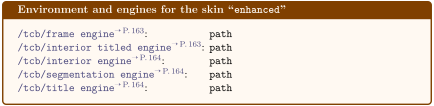
/tcb/enhanced(style, no value)
This is an abbreviation for setting skin=enhanced.
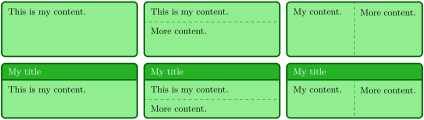
\skinExampleSet{enhanced}

% \usetikzlibrary{shadings}         % preamble

\tcbset{skin=enhanced,fonttitle=\bfseries,

  frame style={upper left=blue,upper right=red,lower left=yellow,lower right=green},

  interior style={white,opacity=0.5},

  segmentation style={black,solid,opacity=0.2,line width=1pt}}


\begin{tcolorbox}[title=Nice box in rainbow colors]

  With the \enquote{enhanced} skin, it is quite easy to produce fancy looking effects.

  \tcblower

  Note that this is still a \texttt{tcolorbox}.

\end{tcolorbox}
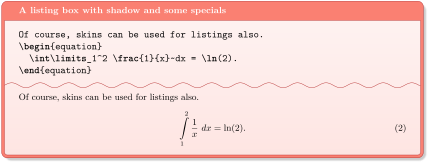
% \usetikzlibrary{decorations.pathmorphing} % preamble

\tcbset{skin=enhanced,fonttitle=\bfseries,boxrule=1mm,

  frame style={draw=FireBrick,fill=Salmon},drop fuzzy shadow,

  interior style={draw=FireBrick,top color=Salmon!10,bottom color=Salmon!20},

  segmentation style={draw=FireBrick,solid,decorate,

        decoration={coil,aspect=0,segment length=10.1mm}}}


\begin{tcblisting}{title=A listing box with shadow and some specials}

Of course, skins can be used for listings also.

\begin{equation}

  \int\limits_1^2 \frac{1}{x}~dx = \ln(2).

\end{equation}

\end{tcblisting}
/tcb/enhanced standard(style, no value)
This style sets the enhanced skin of an unbroken box for all boxes, including unbreakable boxes and every box of a break sequence. Thus, it is another variation of the standard skin, see Section 19.8.
/tcb/blank(style, initially unset)
This style relies on the skin enhanced. All drawing operations are hidden and all margins are set to 0pt. See /tcb/blanker for switching off the drawing engines.
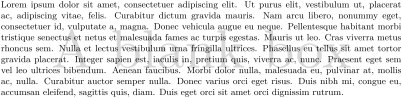
\begin{tcolorbox}[blank,watermark text=A blank box]

\lipsum[1]

\end{tcolorbox}
\tcbline
Sometimes, a line is only a line. With \tcblower you separate the box content into two functional units. \tcbline draws only a line which looks like the segmentation line between upper and lower part. Furthermore, you can use \tcbline more than just once. \tcbline always uses the path drawing engine. Therefore, the /tcb/segmentation style can be applied.
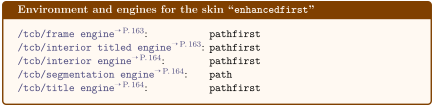
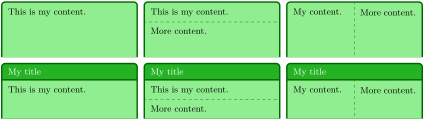
\skinExampleSet{skin=enhancedfirst}
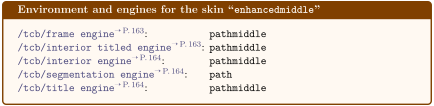
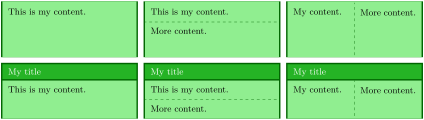
\skinExampleSet{skin=enhancedmiddle}
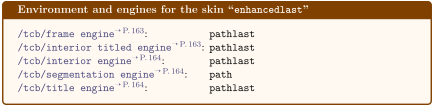
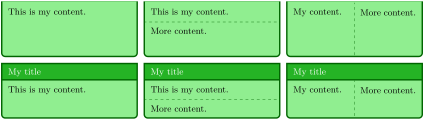
\skinExampleSet{skin=enhancedlast}
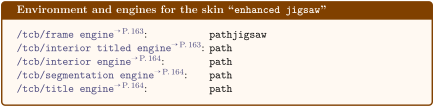
/tcb/skin=enhanced jigsaw(skin)
This is the jigsaw variant of skin enhanced. It differs by its frame engine, see Section 10.11.
/tcb/enhanced jigsaw(style, no value)
This is an abbreviation for setting skin=enhanced jigsaw.
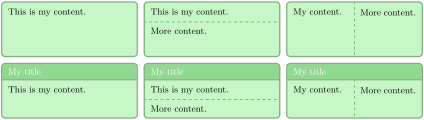
\skinExampleSet{enhanced jigsaw,

  opacityframe=0.5,opacityback=0.5,opacitybacktitle=0.5,

}
/tcb/enhanced standard jigsaw(style, no value)New: 2017-07-01
This style sets the enhanced jigsaw skin of an unbroken box for all boxes, including unbreakable boxes and every box of a break sequence. Thus, it is another variation of the standard skin, see Section 19.8.
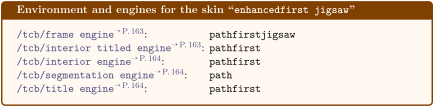
/tcb/skin=enhancedfirst jigsaw(skin)
This is the jigsaw variant of skin enhancedfirst. It differs by its frame engine, see Section 10.11.
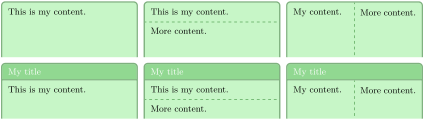
\skinExampleSet{skin=enhancedfirst jigsaw,

  opacityframe=0.5,opacityback=0.5,opacitybacktitle=0.5,

}
/tcb/skin=enhancedmiddle jigsaw(skin)
This is the jigsaw variant of skin enhancedmiddle. It differs by its frame engine, see Section 10.11.

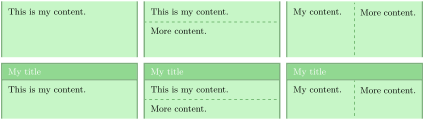
\skinExampleSet{skin=enhancedmiddle jigsaw,

  opacityframe=0.5,opacityback=0.5,opacitybacktitle=0.5,

}
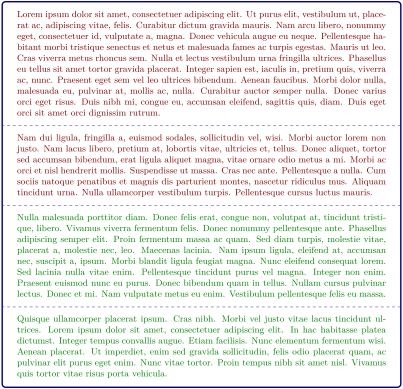
/tcb/marker(style, no value)
This styles relies on the skin enhancedmiddle jigsaw. It is intended to be used as an optical marker like a highlighter pen.

\tcbset{textmarker/.style={%

    skin=enhancedmiddle jigsaw,breakable,parbox=false,

    boxrule=0mm,leftrule=5mm,rightrule=5mm,boxsep=0mm,arc=0mm,outer arc=0mm,

    left=3mm,right=3mm,top=1mm,bottom=1mm,toptitle=1mm,bottomtitle=1mm,oversize}}


\newtcolorbox{yellow}{textmarker,colback=yellow!5!white,colframe=yellow}

\newtcolorbox{orange}{textmarker,colback=DarkOrange!5!white,

                        colframe=DarkOrange!75!yellow}

\newtcolorbox{red}{textmarker,colback=red!5!white,colframe=red}

\newtcolorbox{blue}{textmarker,colback=DeepSkyBlue!5!white,colframe=DeepSkyBlue}

\newtcolorbox{green}{textmarker,colback=Chartreuse!5!white,colframe=Chartreuse}

\newtcolorbox{rainbow}{textmarker,interior hidden,

  frame style={top color=blue,bottom color=red,middle color=green}}


\begin{yellow}

  \lipsum[1-3]

\end{yellow}


\begin{orange}

  \lipsum[4]

\end{orange}


\begin{red}

  \lipsum[5]

\end{red}


\begin{green}

  \lipsum[6]

\end{green}


\begin{blue}

  \lipsum[7]

\end{blue}


\begin{rainbow}

  \lipsum[8]

\end{rainbow}
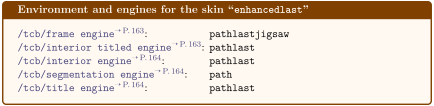
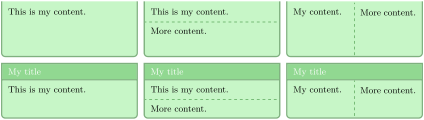
/tcb/skin=enhancedlast jigsaw(skin)
This is the jigsaw variant of skin enhancedlast. It differs by its frame engine, see Section 10.11.
\skinExampleSet{skin=enhancedlast jigsaw,

  opacityframe=0.5,opacityback=0.5,opacitybacktitle=0.5,

}
11.3 Skin Family “bicolor”
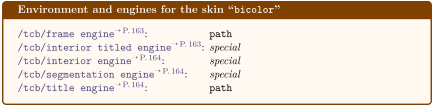
/tcb/skin=bicolor(skin)
The most basic usage of this skin is to set the background color of the lower part by /tcb/colbacklower and all other options like for the standard skin.

The more advanced usage of this skin is to apply the /tcb/frame style and the /tcb/interior style like for the enhanced skin. Also, the /tcb/segmentation style can be used, but it is applied to the whole lower part.

\begin{tcolorbox}[skin=bicolor,title=The title,

    frame style={top color=FireBrick,

                 bottom color=FireBrick!15!white,draw=black},

    interior style={left color=Salmon,right color=Salmon!50!white},

    segmentation style={right color=Salmon,left color=Salmon!50!white}]

  The upper part.

  \tcblower

  The lower part.

\end{tcolorbox}
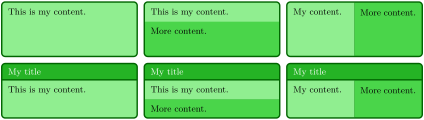
This skin is quite similar to the standard and enhanced skin. But instead of a segmentation line, the optional lower part of the box is filled with a different color or drawn with a different style.
/tcb/bicolor(style, no value)
This is an abbreviation for setting skin=bicolor.
\skinExampleSet{bicolor,

  colbacklower=LimeGreen!75!LightGreen,

}
The following options /tcb/colbacklower and /tcb/opacitybacklower are executed before /tcb/segmentation style, i. e., /tcb/segmentation style overrules them.
/tcb/colbacklower=⟨color⟩(no default, initially black!15!white)
Sets the background ⟨color⟩ of the lower part. It depends on the skin, if this value is used.
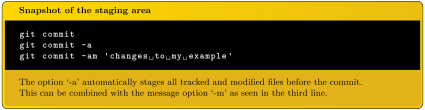
\tcbset{gitexample/.style={listing and comment,comment={#1},

  skin=bicolor,boxrule=1mm,fonttitle=\bfseries,coltitle=black,

  frame style={draw=black,left color=Gold,right color=Goldenrod!50!Gold},

  colback=black,colbacklower=Goldenrod!75!Gold,

  colupper=white,collower=black,

  listing options={language={bash},aboveskip=0pt,belowskip=0pt,nolol,

  basicstyle=\ttfamily\bfseries,extendedchars=true}}}


\begin{tcblisting}{title={Snapshot of the staging area},

  gitexample={The option `-a' automatically stages all tracked and modified

              files before the commit.\par

              This can be combined with the message option `-m'

              as seen in the third line.}}

git commit

git commit -a

git commit -am 'changes to my example'

\end{tcblisting}
/tcb/opacitybacklower=⟨fraction⟩(no default, initially 1.0)New: 2021-05-21
Sets the background opacity of the lower part to the given ⟨fraction⟩. It depends on the skin, if this value is used.

\begin{tcolorbox}[bicolor,

  frame style={preaction={fill=blue!50!black},

    pattern=checkerboard,pattern color=blue!50!gray},

  fonttitle=\bfseries, overlaplower=0mm,

  colback=blue!10, colbacklower=white, opacitybacklower=0.65,

  title={Example for a semilucent lower part}]

This is the upper part.

\tcblower

And that is the lower part.

\end{tcolorbox}
/tcb/overlaplower=⟨length⟩(no default, initially 0.1mm)New: 2022-01-11
The backgrounds of the lower parts for the skin families “bicolor”, “tile”, and “beamer” are drawn differently than the backgrounds of the upper parts. If the distance between these backgrounds of upper and lower parts is 0pt, some previewers show the frame color as thin line between upper and lower part. To avoid this glitch, the lower part is drawn with an overlap of ⟨length⟩ over the upper part. This value can be adapted for special applications. For example, semilucent lower parts better use 0pt, see /tcb/opacitybacklower. Also see \tcboverlaplower for using a larger value.
\tcboverlaplowerNew: 2022-01-11
Macro which contains the length value set by /tcb/overlaplower. May be used for fine positioning at the segmentation between upper and lower part and should be seen read-only.

\begin{tcolorbox}[bicolor, sharp corners,

    colframe=blue!50!black, colback=blue!10, colbacklower=red!10,

    top=5mm, bottom=2mm, middle=3.5mm, overlaplower=1.5mm,

    underlay={

      \node[minimum width=1cm,minimum height=0.5cm,outer sep=auto,

        anchor=north east,fill=white] at (interior.north east)

        {\itshape\small upper};

      \node[minimum width=1cm,minimum height=0.5cm,outer sep=auto,

        anchor=north east,fill=white]

        at ([yshift=\tcboverlaplower]segmentation.east)

        {\itshape\small lower};

    }

  ]

This is the upper part.

\tcblower

And that is the lower part.

\end{tcolorbox}
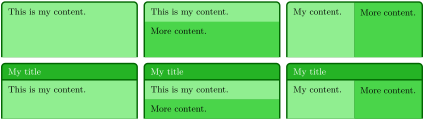
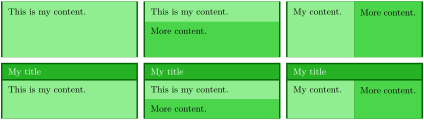
\skinExampleSet{skin=bicolorfirst,

  colbacklower=LimeGreen!75!LightGreen,

}
\skinExampleSet{skin=bicolormiddle,

  colbacklower=LimeGreen!75!LightGreen,

}
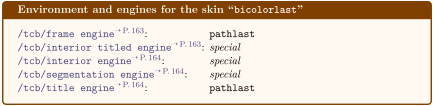
\skinExampleSet{skin=bicolorlast,

  colbacklower=LimeGreen!75!LightGreen,

}
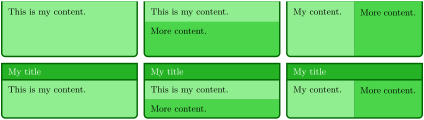
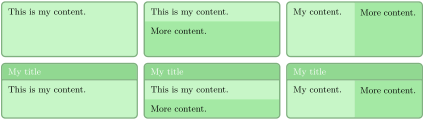
/tcb/skin=bicolor jigsaw(skin)New: 2021-05-21
This is the jigsaw variant of skin bicolor. It differs by its frame engine, see Section 10.11.
/tcb/bicolor jigsaw(style, no value)
This is an abbreviation for setting skin=enhanced jigsaw.
\skinExampleSet{bicolor jigsaw,

  colbacklower=LimeGreen!75!LightGreen,

  opacityframe=0.5,opacityback=0.5,opacitybacktitle=0.5,

  opacitybacklower=0.5,

}
/tcb/skin=bicolorfirst jigsaw(skin)New: 2021-05-21
This is the jigsaw variant of skin bicolorfirst. It differs by its frame engine, see Section 10.11.

\skinExampleSet{skin=bicolorfirst jigsaw,

  colbacklower=LimeGreen!75!LightGreen,

  opacityframe=0.5,opacityback=0.5,opacitybacktitle=0.5,

  opacitybacklower=0.5,

}
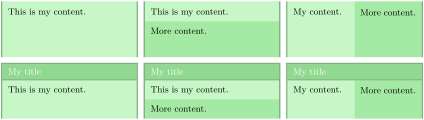
/tcb/skin=bicolormiddle jigsaw(skin)New: 2021-05-21
This is the jigsaw variant of skin bicolormiddle. It differs by its frame engine, see Section 10.11.
\skinExampleSet{skin=bicolormiddle jigsaw,

  colbacklower=LimeGreen!75!LightGreen,

  opacityframe=0.5,opacityback=0.5,opacitybacktitle=0.5,

  opacitybacklower=0.5,

}
/tcb/skin=bicolorlast jigsaw(skin)New: 2021-05-21
This is the jigsaw variant of skin bicolorlast. It differs by its frame engine, see Section 10.11.
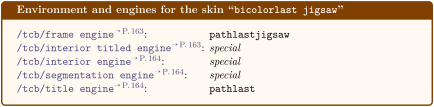
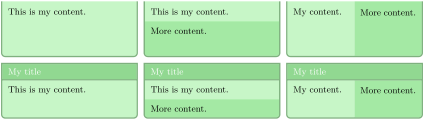
\skinExampleSet{skin=bicolorlast jigsaw,

  colbacklower=LimeGreen!75!LightGreen,

  opacityframe=0.5,opacityback=0.5,opacitybacktitle=0.5,

  opacitybacklower=0.5,

}
11.4 Skin Family “tile”
/tcb/skin=tile(skin)New: 2016-02-25
This skin is a variant of skin bicolor. Especially, the optional lower part of the box is colored by /tcb/colbacklower. The main difference to bicolor is that tile has no frame.
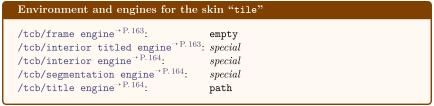
/tcb/tile(style, initially
skin=tile,boxrule=0pt,sharp corners,title filled,fonttitle=\textbackslash bfseries)New: 2016-02-25
This key applies skin=tile and in addition changes the geometry and some style options.
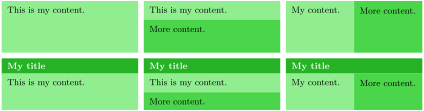
\skinExampleSet{tile,

  colbacklower=LimeGreen!75!LightGreen,

}
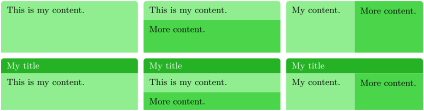
\skinExampleSet{skin=tilefirst,

  colbacklower=LimeGreen!75!LightGreen,

  boxrule=0pt,

}
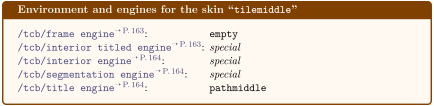
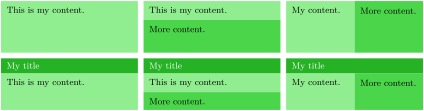
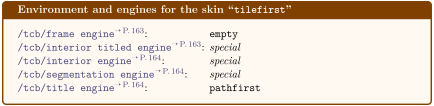
\skinExampleSet{skin=tilemiddle,

  colbacklower=LimeGreen!75!LightGreen,

  boxrule=0pt,

}
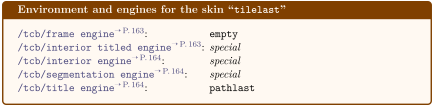
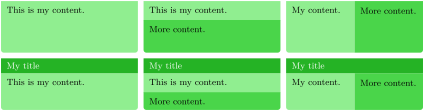
\skinExampleSet{skin=tilelast,

  colbacklower=LimeGreen!75!LightGreen,

  boxrule=0pt,

}
11.5 Skin Family “beamer”
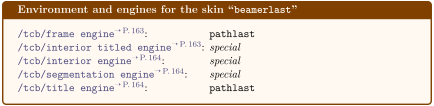
/tcb/skin=beamer(skin)
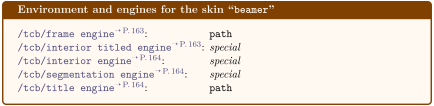
This skin resembles boxes known from the beamer class and therefore is called “beamer”. It uses the normal colors from the core package but shades them a little bit. While the motivation for this skin is to use “beamerish” looking boxes apart from the beamer class, one may want to use tcolorboxes as blocks inside beamer slides. For this purpose see the package beamertheme-tcolorbox which provides a beamer inner theme reproducing standard beamer blocks using tcolorboxes.
/tcb/beamer(style, initially
skin=beamer,boxrule=0mm,titlerule=1mm,toptitle=0.5mm,
arc=2mm,fonttitle=\textbackslash bfseries,drop fuzzy shadow)
This key applies skin=beamer and in addition changes the geometry and some style options.
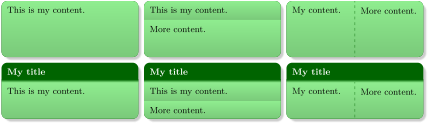
\skinExampleSet{beamer,title filled=false}

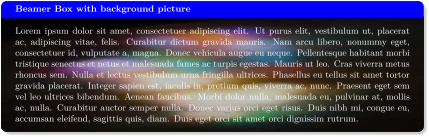
\begin{tcolorbox}[beamer,colframe=blue,colback=black,

  watermark graphics=lichtspiel.jpg,

  coltext=white,watermark opacity=0.75,watermark stretch=1.0,

  title=Beamer Box with background picture]

\lipsum[1]

\end{tcolorbox}
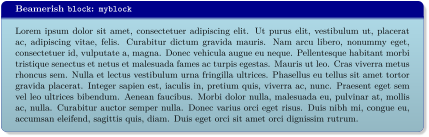
\newtcolorbox{myblock}[2][]{%

  beamer,breakable,colback=LightBlue,colframe=DarkBlue,#1,title={#2}}%


\begin{myblock}{Beamerish \texttt{block}: \texttt{myblock}}

\lipsum[1]

\end{myblock}
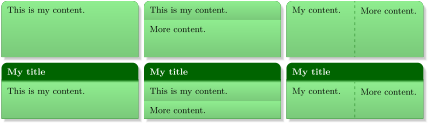
\skinExampleSet{beamer,title filled=false,skin=beamerfirst}

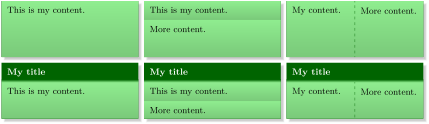
\skinExampleSet{beamer,title filled=false,skin=beamermiddle}
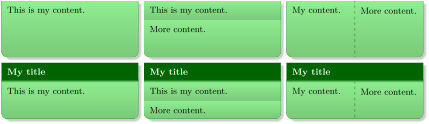
\skinExampleSet{beamer,title filled=false,skin=beamerlast}
11.6 Skin Family “widget”
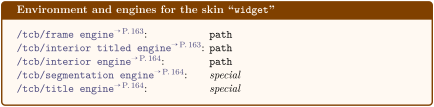
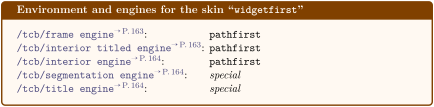
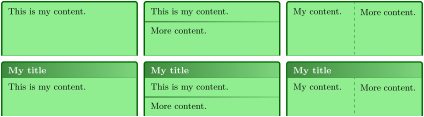
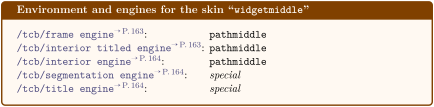
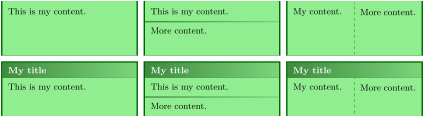
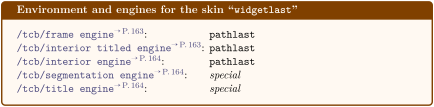
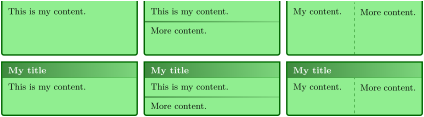
/tcb/skin=widget(skin)
This skin uses the normal colors from the core package but shades them a little bit. The appearance of the skin can be controlled by /tcb/frame style, /tcb/interior style, and /tcb/segmentation style, if needed.
/tcb/widget(style, initially
skin=widget,arc=0.5mm,fonttitle=\bfseries,titlerule=0mm)Updated: 2020-09-23
This key applies skin=widget and in addition changes the geometry and some style options.
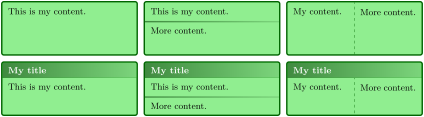
\skinExampleSet{widget}

11.7 Skin Family “empty”
/tcb/skin=empty(skin)
This skin sets all engines to empty, i. e., nothing is drawn at all. Therefore, this skin is a good starting point to create a complete new style by yourself.
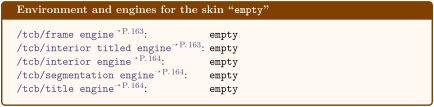
Note that the text colors stay unchanged when a skin is applied. Since the standard title color is white, the title of a box with skin empty becomes invisible, if not set to another color by /tcb/coltitle.
/tcb/empty(style, no value)
This is an abbreviation for setting skin=empty.
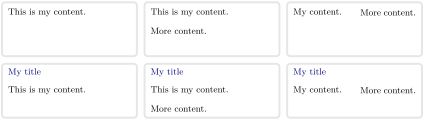
\skinExampleSet{empty,

  coltitle=Navy,borderline={2pt}{0pt}{black!10!white},

}
/tcb/blanker(style, initially unset)
This style relies on the skin empty. All engines are set to empty and all margins are set to 0pt. In contrast to /tcb/blank, the graphical paths are not constructed with exception of the geometry nodes.
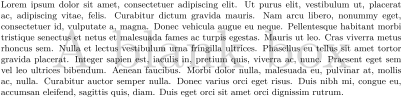
\begin{tcolorbox}[blanker,watermark text=A blank box]

\lipsum[1]

\end{tcolorbox}

% \tcbuselibrary{fitting}

\newtcboxfit{\mybox}[1]{blanker,width=4cm,height=7cm,top=4pt,

  watermark text=#1}


\begin{tabular}{|c|c|c|}\hline

A & B & C\\\hline

\mybox{A}{\lipsum[1]} & \mybox{B}{\lipsum[2]} & \mybox{C}{\lipsum[3]}\\\hline

\end{tabular}
/tcb/blankest(style, initially unset)
This style extends /tcb/blanker. All engines are set to empty and all margins are set to 0pt. In contrast to /tcb/blanker, also title, shadow, underlay, overlay, finish and borderline are removed.
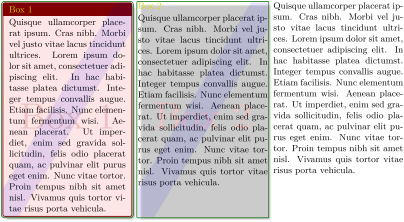
% \tcbuselibrary{raster}

\begin{tcbraster}[raster columns=3,raster equal height,

    title=Box \thetcbrasternum,

    enhanced,size=small,colframe=red!50!black,colback=red!10!white,

    coltitle=yellow!85!black,

    drop fuzzy shadow,watermark text={Box \thetcbrasternum},

    borderline={.25mm}{-0.5mm}{green!40!black},

    finish={\begin{tcbclipframe}\draw[blue,opacity=0.1,line width=1cm]

      (frame.south west) -- (frame.north east);\end{tcbclipframe}},

    ]

  \begin{tcolorbox}\lipsum[4]\end{tcolorbox}

  \begin{tcolorbox}[blanker]\lipsum[4]\end{tcolorbox}

  \begin{tcolorbox}[blankest]\lipsum[4]\end{tcolorbox}

\end{tcbraster}
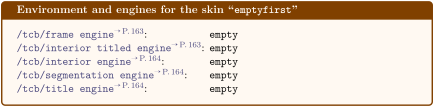
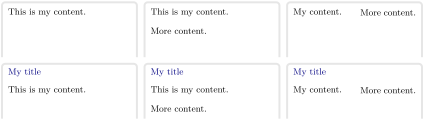
\skinExampleSet{skin=emptyfirst,

  coltitle=Navy,borderline={2pt}{0pt}{black!10!white},

}
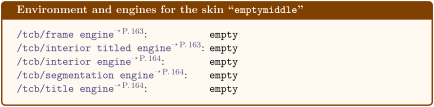
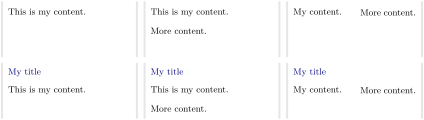
\skinExampleSet{skin=emptymiddle,

  coltitle=Navy,borderline={2pt}{0pt}{black!10!white},

}
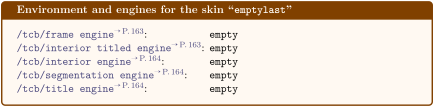
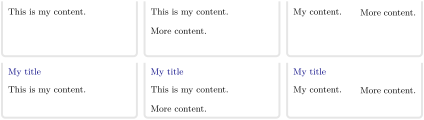
\skinExampleSet{skin=emptylast,

  coltitle=Navy,borderline={2pt}{0pt}{black!10!white},

}
% Preamble:

%\usepackage{lipsum}

%\tcbuselibrary{skins,breakable}

\tikzset{coltria/.style={fill=red!15!white}}


\newtcolorbox{freebox}[1][]{empty,

  breakable,height fixed for=first and middle,

  leftrule=5mm,left=2mm,

  frame style={fill,top color=red!75!black,bottom color=red!75!black,middle color=red},

  colback=yellow!50!white,

  watermark color=red!50!yellow!75!white,

  watermark text on=unbroken is unbroken box,

  watermark text on=first is first part,

  watermark text on=middle is middle part,

  watermark text on=last is last part,

  % code for unbroken boxes:

  frame code={\path[tcb fill frame] (frame.south west)--(frame.north west)

    --([xshift=-5mm]frame.north east)--([yshift=-5mm]frame.north east)

    --([yshift=5mm]frame.south east)--([xshift=-5mm]frame.south east)--cycle; },

  interior code={\path[tcb fill interior] (interior.south west)--(interior.north west)

    --([xshift=-4.8mm]interior.north east)--([yshift=-4.8mm]interior.north east)

    --([yshift=4.8mm]interior.south east)--([xshift=-4.8mm]interior.south east)

    --cycle; },

  % code for the first part of a break sequence:

  skin first is subskin of={emptyfirst}{%

    frame code={\path[tcb fill frame] (frame.south west)--(frame.north west)

      --([xshift=-5mm]frame.north east)--([yshift=-5mm]frame.north east)

      --(frame.south east)--cycle;

      \path[coltria] ([xshift=2.5mm,yshift=1mm]frame.south west) -- +(120:2mm)

      -- +(60:2mm)-- cycle; },

    interior code={\path[tcb fill interior] (interior.south west|-frame.south)

      --(interior.north west)--([xshift=-4.8mm]interior.north east)

      --([yshift=-4.8mm]interior.north east)--(interior.south east|-frame.south)

      --cycle; },

  },%

  % code for the middle part of a break sequence:

  skin middle is subskin of={emptymiddle}{%

    frame code={\path[tcb fill frame] (frame.south west)--(frame.north west)

      --(frame.north east)--(frame.south east)--cycle;

      \path[coltria] ([xshift=2.5mm,yshift=-1mm]frame.north west) -- +(240:2mm)

        -- +(300:2mm) -- cycle;

      \path[coltria] ([xshift=2.5mm,yshift=1mm]frame.south west) -- +(120:2mm)

        -- +(60:2mm) -- cycle;

      },

    interior code={\path[tcb fill interior] (interior.south west|-frame.south)

      --(interior.north west|-frame.north)--(interior.north east|-frame.north)

      --(interior.south east|-frame.south)--cycle; },

    },

  % code for the last part of a break sequence:

  skin last is subskin of={emptylast}{%

    frame code={\path[tcb fill frame] (frame.south west)--(frame.north west)

      --(frame.north east)--([yshift=5mm]frame.south east)

      --([xshift=-5mm]frame.south east)--cycle;

      \path[coltria] ([xshift=2.5mm,yshift=-1mm]frame.north west) -- +(240:2mm)

      -- +(300:2mm) -- cycle;

      },

    interior code={\path[tcb fill interior] (interior.south west)

      --(interior.north west|-frame.north)--(interior.north east|-frame.north)

      --([yshift=4.8mm]interior.south east)--([xshift=-4.8mm]interior.south east)

      --cycle; },

    },

  #1}


\begin{freebox}

\lipsum[1]

\end{freebox}


\begin{freebox}

\lipsum[1-12]

\end{freebox}
11.8 Skin “spartan”
/tcb/skin=spartan(skin)
This skin is quite … spartan. It supports no rounded corners, no overlays, no shadows, no borderlines, and no finishes. The only exception are underlays. One cannot do very fancy things with this skin, but it compiles very fast. Therefore, the spartan skin is used for the draft mode, see Section 10.12. Nevertheless, it can be used as a normal skin.
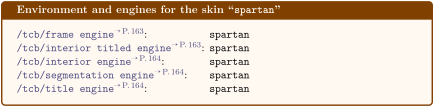
/tcb/spartan(style, no value)
This is an abbreviation for setting skin=spartan.
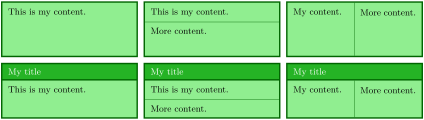
\skinExampleSet{spartan}
11.9 Skin “draft”
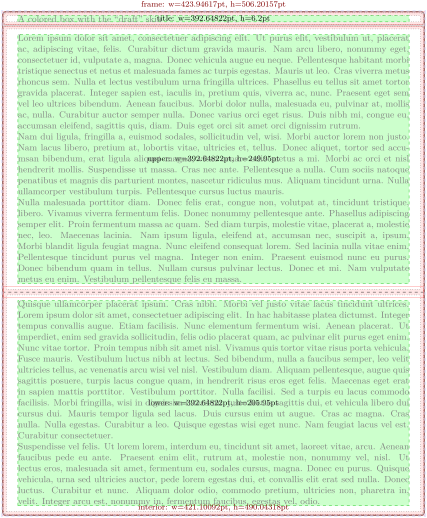
/tcb/skin=draft(skin)
This skin is intended to be used while drafting new geometric settings for a tcolorbox.
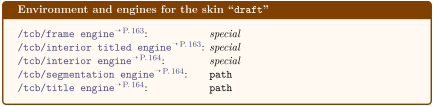
/tcb/draft(style, no value)
This is an abbreviation for setting skin=draft.
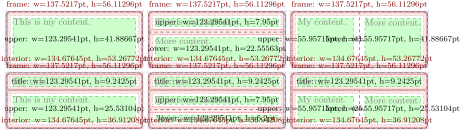
\skinExampleSet{draft}
11.10 Skin Family “freelance”
This skin family “freelance” is deprecated with tcolorbox 3.00. It is not longer needed, because /tcb/frame code, /tcb/interior code, /tcb/interior titled code, and /tcb/title code can be applied to every skin now. In this sense, everything has become freelance now. For users of /tcb/freelance: Old code should continue to work. There may be exceptions for breakable freelance boxes under certain circumstances. For new code, use /tcb/empty or /tcb/enhanced where you would have used /tcb/freelance before.
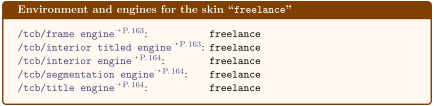
/tcb/skin=freelance(skin)
This skin gives full freedom for the appearance of the tcolorbox. All drawing engines are set to type freelance; they use the tikz package and compute the /tcb/geometry nodes.
/tcb/freelance(style, no value)
This is an abbreviation for setting skin=freelance.
/tcb/skin=freelancefirst(skin)
This skin equals freelance with exception of the break sequence, see Section 19.8.
/tcb/skin=freelancemiddle(skin)
This skin equals freelance with exception of the break sequence, see Section 19.8.
/tcb/skin=freelancelast(skin)
This skin equals freelance with exception of the break sequence, see Section 19.8.
/tcb/extend freelancefirst=⟨options⟩(no default, initially empty)
The ⟨options⟩ are added to the skin definition of freelancefirst which is used as first part of the break sequence of freelance. See /tcb/skin first is subskin of for a substitute of this key.
/tcb/extend freelancemiddle=⟨options⟩(no default, initially empty)
The ⟨options⟩ are added to the skin definition of freelancemiddle which is used as middle part of the break sequence of freelance. See /tcb/skin middle is subskin of for a substitute of this key.
/tcb/extend freelancelast=⟨options⟩(no default, initially empty)
The ⟨options⟩ are added to the skin definition of freelancelast which is used as last part of the break sequence of freelance. See /tcb/skin last is subskin of for a substitute of this key.