The tcolorbox package
The Core Package
4 Option Keys
For the ⟨options⟩ in tcolorbox respectively \tcbset the following pgf keys can be applied1. The key tree path /tcb/ is not to be used inside these macros. It is easy to add your own style keys using the syntax for pgf keys, see [Tantau 2023, Sturm 2019d] or the examples starting from section 17.10.
4.1 Title
/tcb/title=⟨text⟩(no default, initially empty)
Creates a heading line with ⟨text⟩ as content.
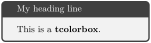
/tcb/notitle(no value, initially set)
Removes the title line if set before.
/tcb/adjusted title=⟨text⟩(style, no default, initially unset)
Creates a heading line with ⟨text⟩ as content. The minimal height of this line is adjusted to fit the text given by /tcb/adjust text. This option makes sense for single line headings if boxes are set side by side with equal height. Note that it is very easy to trick this adjustment.
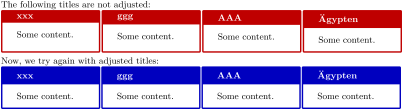
\tcbset{colback=White,arc=0mm,width=(\linewidth-4pt)/4,

equal height group=AT,before=,after=\hfill,fonttitle=\bfseries}


The following titles are not adjusted:\\

\foreach \n in {xxx,ggg,AAA,\"Agypten}

{\begin{tcolorbox}[title=\n,colframe=red!75!black]

  Some content.\end{tcolorbox}}

Now, we try again with adjusted titles:\\

\foreach \n in {xxx,ggg,AAA,\"Agypten}

{\begin{tcolorbox}[adjusted title=\n,colframe=blue!75!black]

  Some content.\end{tcolorbox}}
/tcb/adjust text=⟨text⟩(no default, initially Äpgjy)
This sets the reference text for /tcb/adjusted title. If your texts never exceed “Äpgjy” in depth and height you don’t need to care about this option.
/tcb/squeezed title=⟨text⟩(style, no default, initially unset)New: 2014-11-24
Creates a single heading line with ⟨text⟩ as content. If the ⟨text⟩ is longer than the available space, the text is squeezed to fit into the available space.

% \tcbuselibrary{raster}

\begin{tcbitemize}[raster columns=3,raster equal height,

  colframe=red!75!black,colback=red!5!white,fonttitle=\bfseries]

\tcbitem[squeezed title={Short title}]

  First box

\tcbitem[squeezed title={This is a very very long title}]

  Second box

\tcbitem[squeezed title={This title is clearly to long for this application}]

  Third box

\end{tcbitemize}
/tcb/squeezed title*=⟨text⟩(style, no default, initially unset)New: 2014-11-24
This is a combination of /tcb/adjusted title and /tcb/squeezed title.

% \tcbuselibrary{raster}

\begin{tcbitemize}[raster columns=3,raster equal height,

  colframe=red!75!black,colback=red!5!white,fonttitle=\bfseries]

\tcbitem[squeezed title*={Short title}]

  First box

\tcbitem[squeezed title*={This is a very very long title}]

  Second box

\tcbitem[squeezed title*={This title is clearly to long for this application}]

  Third box

\end{tcbitemize}
/tcb/titlebox=⟨mode⟩(no default, initially visible)New: 2019-03-01
visible: usual type setting of the title box,
invisible: empty space instead of the title contents.
Controls the treatment of the title part of the box. Feasible values for ⟨mode⟩ are:

/tcb/detach title(no value)
Detaches the title from its normal position. The text of the title is stored into \tcbtitletext and the formatted title is available by \tcbtitle. The main application is to move the title from its usual place to another one.
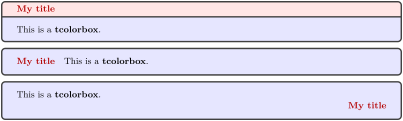
\newtcolorbox{mybox}[2][]{colbacktitle=red!10!white,

  colback=blue!10!white,coltitle=red!70!black,

  title={#2},fonttitle=\bfseries,#1}


\begin{mybox}{My title}

  This is a \textbf{tcolorbox}.

\end{mybox}

\begin{mybox}[detach title,before upper={\tcbtitle\quad}]{My title}

  This is a \textbf{tcolorbox}.

\end{mybox}

\begin{mybox}[detach title,after upper={\par\hfill\tcbtitle}]{My title}

  This is a \textbf{tcolorbox}.

\end{mybox}
/tcb/attach title(no value)
Attaches the title to its normal position. This option is used to reverse /tcb/detach title.
/tcb/attach title to upper=⟨text⟩(style, default empty, initially unset)Updated: 2015-07-08
Attaches the title to the begin of the upper part of the box content. The optional ⟨text⟩ is set between the formatted title and the box content.

\newtcolorbox{mybox}[2][]{colbacktitle=red!10!white,

  colback=blue!10!white,coltitle=red!70!black,

  title={#2},fonttitle=\bfseries,#1}


\begin{mybox}[attach title to upper={\ ---\ }]{My title}

  This is a \textbf{tcolorbox}.

\end{mybox}

\begin{mybox}[attach title to upper,after title={:\ }]{My title}

  This is a \textbf{tcolorbox}.

\end{mybox}
More title options are documented in Section 4.11 and Section 10.2.
4.2 Subtitle
Inside the box content, one or more subtitles can be added. In general, a subtitle is a further tcolorbox which inherits some color and geometry options from the enclosing box. It may be customized just like any other tcolorbox.
\tcbsubtitle[⟨options⟩]{⟨text⟩}New: 2014-10-10
Used inside a tcolorbox to add a subtitle box with the given ⟨text⟩. This is an independent tcolorbox which is formatted by several inherited properties of the enclosing box, by further settings from /tcb/subtitle style, and by the given ⟨options⟩.
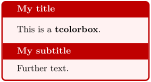
\begin{tcolorbox}[title=My title,

    colback=red!5!white,

    colframe=red!75!black,

    fonttitle=\bfseries]

  This is a \textbf{tcolorbox}.

\tcbsubtitle[before skip=\baselineskip]%

  {My subtitle}

  Further text.

\end{tcolorbox}
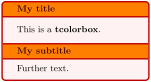
\begin{tcolorbox}[title=My title,

    colback=red!5!white,

    colframe=red!75!black,

    colbacktitle=yellow!50!red,

    coltitle=red!25!black,

    fonttitle=\bfseries]

  This is a \textbf{tcolorbox}.

\tcbsubtitle[before skip=\baselineskip]%

  {My subtitle}

  Further text.

\end{tcolorbox}
/tcb/subtitle style=⟨options⟩(no default, initially empty)New: 2014-10-10
Adds tcolorbox ⟨options⟩ to the settings for \tcbsubtitle.
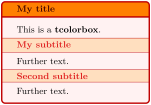
\begin{tcolorbox}[title=My title,

  colback=red!5!white,

  colframe=red!75!black,

  colbacktitle=yellow!50!red,

  coltitle=red!25!black,

  fonttitle=\bfseries,

  subtitle style={boxrule=0.4pt,

    colback=yellow!50!red!25!white,

    colupper=red!75!gray} ]

  This is a \textbf{tcolorbox}.

\tcbsubtitle{My subtitle}

  Further text.

\tcbsubtitle{Second subtitle}

  Further text.

\end{tcolorbox}
4.3 Upper Part
The text content of a tcolorbox may be parted into a mandatory upper part and an optional lower part. These parts are separated by \tcblower. If there is no \tcblower present, there is no lower part and the upper part forms the complete text content.
/tcb/upperbox=⟨mode⟩(no default, initially visible)New: 2015-01-06
visible: usual type setting of the upper part,
invisible: empty space instead of the upper part contents.
Controls the treatment of the upper part of the box. If there is no lower part, this is the complete text content. Feasible values for ⟨mode⟩ are:
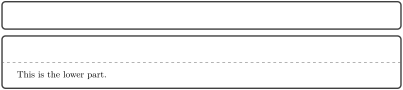
/tcb/visible(style, no value)New: 2015-01-06Updated: 2019-03-01
Shortcut for setting /tcb/upperbox, /tcb/lowerbox, and /tcb/titlebox to be visible.
/tcb/invisible(style, no value)New: 2015-01-06Updated: 2019-03-01
Shortcut for setting /tcb/upperbox, /tcb/lowerbox, and /tcb/titlebox to be invisible.

/tcb/saveto=⟨file name⟩(no default, initially empty)New: 2015-05-04
Saves the content of the box into a file for an optional later usage. This is the counterpart of /tcb/savelowerto, but it saves not only the upper part but the whole content. If a lower part is present, it is also saved including \tcblower. An empty ⟨file name⟩ deactivates /tcb/saveto.
This option cannot be combined with /tcb/savelowerto or /tcb/redirectlowerto.

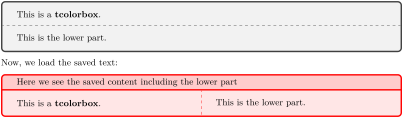
\begin{tcolorbox}[saveto=\jobname_mysave2.tex]

This is a \textbf{tcolorbox}.

\tcblower

This is the lower part.

\end{tcolorbox}


Now, we load the saved text:

\begin{tcolorbox}[colframe=red,colback=red!10,

  coltitle=black,colbacktitle=red!20,sidebyside,

  title=Here we see the saved content including the lower part]

\input{\jobname_mysave2.tex}

\end{tcolorbox}
4.4 Lower Part
/tcb/lowerbox=⟨mode⟩(no default, initially visible)
visible: usual type setting of the lower part,
invisible: empty space instead of the lower part contents,
ignored: the lower part is not used (here).
Controls the treatment of the lower part of the box. Feasible values for ⟨mode⟩ are:
The last two values are usually applied in connection with savelowerto.
The lower part is always typeset into a box which is used or dropped accordingly. The only exception is applying /tcb/redirectlowerto.
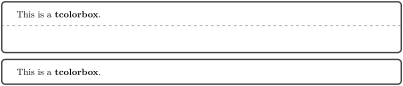
/tcb/savelowerto=⟨file name⟩(no default, initially empty)Updated: 2014-11-28
Saves the content of the lower part into a file for an optional later usage. An empty ⟨file name⟩ deactivates /tcb/savelowerto.
This option cannot be combined with /tcb/saveto.

/tcb/redirectlowerto=⟨file name⟩(no default, initially empty)New: 2023-07-17
This is a combination of /tcb/savelowerto and /tcb/lowerbox=ignored and additionally avoids typesetting the content of the lower part. This can be useful, if the lower part contains counters or similar. An empty ⟨file name⟩ deactivates the saving, but the /tcb/lowerbox setting will still be ignored.
This option cannot be combined with /tcb/saveto.

\setcounter{enumi}{1}

Test counter: \theenumi


\begin{tcolorbox}[redirectlowerto=\jobname_bspsave2.tex,colback=white]

This is a \textbf{tcolorbox}.

\tcblower

This is the lower part.\stepcounter{enumi}

New value of test counter: \theenumi.

\end{tcolorbox}


Now, we load the saved text:\\

\input{\jobname_bspsave2.tex}
/tcb/lower separated=true|false(default true, initially true)
If set to true, the lower part is visually separated from the upper part. It depends on the chosen skin how the visualization of the separation is done.
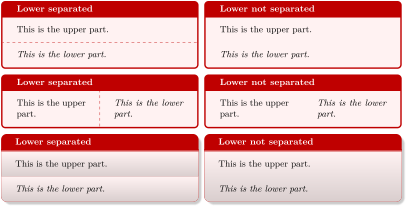
% \tcbuselibrary{skins,raster}

\begin{tcbraster}[colback=red!5!white,colframe=red!75!black,

  fonttitle=\bfseries,fontlower=\itshape]

%

\begin{tcolorbox}[title=Lower separated]

This is the upper part.

\tcblower

This is the lower part.

\end{tcolorbox}

%

\begin{tcolorbox}[title=Lower not separated,lower separated=false]

This is the upper part.

\tcblower

This is the lower part.

\end{tcolorbox}

%

\begin{tcolorbox}[sidebyside,title=Lower separated]

This is the upper part.

\tcblower

This is the lower part.

\end{tcolorbox}

%

\begin{tcolorbox}[sidebyside,title=Lower not separated,lower separated=false]

This is the upper part.

\tcblower

This is the lower part.

\end{tcolorbox}

%

\begin{tcolorbox}[beamer,title=Lower separated]

This is the upper part.

\tcblower

This is the lower part.

\end{tcolorbox}

%

\begin{tcolorbox}[beamer,title=Lower not separated,lower separated=false]

This is the upper part.

\tcblower

This is the lower part.

\end{tcolorbox}

%

\end{tcbraster}
/tcb/savedelimiter=⟨name⟩(no default, initially tcolorbox)
Used in connection with new environment definitions which extend tcolorbox and use or allow the option /tcb/savelowerto or /tcb/redirectlowerto. To catch the end of the new box environment ⟨name⟩ has to be the name of this environment. Additionally, the environment definition has to use \tcolorbox instead of \begin{tcolorbox} and \endtcolorbox instead of \end{tcolorbox}.
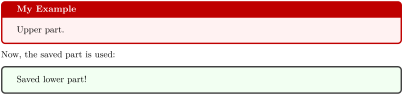
\newenvironment{mybox}[1]{%

  \tcolorbox[savedelimiter=mybox,

             savelowerto=\jobname_bspsave3.tex,lowerbox=ignored,

             colback=red!5!white,colframe=red!75!black,fonttitle=\bfseries,

             title={#1}]}%

  {\endtcolorbox}


\begin{mybox}{My Example}

Upper part.

\tcblower

Saved lower part!

\end{mybox}


Now, the saved part is used:

\begin{tcolorbox}[colback=green!5]

\input{\jobname_bspsave3.tex}

\end{tcolorbox}
The savedelimiter is used implicitly with \newtcolorbox which allows a more convenient usage:
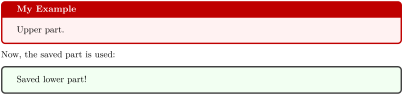
\newtcolorbox{mybox}[1]{%

             savelowerto=\jobname_bspsave4.tex,lowerbox=ignored,

             colback=red!5!white,colframe=red!75!black,fonttitle=\bfseries,

             title={#1}}%


\begin{mybox}{My Example}

Upper part.

\tcblower

Saved lower part!

\end{mybox}


Now, the saved part is used:

\begin{tcolorbox}[colback=green!5]

\input{\jobname_bspsave4.tex}

\end{tcolorbox}
4.5 Colors and Fonts
/tcb/colframe=⟨color⟩(no default, initially black!75!white)
Sets the frame ⟨color⟩ of the box.

/tcb/colback=⟨color⟩(no default, initially black!5!white)
Sets the background ⟨color⟩ of the box.

Also see /tcb/colbacklower of the skins library.
/tcb/title filled=true|false(default true, initially false)
Switches the drawing of the title background according to the given value. This option is set to true automatically by /tcb/colbacktitle, /tcb/opacitybacktitle, and /tcb/title style, and /tcb/title code.
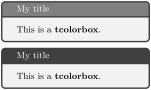
\begin{tcolorbox}[title=My title,title filled]

This is a \textbf{tcolorbox}.

\end{tcolorbox}

\begin{tcolorbox}[title=My title,

  title filled=false]

This is a \textbf{tcolorbox}.

\end{tcolorbox}
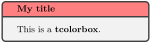
/tcb/colbacktitle=⟨color⟩(no default, initially black!50!white)
Sets the background ⟨color⟩ of the title area of the box.
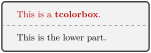
/tcb/colupper=⟨color⟩(no default, initially black)
Sets the text ⟨color⟩ of the upper part.
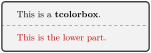
/tcb/collower=⟨color⟩(no default, initially black)
Sets the text ⟨color⟩ of the lower part.
/tcb/coltext=⟨color⟩(style, no default, initially black)
Sets the text ⟨color⟩ of the box. This is an abbreviation for setting colupper and collower to the same value.
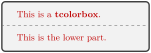
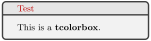
/tcb/fontupper=⟨text⟩(no default, initially empty)
Sets ⟨text⟩ before the content of the upper part (e. g. font settings).

/tcb/fontlower=⟨text⟩(no default, initially empty)
Sets ⟨text⟩ before the content of the lower part (e. g. font settings).

/tcb/fonttitle=⟨text⟩(no default, initially empty)
Sets ⟨text⟩ before the content of the title text (e. g. font settings).

More color options are provided by using skins documented in Section 10.
4.6 Text Alignment
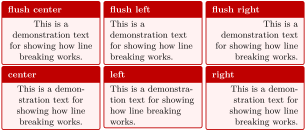
/tcb/halign=⟨alignment⟩(no default, initially justify)New: 2015-05-07
/tcb/halign upper=⟨alignment⟩(no default, initially justify)New: 2015-05-07
justify: usual left and right justified type setting. Actually, this setting does nothing.
left: left border justification in analogy to plain TeX.
flush left: left border justification with \raggedright of LaTeX.
right: right border justification in analogy to plain TeX.
flush right: right border justification with \raggedleft of LaTeX.
center: centering in analogy to plain TeX.
flush center: centering with \centering of LaTeX.
If there is no lower part, halign determines the horizontal ⟨alignment⟩ of the text content. Otherwise, halign determines the horizontal ⟨alignment⟩ of the upper part of the box only. The feasible values for ⟨alignment⟩ are more or less identical to the corresponding /tikz/align settings, even if the implementation differs.
The differences between the flush and non-flush version are explained in detail in the TikZ manual [Tantau 2023]. The short story is that the non-flush versions will often look more balanced but with more hyphenations. /tcb/halign upper is an alias for /tcb/halign.
For nested boxes, left, right, center from an outer box destroy the justification justify from inner boxes, while flush left, flush right, flush center do not. For further justification options, see example at /tcb/halign code .
\tcbset{colback=red!5!white,colframe=red!75!black,size=small,

  fonttitle=\bfseries,width=3.5cm,box align=top,

  nobeforeafter}


\begin{tcolorbox}[adjusted title=flush center,halign=flush center]

This is a demonstration text for showing how line breaking works.

\end{tcolorbox}

\begin{tcolorbox}[adjusted title=flush left,halign=flush left]

This is a demonstration text for showing how line breaking works.

\end{tcolorbox}

\begin{tcolorbox}[adjusted title=flush right,halign=flush right]

This is a demonstration text for showing how line breaking works.

\end{tcolorbox}


\begin{tcolorbox}[adjusted title=center,halign=center]

This is a demonstration text for showing how line breaking works.

\end{tcolorbox}

\begin{tcolorbox}[adjusted title=left,halign=left]

This is a demonstration text for showing how line breaking works.

\end{tcolorbox}

\begin{tcolorbox}[adjusted title=right,halign upper=right]

This is a demonstration text for showing how line breaking works.

\end{tcolorbox}
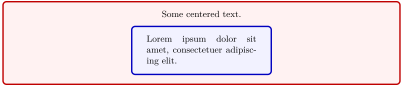
/tcb/halign code={⟨code⟩}(no default)New: 2022-07-07
/tcb/halign upper code={⟨code⟩}(no default)New: 2022-07-07
If /tcb/halign resp. /tcb/halign upper is not flexible enough, /tcb/halign code resp. /tcb/halign upper code allows to set arbitrary ⟨code⟩ to configure the horizontal alignment of the text content, e. g. using alignments from specialized packages, e. g. ragged2e.
% \usepackage{ragged2e}

\begin{tcolorbox}[colback=red!5!white,colframe=red!75!black,halign=center]

  Some centered text.

  \begin{tcolorbox}[colback=blue!5!white,colframe=blue!75!black,width=5cm,

      halign code=\noindent\justifying]

    Lorem ipsum dolor sit amet, consectetuer adipiscing elit.

  \end{tcolorbox}

\end{tcolorbox}
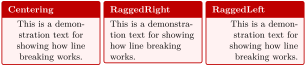
% \usepackage{ragged2e}

\tcbset{colback=red!5!white,colframe=red!75!black,size=small,

  fonttitle=\bfseries,width=3.5cm,box align=top,

  nobeforeafter}


\begin{tcolorbox}[adjusted title=Centering,halign code=\Centering]

This is a demonstration text for showing how line breaking works.

\end{tcolorbox}

\begin{tcolorbox}[adjusted title=RaggedRight,halign code=\RaggedRight]

This is a demonstration text for showing how line breaking works.

\end{tcolorbox}

\begin{tcolorbox}[adjusted title=RaggedLeft,halign code=\RaggedLeft]

This is a demonstration text for showing how line breaking works.

\end{tcolorbox}
/tcb/halign lower=⟨alignment⟩(no default, initially justify)New: 2015-05-07
halign lower determines the horizontal ⟨alignment⟩ of the lower part of the box. The feasible values for ⟨alignment⟩ are the same as for /tcb/halign.
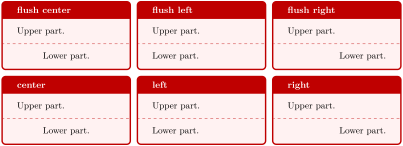
\begin{tcbraster}[raster columns=3,fonttitle=\bfseries,

  colback=red!5!white,colframe=red!75!black]


  \begin{tcolorbox}[adjusted title=flush center,halign lower=flush center]

    Upper part. \tcblower Lower part.

  \end{tcolorbox}

  \begin{tcolorbox}[adjusted title=flush left,halign lower=flush left]

    Upper part. \tcblower Lower part.

  \end{tcolorbox}

  \begin{tcolorbox}[adjusted title=flush right,halign lower=flush right]

    Upper part. \tcblower Lower part.

  \end{tcolorbox}

  \begin{tcolorbox}[adjusted title=center,halign lower=center]

    Upper part. \tcblower Lower part.

  \end{tcolorbox}

  \begin{tcolorbox}[adjusted title=left,halign lower=left]

    Upper part. \tcblower Lower part.

  \end{tcolorbox}

  \begin{tcolorbox}[adjusted title=right,halign lower=right]

    Upper part. \tcblower Lower part.

  \end{tcolorbox}


\end{tcbraster}
/tcb/halign lower code={⟨code⟩}(no default)New: 2022-07-07
If /tcb/halign lower is not flexible enough, /tcb/halign lower code allows to set arbitrary ⟨code⟩ to configure the horizontal alignment of the lower part of the box.
/tcb/halign title=⟨alignment⟩(no default, initially justify)New: 2015-05-07
halign title determines the horizontal ⟨alignment⟩ of the title of the box. The feasible values for ⟨alignment⟩ are the same as for /tcb/halign.
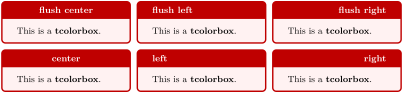
\begin{tcbraster}[raster columns=3,fonttitle=\bfseries,

  colback=red!5!white,colframe=red!75!black]


  \begin{tcolorbox}[adjusted title=flush center,halign title=flush center]

    This is a \textbf{tcolorbox}.

  \end{tcolorbox}

  \begin{tcolorbox}[adjusted title=flush left,halign title=flush left]

    This is a \textbf{tcolorbox}.

  \end{tcolorbox}

  \begin{tcolorbox}[adjusted title=flush right,halign title=flush right]

    This is a \textbf{tcolorbox}.

  \end{tcolorbox}

  \begin{tcolorbox}[adjusted title=center,halign title=center]

    This is a \textbf{tcolorbox}.

  \end{tcolorbox}

  \begin{tcolorbox}[adjusted title=left,halign title=left]

    This is a \textbf{tcolorbox}.

  \end{tcolorbox}

  \begin{tcolorbox}[adjusted title=right,halign title=right]

    This is a \textbf{tcolorbox}.

  \end{tcolorbox}


\end{tcbraster}
/tcb/halign title code={⟨code⟩}(no default)New: 2022-07-07
If /tcb/halign title is not flexible enough, /tcb/halign title code allows to set arbitrary ⟨code⟩ to configure the horizontal alignment of the title of the box.
/tcb/flushleft upper(style, no value)Updated: 2015-05-07
Shortcut for setting /tcb/halign to flush left.
/tcb/center upper(style, no value)Updated: 2015-05-07
Shortcut for setting /tcb/halign to flush center.
/tcb/flushright upper(style, no value)Updated: 2015-05-07
Shortcut for setting /tcb/halign to flush right.
/tcb/flushleft lower(style, no value)Updated: 2015-05-07
Shortcut for setting /tcb/halign lower to flush left.
/tcb/center lower(style, no value)Updated: 2015-05-07
Shortcut for setting /tcb/halign lower to flush center.
/tcb/flushright lower(style, no value)Updated: 2015-05-07
Shortcut for setting /tcb/halign lower to flush right.
/tcb/flushleft title(style, no value)Updated: 2015-05-07
Shortcut for setting /tcb/halign title to flush left.
/tcb/center title(style, no value)Updated: 2015-05-07
Shortcut for setting /tcb/halign title to flush center.
/tcb/flushright title(style, no value)Updated: 2015-05-07
Shortcut for setting /tcb/halign title to flush right.
The vertical alignment settings are only relevant for boxes which are larger than their natural height, see Section 4.10.
/tcb/valign=⟨alignment⟩(no default, initially top)Updated: 2015-07-16
top: Anchor text at top.
center: Anchor text at center.
bottom: Anchor text at bottom.
scale: Scale text vertically to fit into the available space. This is brutal and may not look very good. Consider Section 22 alternatively.
scale*: Like scale, but scaling is bounded by /tcb/valign scale limit.
If the height of a tcolorbox is not the natural height, valign determines the vertical ⟨alignment⟩ of the upper part. Feasible values are
For a box with natural height, these settings are meaningless.

/tcb/valign upper=⟨alignment⟩(no default, initially top)New: 2015-05-07
Alias for /tcb/valign.
/tcb/valign lower=⟨alignment⟩(no default, initially top)
This key has the same meaning for the lower part as /tcb/valign for the upper part, i. e., it determines the vertical ⟨alignment⟩ of the lower part with feasible values top, center, bottom, scale, and scale*.
/tcb/valign scale limit=⟨real number⟩(no default, initially 1.1)New: 2015-07-16
Sets an upper scale limit for the scale* setting in /tcb/valign and /tcb/valign lower. Note that this value is not reset by /tcb/reset. So, changes also apply to embedded boxes.
Also see /tcb/sidebyside align for alignment settings when upper part and lower part are set side-by-side.
4.7 Geometry
4.7.1 Width
/tcb/width=⟨length⟩(no default, initially \linewidth)
Sets the total width of the colored box to ⟨length⟩. See also /tcb/height.

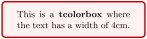
/tcb/text width=⟨length⟩(style, no default)New: 2014-10-31
Sets the text width of the upper part to ⟨length⟩. See also /tcb/text height.
/tcb/add to width=⟨length⟩(style, no default)New: 2014-11-07
Adds ⟨length⟩ to the current total width of the colored box.
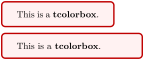
See Section 4.10 for setting fixed height values.
4.7.2 Rules
/tcb/toprule=⟨length⟩(no default, initially 0.5mm)
Sets the line width of the top rule to ⟨length⟩.

/tcb/bottomrule=⟨length⟩(no default, initially 0.5mm)
Sets the line width of the bottom rule to ⟨length⟩.

/tcb/leftrule=⟨length⟩(no default, initially 0.5mm)
Sets the line width of the left rule to ⟨length⟩.

/tcb/rightrule=⟨length⟩(no default, initially 0.5mm)
Sets the line width of the right rule to ⟨length⟩.

/tcb/titlerule=⟨length⟩(no default, initially 0.5mm)
Sets the line width of the rule below the title to ⟨length⟩.

/tcb/boxrule=⟨length⟩(style, no default, initially 0.5mm)
Sets all rules of the frame to ⟨length⟩, i. e., /tcb/toprule, /tcb/bottomrule, /tcb/leftrule, /tcb/rightrule, and /tcb/titlerule.

More options for drawing a /tcb/borderline are provided by using skins documented in Section 10.
4.7.3 Arcs
/tcb/arc=⟨length⟩(no default, initially 1mm)
Sets the inner radius of the four frame arcs to ⟨length⟩.


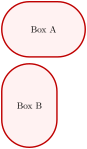
/tcb/bean arc(style, no value)New: 2015-05-05
Sets /tcb/arc to match the smaller value of the half of the inner width and of the inner height of the colored box.
This only works for a fixed /tcb/height. Also, /tcb/bean arc must be used after width and height are set by option keys.
/tcb/octogon arc(style, no value)New: 2015-05-05
Sets /tcb/arc to match \(\frac{1}{2+\sqrt{2}}\) of the inner width of the colored box. If width and height of the box are identical, the interior is a regular octogon.

\begin{tcolorbox}[enhanced,

  size=minimal,auto outer arc,

  width=2.1cm,octogon arc,

  colback=red,colframe=white,colupper=white,

  fontupper=\fontsize{7mm}{7mm}\selectfont\bfseries\sffamily,

  halign=center,valign=center,

  square,arc is angular,

  borderline={0.2mm}{-1mm}{red}  ]

STOP

\end{tcolorbox}
/tcb/arc is angular(no value, initially unset)New: 2015-05-05
Using this options applies a patch which straightens the corners arcs of the boxes. The little arcs are replaced by little straight lines.
This patch is considered as an experimental feature. It changes some of the original TikZ code. This change may break with future updates of TikZ.
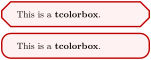
\tcbset{colback=red!5!white,colframe=red!75!black,

  arc=3mm}


\begin{tcolorbox}[arc is angular]

This is a \textbf{tcolorbox}.

\end{tcolorbox}

\begin{tcolorbox}[arc is curved]

This is a \textbf{tcolorbox}.

\end{tcolorbox}
/tcb/arc is curved(no value, initially set)New: 2015-05-05
This option resets the patch from /tcb/arc is angular. The original TikZ code is activated.
/tcb/outer arc=⟨length⟩(no default, initially unset)
Sets the outer radius of the four frame arcs to ⟨length⟩.

4.7.4 Spacing
/tcb/boxsep=⟨length⟩(no default, initially 1mm)
Sets a common padding of ⟨length⟩ between the text content and the frame of the box. This value is added to the key values of left, right, top, bottom, and middle at the appropriate places.

/tcb/left=⟨length⟩(style, no default, initially 4mm)
Sets the left space between all text parts and frame (additional to boxsep). This is an abbreviation for setting lefttitle, leftupper, and leftlower to the same value.

/tcb/left*=⟨length⟩(style, no default)New: 2017-02-16
Sets /tcb/left such that ⟨length⟩ is the distance between the left bounding box and the text parts.

\tcbset{colback=red!5!white,colframe=red!75!black}


This is some text.

\begin{tcolorbox}[grow to left by=5mm,left*=0mm,

  enhanced,show bounding box]

This is a \textbf{tcolorbox}.

\end{tcolorbox}
/tcb/lefttitle=⟨length⟩(no default, initially 4mm)
Sets the left space between title text and frame (additional to boxsep).

/tcb/leftupper=⟨length⟩(no default, initially 4mm)
Sets the left space between upper text and frame (additional to boxsep).

/tcb/leftlower=⟨length⟩(no default, initially 4mm)
Sets the left space between lower text and frame (additional to boxsep).

/tcb/right=⟨length⟩(style, no default, initially 4mm)
Sets the right space between all text parts and frame (additional to boxsep). This is an abbreviation for setting righttitle, rightupper, and rightlower to the same value.
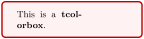
/tcb/right*=⟨length⟩(style, no default)New: 2017-02-16
Sets /tcb/right such that ⟨length⟩ is the distance between the right bounding box and the text parts.

\tcbset{colback=red!5!white,colframe=red!75!black}


\flushright This is some text.

\begin{tcolorbox}[grow to right by=5mm,right*=0mm,

  halign=right,enhanced,show bounding box]

This is a \textbf{tcolorbox}.

\end{tcolorbox}
/tcb/righttitle=⟨length⟩(no default, initially 4mm)
Sets the right space between title text and frame (additional to boxsep).
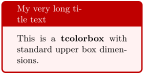
/tcb/rightupper=⟨length⟩(no default, initially 4mm)
Sets the right space between upper text and frame (additional to boxsep).

/tcb/rightlower=⟨length⟩(no default, initially 4mm)
Sets the right space between lower text and frame (additional to boxsep).
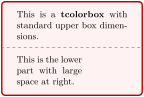
/tcb/top=⟨length⟩(no default, initially 2mm)
Sets the top space between text and frame (additional to boxsep).

/tcb/toptitle=⟨length⟩(no default, initially 0mm)
Sets the top space between title and frame (additional to boxsep).

/tcb/bottom=⟨length⟩(no default, initially 2mm)
Sets the bottom space between text and frame (additional to boxsep).

/tcb/bottomtitle=⟨length⟩(no default, initially 0mm)
Sets the bottom space between title and frame (additional to boxsep).

/tcb/middle=⟨length⟩(no default, initially 2mm)
Sets the space between upper and lower text to the separation line (additional to boxsep).

4.7.5 Size Shortcuts
/tcb/size=⟨name⟩(no default, initially normal)
normal: normal sized boxes e. g. of width \linewidth.
title: title line sized boxes.
small: small boxes e. g. for keyword highlighting.
fbox: identical to the standard \fbox.
tight: no padding space at all.
minimal: no padding space, no box rules.
Sets all geometry keys with exception of /tcb/width to predefined length values. For ⟨name⟩, the following values are feasible:
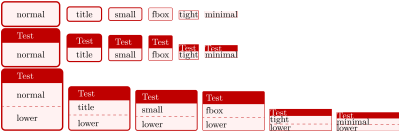
\tcbset{colback=red!5!white,colframe=red!75!black}


\foreach \s in {normal,title,small,fbox,tight,minimal} {

  \tcbox[size=\s,on line]{\s} }


\foreach \s in {normal,title,small,fbox,tight,minimal} {

  \tcbox[size=\s,on line,title=Test]{\s} }


\foreach \s in {normal,title,small,fbox,tight,minimal} {

  \begin{tcolorbox}[size=\s,on line,title=Test,width=2.2cm]

    \s \tcblower lower\end{tcolorbox} }
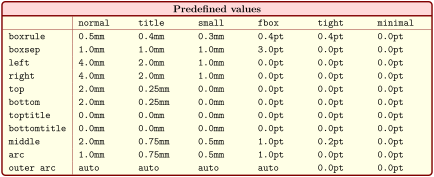
/tcb/oversize=⟨length⟩(style, default 0pt)
Sets the text width of the upper part to the current line width plus an optional ⟨length⟩. This is achieved by changing the keys /tcb/width /tcb/enlarge left by, and /tcb/enlarge right by appropriately. The resulting box is overlapping into the left and right margin of the page. Note that this style option has to be given after all other geometry keys! Also see /tcb/grow sidewards by and /tcb/spread sidewards.
4.7.6 Toggle Left and Right
/tcb/toggle left and right=⟨toggle preset⟩(default evenpage, initially none)Updated: 2017-02-16
none: no switching.
forced: the values of the left and right rules, spaces, and corners are switched.
evenpage: if the page is an even page, the values of the left and right rules, spaces, and corners are switched. This value also sets /tcb/check odd page to true.
According to the ⟨toggle preset⟩, the left and the right settings of the tcolorbox are switched or not. Feasible values are:
Horizontal bounding box enlargements are not toggled by this option. They can be toggled independently by /tcb/toggle enlargement. For example, /tcb/oversize changes the bounding box.
% \usepackage{lipsum}

% \usetikzlibrary{patterns}

% \tcbuselibrary{skins,breakable}

\begin{tcolorbox}[enhanced,breakable,

  toggle left and right,sharp corners,

  boxrule=0mm,top=0mm,bottom=0mm,left=1mm,right=1mm,

  rightrule=1cm,colupper=blue!25!black,

  interior style={fill overzoom image=lichtspiel.jpg,fill image opacity=0.25},

  frame style={pattern=crosshatch dots light steel blue},

  overlay={%

    \begin{tcbclipframe}

    \tcbifoddpage{\coordinate (X) at ([xshift=-5mm]frame.east);}

                 {\coordinate (X) at ([xshift=5mm]frame.west);}

    \fill[shading=ball,ball color=blue!50!white,opacity=0.5] (X) circle (4mm);

    \end{tcbclipframe}}]

\lipsum[1-6]

\end{tcolorbox}
This example switches a 1cm thick rule from the left to the right side depending on the page number. Thereby, the rule is always on the outer side of the double-sided paper. Additionally, a ball is drawn on the outer side with help of an overlay.
4.8 Corners
The four corners of any tcolorbox can be set individually as /tcb/sharp corners or as /tcb/rounded corners. These settings are also reflected in the behavior of /tcb/borderline and /tcb/shadow as one would expect.
By default, all four corners are rounded. So, only the /tcb/sharp corners option will be necessary for most use cases. The /tcb/rounded corners option can be used to revert a /tcb/sharp corners setting.
/tcb/sharp corners=⟨position⟩(default all, initially unset)
The ⟨position⟩ denotes one or more of the four box corners to be set as sharp corners. The not assigned corners will retain their mode. Feasible values for ⟨position⟩ are:

\begin{tcolorbox}[colback=red!5!white,

  colframe=red!75!black,

  sharp corners=northwest ]

This is a \textbf{tcolorbox}.

\end{tcolorbox}

\begin{tcolorbox}[colback=red!5!white,

  colframe=red!75!black,

  sharp corners ]

This is a \textbf{tcolorbox}.

\end{tcolorbox}
/tcb/rounded corners=⟨position⟩(default all, initially all)
The /tcb/rounded corners can be used to revert a /tcb/sharp corners setting. The ⟨position⟩ denotes one or more of the four box corners to be set as rounded corners. The not assigned corners will retain their mode. Feasible values for ⟨position⟩ are2:

\begin{tcolorbox}[colback=red!5!white,

  colframe=red!75!black,sharp corners,

  rounded corners=northwest ]

This is a \textbf{tcolorbox}.

\end{tcolorbox}
/tcb/sharpish corners(style, no value)
Shortcut for setting /tcb/arc and /tcb/outer arc to 0pt. With this setting, rounded corners will appear as quasi-sharp, but e. g. the shadow will be somewhat rounder than the shadow of really sharp corners.
Corners are still of type rounded with this option, but appear sharp. To switch back to rounded corners, one has to adapt /tcb/arc and /tcb/outer arc.

\begin{tcolorbox}[colback=red!5!white,

  colframe=red!75!black,

  sharpish corners ]

This is a \textbf{tcolorbox}.

\end{tcolorbox}
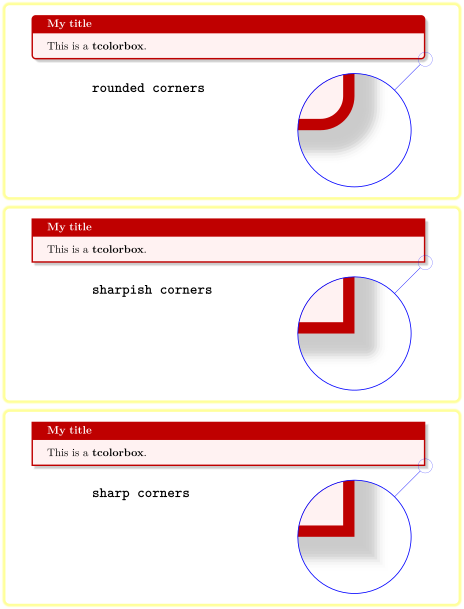
The following examples will show the differences between /tcb/rounded corners, /tcb/sharpish corners, and /tcb/sharp corners. The later two give the same core box, but /tcb/borderline and /tcb/shadow settings are slightly different. The following examples use /tcb/drop fuzzy shadow.
4.9 Transparency
Transparency effects are likely to be used in conjunction with jigsaw skin variants, see Section 10.11.
/tcb/opacityframe=⟨fraction⟩(no default, initially 1.0)
Sets the frame opacity of the box to the given ⟨fraction⟩.

\begin{tcolorbox}[opacityframe=0.25,

  colframe=red]

This is a \textbf{tcolorbox}.

\end{tcolorbox}
/tcb/opacityback=⟨fraction⟩(no default, initially 1.0)
Sets the background opacity of the box to the given ⟨fraction⟩.

\begin{tcolorbox}[standard jigsaw,colframe=red,

  opacityframe=0.5, opacityback=0.5]

This is a \textbf{tcolorbox}.

\end{tcolorbox}
Also see /tcb/opacitybacklower of the skins library.
/tcb/opacitybacktitle=⟨fraction⟩(no default, initially 1.0)
Sets the title background opacity of the box to the given ⟨fraction⟩.
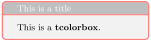
\begin{tcolorbox}[standard jigsaw,colframe=red,

  opacityframe=0.5, opacitybacktitle=0.5,

  title filled, title=This is a title]

This is a \textbf{tcolorbox}.

\end{tcolorbox}
/tcb/opacityfill=⟨fraction⟩(style, no default, initially 1.0)
Sets the fill opacity for frame, interior and optionally the title background to the given ⟨fraction⟩.

\begin{tcolorbox}[standard jigsaw,colframe=red,

  opacityfill=0.7, title=This is a title]

This is a \textbf{tcolorbox}.

\end{tcolorbox}
/tcb/opacityupper=⟨fraction⟩(no default, initially 1.0)
Sets the text opacity of the upper box part to the given ⟨fraction⟩.

\begin{tcolorbox}[enhanced,opacityupper=0.5,

  interior style={preaction={fill=white},pattern=checkerboard,pattern color=gray!40}]

This is a \textbf{tcolorbox}.

\end{tcolorbox}
/tcb/opacitylower=⟨fraction⟩(no default, initially 1.0)
Sets the text opacity of the lower box part to the given ⟨fraction⟩.
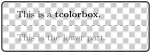
\begin{tcolorbox}[enhanced,opacitylower=0.5,

  interior style={preaction={fill=white},pattern=checkerboard,pattern color=gray!40}]

This is a \textbf{tcolorbox}.

\tcblower

This is the lower part.

\end{tcolorbox}
/tcb/opacitytext=⟨fraction⟩(no default, initially 1.0)
Sets the text opacity of the upper and the lower box part to the given ⟨fraction⟩.
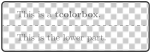
\begin{tcolorbox}[enhanced,opacitytext=0.5,

  interior style={preaction={fill=white},pattern=checkerboard,pattern color=gray!40}]

This is a \textbf{tcolorbox}.

\tcblower

This is the lower part.

\end{tcolorbox}
/tcb/opacitytitle=⟨fraction⟩(no default, initially 1.0)
Sets the text opacity of the box title to the given ⟨fraction⟩.
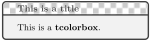
\begin{tcolorbox}[enhanced,opacitytitle=0.7,

  coltitle=black,

  fonttitle=\bfseries,title=This is a title,

  title style={preaction={fill=white},pattern=checkerboard,pattern color=gray!40}]

This is a \textbf{tcolorbox}.

\end{tcolorbox}

\begin{tcolorbox}[enhanced jigsaw,fonttitle=\bfseries,title=This is a title,

  opacityframe=0.5,opacityback=0.25,opacitybacktitle=0.25,opacitytext=0.8,

  colback=red!5!white,colframe=red!75!black,colbacktitle=yellow!20!red]

This is a \textbf{tcolorbox}.

\end{tcolorbox}
4.10 Height Control
In a typical usage scenario, the height of a tcolorbox is computed automatically to fit the content. Nevertheless, the height can be set to a fixed value or to fit commonly for several boxes, e. g. if boxes are set side by side.
The height control keys are only applicable to unbreakable boxes. If a box is set to be /tcb/breakable, the height is always computed according to the natural height.
/tcb/natural height(no value, initially set)
Sets the total height of the colored box to its natural height depending on the box content.
/tcb/height=⟨length⟩(no default)
Sets the total height of the colored box to ⟨length⟩ independent of the box content. ⟨length⟩ is the minimum height of the box, if /tcb/height plus is larger than zero.
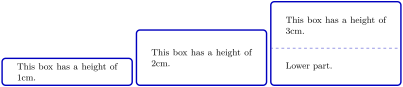
\tcbset{width=(\linewidth-2mm)/3,before=,after=\hfill,

colframe=blue!75!black,colback=white}


\begin{tcolorbox}[height=1cm,valign=center]

  This box has a height of 1cm.

\end{tcolorbox}

\begin{tcolorbox}[height=2cm,valign=center]

  This box has a height of 2cm.

\end{tcolorbox}

\begin{tcolorbox}[height=3cm,split=0.5,valign=center,valign lower=center]

  This box has a height of 3cm.

  \tcblower

  Lower part.

\end{tcolorbox}
/tcb/height plus=⟨length⟩(no default, initially 0pt)
The box may extend a given fixed /tcb/height up to the given ⟨length⟩.

\tcbset{colback=red!5!white,colframe=red!75!black,left=1mm,top=1mm,bottom=1mm,

  right=1mm,boxsep=0mm,width=3cm,nobeforeafter}


\begin{tcolorbox}[height=1cm]

This is a tcolorbox.

\end{tcolorbox}

\begin{tcolorbox}[height=1cm,height plus=1cm]

This is a tcolorbox.

\end{tcolorbox}

\begin{tcolorbox}[height=1cm,height plus=1cm]

This is a tcolorbox. This is a tcolorbox. This is a tcolorbox.

\end{tcolorbox}
/tcb/height from=⟨min⟩ to ⟨max⟩(style, no default)
Sets the box height to a dimension between ⟨min⟩ and ⟨max⟩.
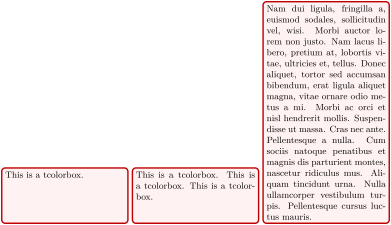
% \usepackage{lipsum}

\newtcolorbox{mybox}{colback=red!5!white,colframe=red!75!black,left=1mm,top=1mm,

  bottom=1mm,right=1mm,boxsep=0mm,width=4.5cm,nobeforeafter,

  height from=2cm to 8cm}


\begin{mybox}

This is a tcolorbox.

\end{mybox}

\begin{mybox}

This is a tcolorbox. This is a tcolorbox. This is a tcolorbox.

\end{mybox}

\begin{mybox}

\lipsum[2]

\end{mybox}
/tcb/text height=⟨length⟩(style, no default)New: 2014-10-31
Sets the text height to ⟨length⟩. This is the length from the top of the upper part to the bottom of the optional lower part. See also /tcb/text width.

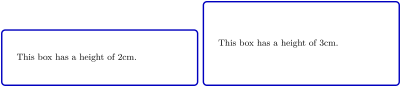
/tcb/add to height=⟨length⟩(style, no default)New: 2014-11-07
Adds ⟨length⟩ to the current height of the colored box. /tcb/height has to be set before this key is used! If this option is used several times, then the /tcb/height is also increased several times.
/tcb/add to natural height=⟨length⟩(style, no default)New: 2016-02-16
The application of this option generates a box with natural height plus the given ⟨length⟩. If this option is used several times, then the last setting of ⟨length⟩ wins. The resulting box is not considered a fixed height box and the implementation is quite different to /tcb/add to height.

/tcb/height fill=true|false|maximum(default true, initially false)New: 2014-09-22Updated: 2016-02-17
If set to true, the height of the tcolorbox is set to the rest of the available vertical space of the current page. If set to maximum, the page is compressed as much as possible. Note that the tcolorbox is always set as its own paragraph using this option. Also see /tcb/text fill.
Note that the library breakable has to be loaded to use this key!
This height control key is only applicable to unbreakable boxes, but it uses code from the library breakable. The counterpart for breakable boxes is /tcb/height fixed for.
This option can and should not be used for boxes in boxes, but it can be used for boxes inside a tcbraster.
/tcb/inherit height=⟨fraction⟩(default 1, initially unset)New: 2017-06-28
If this option is used for a tcolorbox which is embedded inside another (outer) tcolorbox and if this outer tcolorbox has a fixed height, then the given ⟨fraction⟩ of the available text height of the outer tcolorbox is used as /tcb/height for the current tcolorbox. Otherwise, /tcb/natural height is applied for the current tcolorbox.
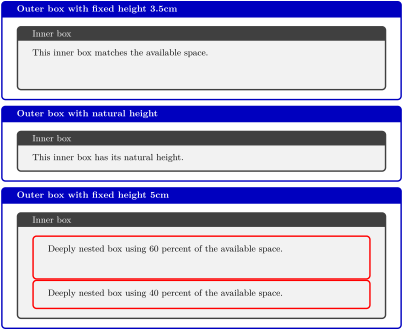
\tcbset{colframe=blue!75!black,colback=white,fonttitle=\bfseries}


\begin{tcolorbox}[title=Outer box with fixed height 3.5cm,height=3.5cm]

  \begin{tcolorbox}[title=Inner box,nobeforeafter,inherit height]

    This inner box matches the available space.

  \end{tcolorbox}

\end{tcolorbox}


\begin{tcolorbox}[title=Outer box with natural height]

  \begin{tcolorbox}[title=Inner box,nobeforeafter,inherit height]

    This inner box has its natural height.

  \end{tcolorbox}

\end{tcolorbox}


\begin{tcolorbox}[title=Outer box with fixed height 5cm,height=5cm]

  \begin{tcolorbox}[title=Inner box,nobeforeafter,inherit height]

    \begin{tcolorbox}[colframe=red,beforeafter skip=0pt,inherit height=0.6]

      Deeply nested box using 60 percent of the available space.

    \end{tcolorbox}

    \begin{tcolorbox}[colframe=red,beforeafter skip=0pt,inherit height=0.4]

      Deeply nested box using 40 percent of the available space.

    \end{tcolorbox}

  \end{tcolorbox}

\end{tcolorbox}
/tcb/square(style, no value)New: 2015-05-05
Sets /tcb/height to match the width of the colored box.

/tcb/space=⟨fraction⟩(no default, initially 0)
If the height of a tcolorbox is not the natural height, the space difference between the forced and the natural size is distributed between the upper and the lower part of the box. This space could also be negative. ⟨fraction⟩ with a value between 0 and 1 is the amount of space which is added to the upper part, the rest is added to the lower part. If there is no lower part, then all of the space is added to the upper part always.
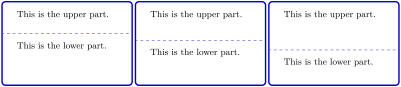
/tcb/space to upper(style)
This is an abbreviation for space=1, i. e., all extra space is added to the upper part.
/tcb/space to lower(style, initially set)
This is an abbreviation for space=0, i. e., all extra space is added to the lower part (if there is any).
/tcb/space to both(style)
This is an abbreviation for space=0.5, i. e., the extra space equally distributed between the upper and the lower part.
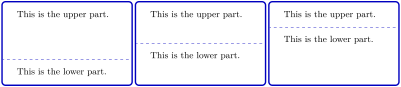
\tcbset{width=(\linewidth-2mm)/3,before=,after=\hfill,

colframe=blue!75!black,colback=white,height=3cm}


\foreach \myspace in {space to upper,space to both,space to lower}

{\begin{tcolorbox}[\myspace]

    This is the upper part.

    \tcblower

    This is the lower part.

\end{tcolorbox}}
/tcb/space to=⟨macro⟩(no default, initially unset)New: 2015-02-15Updated: 2020-07-30
The actual length saved into ⟨macro⟩ is adapted dynamically during several compilations – at least two, but maybe more.
Due to the adaption algorithm, objects can be sized with ⟨macro⟩ plus any offset length.
Never ever use ⟨macro⟩ multiplied with a factor. The only exception to this rule is that the space can be split into parts which sum to ⟨macro⟩.
Never use this in combination with /tcb/fit.
If the height of a tcolorbox is not the natural height, the space difference between the forced and the natural size is saved into the given local ⟨macro⟩. This ⟨macro⟩ can and should be used inside the box content to add content which is vertically sized to match ⟨macro⟩.
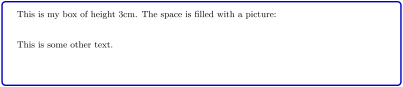
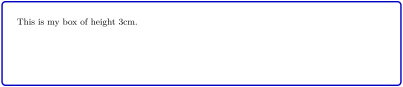
\begin{tcolorbox}[colframe=blue!75!black,colback=white,height=3cm,

    space to=\myspace]

  \includegraphics[width=\linewidth,

    height=0.33\dimexpr\myspace]{blueshade.png}\\[1mm]

  This is my box of height 3cm.\\[2mm]

  \includegraphics[width=\linewidth,

    height=0.67\dimexpr\myspace]{goldshade.png}

\end{tcolorbox}
/tcb/split=⟨fraction⟩(no default)
If the height of a tcolorbox is not the natural height, the ⟨fraction⟩ with a value between 0 and 1 determines the positioning of the segmentation between the upper and the lower part. Here, 0 stands for top and 1 for bottom. Note that the box is split regardless of the actual dimensions of the text parts!
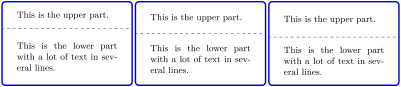
\tcbset{width=(\linewidth-2mm)/3,before=,after=\hfill,height=3cm,

colback=white,colframe=blue!75!black,valign=center,valign lower=center}


\foreach \f in {0.1,0.5,0.8}

{\begin{tcolorbox}[split=\f]

This is the upper part.

\tcblower

This is the lower part with a lot of text in several lines.

\end{tcolorbox}}
/tcb/equal height group=⟨id⟩(no default)Updated: 2014-11-07
Boxes which are members of an equal height group will all get the same height, i. e., the maximum of all their natural heights. The ⟨id⟩ serves to distinguish between different height groups. Note that you have to compile twice to see changes and that height groups are global definitions.
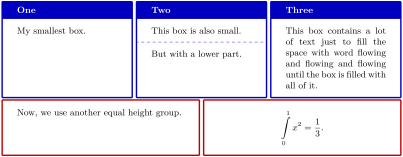
\tcbset{width=(\linewidth-2mm)/3,before=,after=\hfill,arc=0mm,

colframe=blue!75!black,colback=white,fonttitle=\bfseries}


\begin{tcolorbox}[equal height group=A,adjusted title={One}]

  My smallest box.

\end{tcolorbox}%

\begin{tcolorbox}[equal height group=A,adjusted title={Two}]

  This box is also small.

  \tcblower

  But with a lower part.

\end{tcolorbox}%

\begin{tcolorbox}[equal height group=A,adjusted title={Three}]

  This box contains a lot of text just to fill the space

  with word flowing and flowing and flowing until the box

  is filled with all of it.

\end{tcolorbox}\linebreak

%

\tcbset{width=(\linewidth-1mm)/2,before=,after=\hfill,arc=0mm,

colframe=red!75!black,colback=white}

%

\begin{tcolorbox}[equal height group=B]

  Now, we use another equal height group.

\end{tcolorbox}%

\begin{tcolorbox}[equal height group=B,after=]

  \begin{equation*}

    \int\limits_{0}^{1} x^2 = \frac13.

  \end{equation*}

\end{tcolorbox}
See Section 16 for more equal height options.
/tcb/minimum for equal height group=⟨id⟩:⟨length⟩(no default, initially unset)
Plants a ⟨length⟩ into the equal height group with the given ⟨id⟩. This ensures that the height will not drop below ⟨length⟩. Note that you cannot reduce a computed height value by using this key with a small value. The difference to applying /tcb/height directly is that the boxes are never too small for their content.
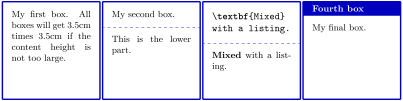
\tcbset{colframe=blue!75!black,colback=white,arc=0mm,

  before=,after=\hfill,fonttitle=\bfseries,left=2mm,right=2mm,

  width=3.5cm,

  equal height group=C,

  minimum for equal height group=C:3.5cm}


\begin{tcolorbox}

  My first box. All boxes will get 3.5cm times 3.5cm

  if the content height is not too large.

\end{tcolorbox}%

\begin{tcolorbox}

  My second box.

  \tcblower

  This is the lower part.

\end{tcolorbox}%

\begin{tcblisting}{}

\textbf{Mixed}

with a listing.

\end{tcblisting}

\begin{tcolorbox}[title={Fourth box}]

  My final box.

\end{tcolorbox}%
/tcb/minimum for current equal height group=⟨length⟩(no default, initially unset)New: 2016-03-24
Sets /tcb/minimum for equal height group for the current equal height group. Apparently, this only works for an already known equal height group, i. e., /tcb/equal height group has to be set before this option is used. This option is likely to be used in combination with /tcb/raster equal height

% \tcbuselibrary{raster}

\begin{tcbitemize}[raster equal height,colframe=blue!75!black,colback=white,

  raster every box/.style={minimum for current equal height group=2cm}]

  \tcbitem A

  \tcbitem B

\end{tcbitemize}
/tcb/use height from group=⟨id⟩(style, default current group)New: 2015-11-27Updated: 2016-02-22
Sets the current box to a fixed /tcb/height which is copied from an equal height group with the given ⟨id⟩. If this height is not available during the current compilation, no fixed height setting is used. If ⟨id⟩ is omitted, the current equal height group is used which has to be set before by /tcb/equal height group. Note that the natural height of the current box is not considered for computation of the group height. The main application for /tcb/use height from group is that the height can be adapted further by /tcb/add to height.

\begin{tcolorbox}[use height from group=C,add to height=-2cm,

  colframe=blue!75!black,colback=white]

Height from group \enquote{C} of the previous example, but reduced by 2cm.

\end{tcolorbox}%
% \tcbuselibrary{raster}

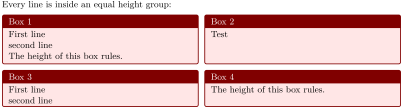
Every line is inside an equal height group:

\begin{tcbraster}[raster equal height=rows,

    title=Box \thetcbrasternum,

    enhanced,size=small,colframe=red!50!black,colback=red!10!white]

  \begin{tcolorbox}First line\\second line\\

    The height of this box rules.\end{tcolorbox}

  \begin{tcolorbox}[use height from group]Test\end{tcolorbox}

  \begin{tcolorbox}[use height from group]

    First line\\second line\end{tcolorbox}

  \begin{tcolorbox}The height of this box rules.\end{tcolorbox}

\end{tcbraster}
\tcbheightfromgroup{⟨macro⟩}{⟨id⟩}New: 2015-11-27
Saves the height from an equal height group with the given ⟨id⟩ to a ⟨macro⟩. If this height is not available during the current compilation, ⟨macro⟩ is set to 0pt.
4.11 Box Content Additions
The following options introduce some arbitrary ⟨code⟩ to the content of a tcolorbox. These additions can be given at the beginning or at the ending of the title, the upper part, or the lower part.
/tcb/before title=⟨code⟩(no default, initially unset)Updated: 2023-01-27
The given ⟨code⟩ is placed after the color and font settings and before the content of the title. The ⟨code⟩ is appended by a final \ignorespaces.

/tcb/before title*=⟨code⟩(no default, initially unset)New: 2023-01-27
The given ⟨code⟩ is placed after the color and font settings and before the content of the title. In contrast to /tcb/before title, no \ignorespaces is appended.
/tcb/after title=⟨code⟩(no default, initially unset)Updated: 2023-01-27
The given ⟨code⟩ is placed after the content of the title. The ⟨code⟩ is prepended by a leading \unskip.

/tcb/after title*=⟨code⟩(no default, initially unset)New: 2023-01-27
The given ⟨code⟩ is placed after the content of the title. In contrast to /tcb/after title, no \unskip is prepended.
/tcb/before upper=⟨code⟩(no default, initially empty)
The given ⟨code⟩ is placed after the color and font settings and before the content of the upper part. The ⟨code⟩ is appended by a final \ignorespaces.

/tcb/before upper*=⟨code⟩(no default, initially unset)New: 2019-02-26
The given ⟨code⟩ is placed after the color and font settings and before the content of the upper part. In contrast to /tcb/before upper, no \ignorespaces is appended. Use this for situations where \ignorespaces is not needed or causes harm.

\begin{tcolorbox}[size=small,tile,

  colback=yellow!20,colbacktitle=yellow!70!black,

  title=My table,hbox,center,center title,

  before upper*=\begin{tabular}{cc},

  after upper*=\end{tabular},

]

  \multicolumn{2}{c}{Title}\\

  one & two \\

  three & four\\

\end{tcolorbox}
/tcb/after upper=⟨code⟩(no default, initially empty)Updated: 2016-10-21
The given ⟨code⟩ is placed after the content of the upper part. The ⟨code⟩ is prepended by a leading \unskip.


\begin{tcolorbox}[before upper=\flqq,after upper=\frqq,

  colback=red!5!white,colframe=red!75!black]

This is a \textbf{tcolorbox}.

\end{tcolorbox}
/tcb/after upper*=⟨code⟩(no default, initially unset)New: 2016-10-21Updated: 2019-02-28
The given ⟨code⟩ is placed after the content of the upper part. In contrast to /tcb/after upper, no \unskip is prepended. Use this for situations where \unskip is not needed or causes harm. See /tcb/before upper* for an example.
From version 3.80 to 3.94, this option prepended an \unskip to the given ⟨code⟩.
From version 3.95 to 4.15, this option was deprecated.
From version 4.20, this option is re-established with changed semantic (no \unskip!)
/tcb/before lower=⟨code⟩(no default, initially empty)
The given ⟨code⟩ is placed after the color and font settings and before the content of the lower part. The ⟨code⟩ is appended by a final \ignorespaces.

/tcb/before lower*=⟨code⟩(no default, initially unset)New: 2019-02-26
The given ⟨code⟩ is placed after the color and font settings and before the content of the lower part. In contrast to /tcb/before lower, no \ignorespaces is appended. Use this for situations where \ignorespaces is not needed or causes harm.

\begin{tcolorbox}[size=small,bicolor,sidebyside,center lower,

  colback=yellow!30,colbacklower=yellow!20,colframe=yellow!80!black,

  before lower*=\begin{tabular}{cc},

  after lower*=\end{tabular},

]

My table

\tcblower

  \multicolumn{2}{c}{Title}\\

  one & two \\

  three & four\\

\end{tcolorbox}
/tcb/after lower=⟨code⟩(no default, initially empty)Updated: 2016-10-21
The given ⟨code⟩ is placed after the content of the lower part. The ⟨code⟩ is prepended by a leading \unskip.

/tcb/after lower*=⟨code⟩(no default, initially unset)New: 2016-10-21Updated: 2019-02-28
The given ⟨code⟩ is placed after the content of the lower part. In contrast to /tcb/after upper, no \unskip is prepended. Use this for situations where \unskip is not needed or causes harm.

From version 3.80 to 3.94, this option prepended an \unskip to the given ⟨code⟩.
From version 3.95 to 4.15, this option was deprecated.
From version 4.20, this option is re-established with changed semantic (no \unskip!)
If /tcb/text fill is used, one cannot have a lower part and the box is unbreakable.
/tcb/text fill(style, no value)New: 2015-07-15
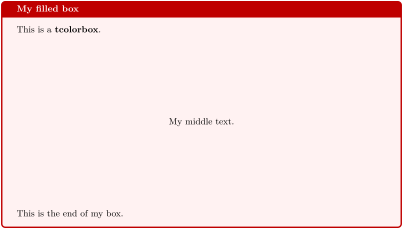
This style sets /tcb/before upper and /tcb/after upper to embed the upper part with a minipage. If a fixed height was applied e. g. by /tcb/height or /tcb/height fill, this minipage gets a matching height. This allows to use vertical glue macros like \vfill to act like expected. If the box has no fixed height, setting /tcb/text fill has no other effect as making the box unbreakable.
If /tcb/tabulars or /tcb/tabulars* are used, one cannot have a lower part.
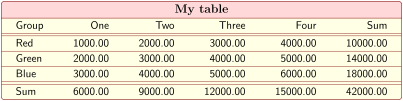
/tcb/tabulars={⟨preamble⟩}(style)New: 2019-09-19
This style sets /tcb/before upper and /tcb/after upper and several geometry keys to support a tabular* with the given ⟨preamble⟩. The packages array and colortbl have to be loaded separately.
% \usepackage{array}

% \usepackage{colortbl} - or - \usepackage[table]{xcolor}

\tcbset{enhanced,fonttitle=\bfseries\large,fontupper=\normalsize\sffamily,

  colback=yellow!10!white,colframe=red!50!black,colbacktitle=red!15!white,

  coltitle=black,center title}


\begin{tcolorbox}[tabulars={@{\extracolsep{\fill}\hspace{5mm}}lrrrrr@{\hspace{5mm}}},

  boxrule=0.5pt,title=My table]

Group & One     & Two     & Three    & Four     & Sum\\\hline\hline

Red   & 1000.00 & 2000.00 &  3000.00 &  4000.00 & 10000.00\\\hline

Green & 2000.00 & 3000.00 &  4000.00 &  5000.00 & 14000.00\\\hline

Blue  & 3000.00 & 4000.00 &  5000.00 &  6000.00 & 18000.00\\\hline\hline

Sum   & 6000.00 & 9000.00 & 12000.00 & 15000.00 & 42000.00

\end{tcolorbox}
/tcb/tabulars*={⟨code⟩}{⟨preamble⟩}(style)New: 2019-09-19
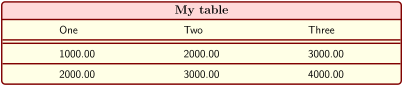
This is a variant of /tcb/tabulars which adds some ⟨code⟩ before the table starts.
% \usepackage{array}

% \usepackage{colortbl} - or - \usepackage[table]{xcolor}

\tcbset{enhanced,fonttitle=\bfseries\large,fontupper=\normalsize\sffamily,

  colback=yellow!10!white,colframe=red!50!black,colbacktitle=red!15!white,

  coltitle=black,center title}


\begin{tcolorbox}[tabulars*={\arrayrulewidth0.5mm\renewcommand\arraystretch{1.4}}%

    {@{\extracolsep{\fill}\hspace{20mm}}lll@{\hspace{20mm}}},

  title=My table]

One     & Two     & Three \\\hline\hline

1000.00 & 2000.00 &  3000.00\\\hline

2000.00 & 3000.00 &  4000.00

\end{tcolorbox}
If /tcb/tabularx or /tcb/tabularx* are used, one cannot have a lower part.
/tcb/tabularx={⟨preamble⟩}(style)
This style sets /tcb/before upper and /tcb/after upper and several geometry keys to support a tabularx with the given ⟨preamble⟩. The packages tabularx [Carlisle 2023], array, and colortbl have to be loaded separately.
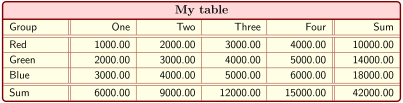
% \usepackage{array,tabularx}

% \usepackage{colortbl} - or - \usepackage[table]{xcolor}

\newcolumntype{Y}{>{\raggedleft\arraybackslash}X}% see tabularx

\tcbset{enhanced,fonttitle=\bfseries\large,fontupper=\normalsize\sffamily,

  colback=yellow!10!white,colframe=red!50!black,colbacktitle=red!15!white,

  coltitle=black,center title}


\begin{tcolorbox}[tabularx={X||Y|Y|Y|Y||Y},title=My table]

Group & One     & Two     & Three    & Four     & Sum\\\hline\hline

Red   & 1000.00 & 2000.00 &  3000.00 &  4000.00 & 10000.00\\\hline

Green & 2000.00 & 3000.00 &  4000.00 &  5000.00 & 14000.00\\\hline

Blue  & 3000.00 & 4000.00 &  5000.00 &  6000.00 & 18000.00\\\hline\hline

Sum   & 6000.00 & 9000.00 & 12000.00 & 15000.00 & 42000.00

\end{tcolorbox}
/tcb/tabularx*={⟨code⟩}{⟨preamble⟩}(style)
This is a variant of /tcb/tabularx which adds some ⟨code⟩ before the table starts.

% \usepackage{array,tabularx}

% \usepackage{colortbl} - or - \usepackage[table]{xcolor}

\tcbset{enhanced,fonttitle=\bfseries\large,fontupper=\normalsize\sffamily,

  colback=yellow!10!white,colframe=red!50!black,colbacktitle=red!15!white,

  coltitle=black,center title}


\begin{tcolorbox}[tabularx*={\arrayrulewidth0.5mm}{X|X|X},title=My table]

One     & Two     & Three \\\hline\hline

1000.00 & 2000.00 &  3000.00\\\hline

2000.00 & 3000.00 &  4000.00

\end{tcolorbox}
If /tcb/tabularray or /tcb/tabularray* are used, one cannot have a lower part. Breakable and floating tabularray variants (called long and tall) are not supported inside a (tcolor-)box.
/tcb/tabularray={⟨inner specs⟩}(style)New: 2025-09-09
This style sets /tcb/before upper and /tcb/after upper and several geometry keys to support a tabularray (actually, the tblr environment) with the given ⟨inner specs⟩. The package tabularray [Lyu 2025] has to be loaded separately.
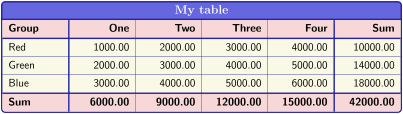
% \usepackage{tabularray}

% Note option 'clip upper' to avoid glitches for the colored last line

\begin{tcolorbox}[enhanced,

  fonttitle=\bfseries\large, fontupper=\normalsize\sffamily,

  colback=yellow9!20, colframe=blue2, colbacktitle=blue5, coltitle=white,

  center title, clip upper,

  title=My table,

  tabularray={

    colspec={X|[0.5mm]X|X|X|X|[0.5mm]X},

    column{2-Z}={halign=r},

    row{1,Z}={font=\bfseries,bg=red9},

    }

  ]

Group & One     & Two     & Three    & Four     & Sum\\\hline[0.5mm]

Red   & 1000.00 & 2000.00 &  3000.00 &  4000.00 & 10000.00\\\hline

Green & 2000.00 & 3000.00 &  4000.00 &  5000.00 & 14000.00\\\hline

Blue  & 3000.00 & 4000.00 &  5000.00 &  6000.00 & 18000.00\\\hline[0.5mm]

Sum   & 6000.00 & 9000.00 & 12000.00 & 15000.00 & 42000.00

\end{tcolorbox}
/tcb/tabularray*={⟨code⟩}{⟨inner specs⟩}(style)New: 2025-09-09
This is a variant of /tcb/tabularray which adds some ⟨code⟩ before the table starts. For example, ⟨code⟩ may contain \SetTblrInner or \SetTblrOuter commands or renew commands like \lTblrDefaultHruleColorTl, etc.
/tcb/tikz upper=⟨options⟩(style)
This style adds a centered tikzpicture environment to the start and end of the upper part. The ⟨options⟩ may be given as TikZ picture options.
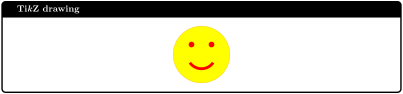
\begin{tcolorbox}[tikz upper,fonttitle=\bfseries,colback=white,colframe=black,

                  title=\tikzname\ drawing]

  \path[fill=yellow,draw=yellow!75!red] (0,0) circle (1cm);

  \fill[red] (45:5mm) circle (1mm);

  \fill[red] (135:5mm) circle (1mm);

  \draw[line width=1mm,red] (215:5mm) arc (215:325:5mm);

\end{tcolorbox}
/tcb/tikz lower=⟨options⟩(style)
This style adds a centered tikzpicture environment to the start and end of the lower part. The ⟨options⟩ may be given as TikZ picture options.
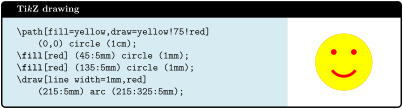
% \tcbuselibrary{skins,listings}


\begin{tcblisting}{tikz lower,listing side text,fonttitle=\bfseries,

  bicolor,colback=LightBlue!50!white,colbacklower=white,colframe=black,

  righthand width=3cm,title=\tikzname\ drawing}

\path[fill=yellow,draw=yellow!75!red]

    (0,0) circle (1cm);

\fill[red] (45:5mm) circle (1mm);

\fill[red] (135:5mm) circle (1mm);

\draw[line width=1mm,red]

    (215:5mm) arc (215:325:5mm);

\end{tcblisting}
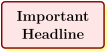
/tcb/tikznode upper=⟨options⟩(style)
This style places the upper part content into a centered TikZ node. The ⟨options⟩ may be given as TikZ node options. This style is especially useful for boxes with multiline texts which are fitted to the text width.
% \tcbuselibrary{skins}

\newtcbox{\headline}[1][]{enhanced,center,

  ignore nobreak,fontupper=\Large\bfseries,

  colframe=red!50!black,colback=red!10!white,

  drop fuzzy shadow=yellow,tikznode upper,#1}


\headline{Important\\Headline}
/tcb/tikznode lower=⟨options⟩(style)
This style places the lower part content into a centered TikZ node. The ⟨options⟩ may be given as TikZ node options.

\begin{tcolorbox}[bicolor,colback=LightBlue!50!white,colbacklower=white,

  colframe=black,tikznode lower={inner sep=2pt,draw=red,fill=yellow}]

Upper part.

\tcblower

Lower part.

\end{tcolorbox}
/tcb/tikznode=⟨options⟩(style)
Shortcut for setting /tcb/tikznode upper and /tcb/tikznode lower the same time.
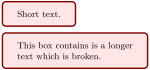
/tcb/varwidth upper=⟨length⟩(style, default /tcb/width)
This style places the upper part content into a varwidth environment. This style needs the varwidth package [Arseneau 2011] to be loaded manually. The resulting box has a maximal width of ⟨length⟩. This option is only senseful for a \tcbox.
% \usepackage{varwidth}

\newtcbox{\varbox}{colframe=red!50!black,

  colback=red!10!white,varwidth upper}


\varbox{Short text.}

\varbox{This box contains is a longer text

  which is broken.}
/tcb/environment upper=⟨name⟩(style)New: 2023-10-16
/tcb/environment upper args={⟨name⟩}{⟨code⟩}(style)New: 2023-10-16
This shortcut style sets /tcb/before upper* to \begin{⟨name⟩} and /tcb/after upper* to \end{⟨name⟩}, i. e., the upper part is enclosed by the environment ⟨name⟩. The second variant also places ⟨code⟩ after \begin{⟨name⟩}.

\begin{tcolorbox}[colback=yellow!30, colframe=yellow!80!black,

  environment upper=itemize

]

  \item one

  \item two

\end{tcolorbox}
Note that you may need additional brackets around ⟨code⟩, if ⟨code⟩ contains some parameter(s) for the environment ⟨name⟩.

\begin{tcolorbox}[center upper,

  colback=yellow!30, colframe=yellow!80!black,

  environment upper args={tabular}{{cc}}

]

  one & two \\

  three & four\\

\end{tcolorbox}

\begin{tcolorbox}[colback=yellow!30, colframe=yellow!80!black,

  environment upper args = {list}{{\bfseries Fact:}

    {\setlength\itemsep{0pt}\setlength\parsep{0pt}}},

]

  \item Blue is red

  \item Red is green

\end{tcolorbox}
/tcb/environment upper and friends (following) cannot be used to wrap another tcolorbox-based environment, i. e., never use /tcb/environment upper=tcolorbox or /tcb/environment upper=etc-derived-from-tcolorbox.
/tcb/environment lower=⟨name⟩(style)New: 2023-10-16
/tcb/environment lower args={⟨name⟩}{⟨code⟩}(style)New: 2023-10-16
This shortcut style sets /tcb/before lower* to \begin{⟨name⟩} and /tcb/after lower* to \end{⟨name⟩}, i. e., the lower part is enclosed by the environment ⟨name⟩. The second variant also places ⟨code⟩ after \begin{⟨name⟩}. Note that you may need additional brackets around ⟨code⟩, if ⟨code⟩ contains some parameter(s) for the environment ⟨name⟩.
See /tcb/environment upper for analog examples.
/tcb/environment title=⟨name⟩(style)New: 2023-10-16
/tcb/environment title args={⟨name⟩}{⟨code⟩}(style)New: 2023-10-16
This shortcut style sets /tcb/before title* to \begin{⟨name⟩} and /tcb/after title* to \end{⟨name⟩}, i. e., the title text is enclosed by the environment ⟨name⟩. The second variant also places ⟨code⟩ after \begin{⟨name⟩}. Note that you may need additional brackets around ⟨code⟩, if ⟨code⟩ contains some parameter(s) for the environment ⟨name⟩.
See /tcb/environment upper for analog examples.
4.12 Overlays
With an overlay, arbitrary ⟨graphical code⟩ can be added to a tcolorbox. This code is executed after the frame and interior are drawn and before the text content is drawn. Therefore, you can decorate the tcolorbox with your own extensions. Common special cases are watermarks which are implemented using overlays. See Section 10.3 if you want to add watermarks.
If you use the core package only, the ⟨graphical code⟩ has to be pgf code and there is not much assistance for positioning. Therefore, the usage of the /tcb/enhanced mode from the library skins is recommended which allows TikZ code and gives access to /tcb/geometry nodes for positioning.
/tcb/overlay=⟨graphical code⟩(no default, initially unset)
Adds ⟨graphical code⟩ to the box drawing process. This ⟨graphical code⟩ is drawn after the frame and interior and before the text content.

% \tcbuselibrary{skins} % preamble

\tcbset{frogbox/.style={enhanced,colback=green!10,colframe=green!65!black,

  enlarge top by=5.5mm,

  overlay={\foreach \x in {2cm,3.5cm} {

    \begin{scope}[shift={([xshift=\x]frame.north west)}]

      \path[draw=green!65!black,fill=green!10,line width=1mm] (0,0) arc (0:180:5mm);

      \path[fill=black] (-0.2,0) arc (0:180:1mm);

    \end{scope}}}}}


\begin{tcolorbox}[frogbox,title=My title]

This is a \textbf{tcolorbox}.

\end{tcolorbox}

% \usetikzlibrary{patterns} % preamble

% \tcbuselibrary{skins}     % preamble

\tcbset{ribbonbox/.style={enhanced,colback=red!5!white,colframe=red!75!black,

  fonttitle=\bfseries,

  overlay={\path[fill=blue!75!white,draw=blue,double=white!85!blue,

    preaction={opacity=0.6,fill=blue!75!white},

    line width=0.1mm,double distance=0.2mm,

    pattern=fivepointed stars,pattern color=white!75!blue]

    ([xshift=-0.2mm,yshift=-1.02cm]frame.north east)

    -- ++(-1,1) -- ++(-0.5,0) -- ++(1.5,-1.5) -- cycle;}}}


\begin{tcolorbox}[ribbonbox,title=My title]

This is a \textbf{tcolorbox}.

\tcblower

This is the lower part.

\end{tcolorbox}
/tcb/no overlay(style, no default, initially set)
Removes the overlay if set before.
/tcb/overlay broken=⟨graphical code⟩(no default, initially unset)
If the box is set to be /tcb/breakable and is broken actually, then the ⟨graphical code⟩ is added to the box drawing process. /tcb/overlay overwrites this key.
/tcb/overlay unbroken=⟨graphical code⟩(no default, initially unset)
If the box is set to be /tcb/breakable but is not broken actually or if the box is set to be /tcb/unbreakable, then the ⟨graphical code⟩ is added to the box drawing process. /tcb/overlay overwrites this key.
/tcb/overlay first=⟨graphical code⟩(no default, initially unset)
If the box is set to be /tcb/breakable and is broken actually, then the ⟨graphical code⟩ is added to the box drawing process for the first part of the break sequence. /tcb/overlay overwrites this key.
/tcb/overlay middle=⟨graphical code⟩(no default, initially unset)
If the box is set to be /tcb/breakable and is broken actually, then the ⟨graphical code⟩ is added to the box drawing process for the middle parts (if any) of the break sequence. /tcb/overlay overwrites this key.
/tcb/overlay last=⟨graphical code⟩(no default, initially unset)
If the box is set to be /tcb/breakable and is broken actually, then the ⟨graphical code⟩ is added to the box drawing process for the last part of the break sequence. /tcb/overlay overwrites this key.
/tcb/overlay unbroken and first=⟨graphical code⟩(no default, initially unset)
This is an optimized abbreviation for setting /tcb/overlay unbroken and /tcb/overlay first together. /tcb/overlay overwrites this key.
/tcb/overlay middle and last=⟨graphical code⟩(no default, initially unset)
This is an optimized abbreviation for setting /tcb/overlay middle and /tcb/overlay last together. /tcb/overlay overwrites this key.
/tcb/overlay unbroken and last=⟨graphical code⟩(no default, initially unset)
This is an optimized abbreviation for setting /tcb/overlay unbroken and /tcb/overlay last together. /tcb/overlay overwrites this key.
/tcb/overlay first and middle=⟨graphical code⟩(no default, initially unset)New: 2014-09-19
This is an optimized abbreviation for setting /tcb/overlay first and /tcb/overlay middle together. /tcb/overlay overwrites this key.
% Preamble:

%\usepackage{lipsum}

%\tcbuselibrary{skins,breakable}

%\newcounter{example}

\colorlet{colexam}{red!75!black}

\newtcolorbox[use counter=example]{myexample}{%

  empty,title={Example \thetcbcounter},attach boxed title to top left,

  boxed title style={empty,size=minimal,toprule=2pt,top=4pt,

    overlay={\draw[colexam,line width=2pt]

      ([yshift=-1pt]frame.north west)--([yshift=-1pt]frame.north east);}},

  coltitle=colexam,fonttitle=\Large\bfseries,

  before=\par\medskip\noindent,parbox=false,boxsep=0pt,left=0pt,right=3mm,top=4pt,

  breakable,pad at break*=0mm,vfill before first,

  overlay unbroken={\draw[colexam,line width=1pt]

    ([yshift=-1pt]title.north east)--([xshift=-0.5pt,yshift=-1pt]title.north-|frame.east)

    --([xshift=-0.5pt]frame.south east)--(frame.south west); },

  overlay first={\draw[colexam,line width=1pt]

    ([yshift=-1pt]title.north east)--([xshift=-0.5pt,yshift=-1pt]title.north-|frame.east)

    --([xshift=-0.5pt]frame.south east); },

  overlay middle={\draw[colexam,line width=1pt] ([xshift=-0.5pt]frame.north east)

    --([xshift=-0.5pt]frame.south east); },

  overlay last={\draw[colexam,line width=1pt] ([xshift=-0.5pt]frame.north east)

    --([xshift=-0.5pt]frame.south east)--(frame.south west);},%

}


\begin{myexample}

\lipsum[1]

\end{myexample}


\begin{myexample}

\lipsum[2-11]

\end{myexample}


\lipsum[12]% following text
4.13 Floating Objects
/tcb/floatplacement=⟨values⟩(no default, initially htb)
Sets ⟨values⟩ as default values for the usage of /tcb/float and /tcb/float*. Feasible are the usual parameters for floating objects.
\tcbset{enhanced,colback=red!5!white,colframe=red!75!black,

   watermark color=red!15!white}


\begin{tcolorbox}[floatplacement=t,float,

                  title=Floating box from |floatplacement|,

                  watermark text={I am floating}]

  This floating box is placed at the top of a page.

\end{tcolorbox}
/tcb/float=⟨values⟩(default from floatplacement)
Turns the box to a floating object where ⟨values⟩ are the usual parameters for such floating objects. If they are not used, the placement uses the default values given by floatplacement.

/tcb/float*=⟨values⟩(default from floatplacement)
Identical to /tcb/float, but for wide boxes spanning the whole page width of two column documents or in conjunction with the packages multicol or paracol. Note that you have to set width=\textwidth additionally, if the box should span the whole page width in these cases!

/tcb/nofloat(style, initially set)
Turns the floating behavior off.
/tcb/every float={⟨code⟩}(no default, initially empty)New: 2014-09-19
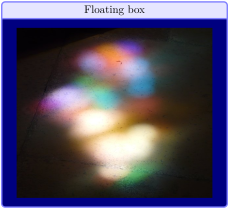
For floating objects, the /tcb/before and /tcb/after settings are ignored. Instead, /tcb/before float and /tcb/after float can be used. Further, with /tcb/every float, the given ⟨code⟩ is inserted before a floating box. If the box is /tcb/breakable, the given ⟨code⟩ is inserted before every part of the break sequence. The most common use case is every float=\centering.
\tcbox[float=htb,title={Floating box},every float=\centering,

  colback=blue!50!black,colframe=blue!50!white,colbacktitle=blue!10!white,

  coltitle=black,center title]

  {\includegraphics[height=6cm]{lichtspiel.jpg}}
/tcb/before float={⟨code⟩}(no default, initially empty)New: 2022-06-21
/tcb/after float={⟨code⟩}(no default, initially empty)New: 2022-06-21
For floating objects, the /tcb/before and /tcb/after settings are ignored. Code can be inserted after the begin of the float environment and before /tcb/every float with /tcb/before float and between the end of the box and the end of the float environment with /tcb/after float.
These options are not compatible with /tcb/breakable floating objects and are ignored, if the box is set to be breakable.
4.14 Embedding into the Surroundings
Typically, but not necessarily, a tcolorbox is put inside a separate paragraph and has some vertical space before and after it. This behavior is controlled by the keys /tcb/before and /tcb/after.
Before version 4.40, the default setting for /tcb/before and /tcb/after was given by /tcb/autoparskip. Starting with version 4.40, the default setting is given by /tcb/before skip balanced and /tcb/after skip balanced. Note that old documents may need adaptions of page breaks. Alternatively, the old default setting can be restored by using
inside the document preamble.
/tcb/before=⟨code⟩(no default, initially see /tcb/before skip balanced)
Sets the ⟨code⟩ which is executed before the colored box. It is not used for floating boxes. Also, it is not used, if the box follows a heading immediately and /tcb/ignore nobreak is set to false.
/tcb/after=⟨code⟩(no default, initially see /tcb/after skip balanced)
Sets the ⟨code⟩ which is executed after the colored box. It is not used for floating boxes.
/tcb/nobeforeafter(style, no value)
Abbreviation for clearing the keys before and after. The colored box is not put into a paragraph and there is no space before or after the box.

\tcbset{myone/.style={colback=LightGreen,colframe=DarkGreen,

  equal height group=nobefaf,width=\linewidth/4,nobeforeafter}}

\begin{tcolorbox}[myone,title=Box 1]Box 1\end{tcolorbox}%

\begin{tcolorbox}[myone,title=Box 2]Box 2\end{tcolorbox}%

\begin{tcolorbox}[myone,title=Box 3]Box 3\end{tcolorbox}%

\begin{tcolorbox}[myone,title=Box 4]Box 4\end{tcolorbox}
/tcb/force nobeforeafter(style, no value)
Forces the setting of /tcb/nobeforeafter even if /tcb/before and /tcb/after are set to other values later. Do not use this option globally unless you really know what you do. Note that embedded boxes do not inherit this forced clearance.
/tcb/before skip balanced=⟨glue⟩(no default, initially 0.5\textbackslash baselineskip plus 2pt)New: 2020-09-25
Inserts some vertical space before the colored box. This style sets /tcb/before. If the depth of the preceding TeX box is between 0pt and 0.3\baselineskip, the distance between the baseline of the preceding TeX box and the tcolorbox is set to ⟨glue⟩\(+\)0.3\baselineskip. If the depth is larger, the distance of the preceding TeX box and the tcolorbox is set to ⟨glue⟩. Alternatively, see /tcb/before skip which ignores the baseline.
Some text.

\begin{tcolorbox}[before skip balanced=1cm,

    colframe=red!50!white]

  This is a \textbf{tcolorbox}.

\end{tcolorbox}
/tcb/after skip balanced=⟨glue⟩(no default, initially 0.5\textbackslash baselineskip plus 2pt)New: 2020-09-25
Inserts some vertical space of the given ⟨glue⟩ after the colored box. This style sets /tcb/after. Additionally, \prevdepth is set to 0.3\baselineskip. The following TeX box may enlarge the space by further glue to adjust its baseline. Alternatively, see /tcb/after skip which ignores the baseline.
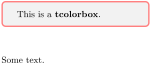
\begin{tcolorbox}[after skip balanced=1cm,

    colframe=red!50!white]

  This is a \textbf{tcolorbox}.

\end{tcolorbox}

Some text.
/tcb/beforeafter skip balanced=⟨glue⟩(no default, initially 0.5\textbackslash baselineskip plus 2pt)New: 2020-09-25
Inserts some vertical space of the given ⟨glue⟩ before and after the colored box. This style sets /tcb/before skip balanced and /tcb/after skip balanced.
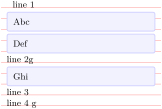
\newtcolorbox{doubleline}[1][]{

  beforeafter skip balanced=0pt,

  height=1.8\baselineskip,

  enlarge top by=.1\baselineskip,

  enlarge bottom by=.1\baselineskip,

  colframe=blue!20,colback=blue!5,

  size=small,valign upper=center,#1 }


\noindent\begin{tikzpicture}

\path[use as bounding box] (0,0)

  rectangle (0.1,0.1);

\foreach \y in {0,1,...,9}  {

  \draw[very thin,red]

    (-0.2,-\y*\baselineskip) --

    (\linewidth+0.2cm,-\y*\baselineskip); }

\end{tikzpicture}

line 1\par

\begin{doubleline}  Abc  \end{doubleline}

\begin{doubleline}  Def  \end{doubleline}

line 2g\par

\begin{doubleline}  Ghi  \end{doubleline}

line 3\par

line 4 g
/tcb/before skip=⟨glue⟩(style, no default)New: 2020-09-25Updated: 2015-03-16
Inserts some vertical space of the given ⟨glue⟩ before the colored box. This style sets /tcb/before. In contrast to /tcb/before skip balanced, this ⟨glue⟩ is relative to the lower edge of the preceding box and not to the baseline.
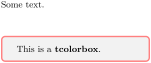
Some text.

\begin{tcolorbox}[before skip=1cm,

    colframe=red!50!white]

  This is a \textbf{tcolorbox}.

\end{tcolorbox}
/tcb/after skip=⟨glue⟩(style, no default)New: 2020-09-25Updated: 2017-02-01
Inserts some vertical space of the given ⟨glue⟩ after the colored box. This style sets /tcb/after. In contrast to /tcb/after skip balanced, this ⟨glue⟩ is relative to the upper edge of the following box and not to the baseline.
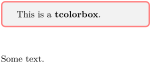
\begin{tcolorbox}[after skip=1cm,

    colframe=red!50!white]

  This is a \textbf{tcolorbox}.

\end{tcolorbox}

Some text.
/tcb/beforeafter skip=⟨glue⟩(style, no default)New: 2014-10-10
Inserts some vertical space of the given ⟨glue⟩ before and after the colored box. This style sets /tcb/before skip and /tcb/after skip.
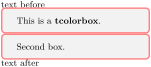
/tcb/left skip=⟨length⟩(style, no default, initially 0mm)New: 2014-11-07
Inserts some horizontal space of the given ⟨length⟩ before the colored box. This style sets /tcb/grow to left by with the negated ⟨length⟩, i. e., the bounding box and box width are changed.
/tcb/right skip=⟨length⟩(style, no default, initially 0mm)New: 2014-11-07
Inserts some horizontal space of the given ⟨length⟩ after the colored box. This style sets /tcb/grow to right by with the negated ⟨length⟩, i. e., the bounding box and box width are changed.
\noindent\rule{\linewidth}{2pt}


\begin{tcolorbox}[right skip=1cm,

    colframe=red!50!white]

  This is a \textbf{tcolorbox}.

\end{tcolorbox}
/tcb/leftright skip=⟨length⟩(style, no default)New: 2014-10-10
Inserts some horizontal space of the given ⟨length⟩ before and after the colored box. This style changes the bounding box and the box width.
\noindent\rule{\linewidth}{2pt}


\begin{tcolorbox}[leftright skip=1cm,

    colframe=red!50!white]

  This is a \textbf{tcolorbox}.

\end{tcolorbox}
/tcb/parskip(style, no value)Updated: 2017-02-01
This options is considered to be superseded by /tcb/before skip balanced and /tcb/after skip balanced (see note on section 4.14). Sets the keys before and after to values which are recommended, if the package parskip is used and there is no better idea for before and after. This is similar to:
/tcb/noparskip(style, no value)Updated: 2017-02-01
This options is considered to be superseded by /tcb/before skip balanced and /tcb/after skip balanced (see note on section 4.14). Sets the keys before and after to values which are recommended, if the package parskip is not used and there is no better idea for before and after. This is similar to:
/tcb/autoparskip(style, no value)
If the length of \parskip is greater than 0pt at the beginning of the document, /tcb/parskip is executed. Here, the usage of package parskip is assumed.
Otherwise, if the length of \parskip is not greater than 0pt at the beginning of the document, /tcb/noparskip is executed. Here, the absence of package parskip is assumed.
This options is considered to be superseded by /tcb/before skip balanced and /tcb/after skip balanced (see note on section 4.14). Tries to detect the usage of the package parskip and sets the keys before and after accordingly. Actually, the following is done:
/tcb/baseline=⟨length⟩(no default, initially 0pt)
Used to set the \pgfsetbaseline value of the resulting tcolorbox.

/tcb/box align=⟨alignment⟩(style, no default, initially bottom)New: 2014-10-10
bottom: alignment with the box bottom,
top: alignment with the box top,
center: alignment with the box center,
base: alignment with the box content base. This option is not applicable for a tcolorbox but for a \tcbox only. It is an alias for /tcb/tcbox raise base.
Used to set the /tcb/baseline value of the resulting tcolorbox. Feasible values for ⟨alignment⟩ are:




\tcbset{colframe=red!50!white,nobeforeafter}

Some text\dotfill

\tcbox[nobeforeafter,box align=base]{One line}

\tcbox[nobeforeafter,box align=base,size=fbox]{Another line}
/tcb/ignore nobreak=true|false(default true, initially false)New: 2014-12-11
After a heading, LaTeX tries to avoid a break by setting a nobreak boolean value. Starting from version 3.33, the /tcb/before respectively /tcb/before skip settings are not used after a heading if /tcb/ignore nobreak is set to false. For an unbreakable box, /tcb/before nobreak is used instead. Further, a /tcb/breakable box will also try to avoid a break between a heading and a directly following first part of a break sequence.
Set /tcb/ignore nobreak to true, if nobreak should be ignored as prior to version 3.33. Also, such a setting may be used locally to enforce the /tcb/before setting.
/tcb/before nobreak=⟨code⟩(no default, initially \noindent)New: 2014-12-16
Sets the ⟨code⟩ which is executed before the colored box if it is unbreakable, if /tcb/ignore nobreak is not set, and if the box follows a heading.
/tcb/parfillskip restore=true|false(default true, initially true)New: 2017-02-23
If this option is set to be true, the minimum value of \parfillskip is tested at specific spots, if it is greater than 0pt. If so, \parfillskip is restored to \@flushglue which happens to be the default value.
These tests are executed for /tcb/parskip, /tcb/noparskip, /tcb/after skip, /tcb/breakable, and tcbraster.
This option was created to automatically avoid overfull box warnings with \parfillskip changing packages.
4.15 Bounding Box
Normally, every tcolorbox has a bounding box which fits exactly to the dimensions of the outer frame. Therefore, LaTeX reserves exactly the space needed for the box. This behavior can be changed by enlarging (or shrinking) the bounding box. If the bounding box is enlarged, the tcolorbox will get some clearance around it. If the bounding box is shrunk, i. e., enlarged with negative values, the tcolorbox will overlap to other parts of the page. For example, the tcolorbox could be stretched into the page margin.
The following examples use /tcb/show bounding box to display the actual bounding box. For this, the library skins has to be included and /tcb/enhanced has to be set.
4.15.1 Shifting Bounding Box Borders
/tcb/enlarge top initially by=⟨length⟩(no default, initially 0mm)
Enlarges the bounding box distance to the top of the box by ⟨length⟩. If the box is breakable, only the first box of the break sequence gets enlarged. /tcb/enlarge top by overwrites this key.

\tcbset{colframe=blue!75!black,colback=white}


\begin{tcolorbox}[enlarge top initially by=-5mm]

This is a \textbf{tcolorbox}.

\end{tcolorbox}

\begin{tcolorbox}[enlarge top initially by=5mm,enhanced,show bounding box]

This is a \textbf{tcolorbox}.

\end{tcolorbox}
/tcb/enlarge bottom finally by=⟨length⟩(no default, initially 0mm)
Enlarges the bounding box distance to the bottom of the box by ⟨length⟩. If the box is breakable, only the last box of the break sequence gets enlarged. /tcb/enlarge bottom by overwrites this key.

\tcbset{colframe=blue!75!black,colback=white}


\begin{tcolorbox}[enlarge bottom finally by=5mm]

This is a \textbf{tcolorbox}.

\end{tcolorbox}

\begin{tcolorbox}[enlarge bottom finally by=-5mm,enhanced,show bounding box]

This is a \textbf{tcolorbox}.

\end{tcolorbox}
/tcb/enlarge top at break by=⟨length⟩(no default, initially 0mm)
Enlarges the bounding box distance to the top of the box by ⟨length⟩, if the box is /tcb/breakable. In this case, it is applied to middle and last parts in a break sequence. /tcb/enlarge top by overwrites this key.
/tcb/enlarge bottom at break by=⟨length⟩(no default, initially 0mm)
Enlarges the bounding box distance to the bottom of the box by ⟨length⟩, if the box is /tcb/breakable. In this case, it is applied to first and middle parts in a break sequence. /tcb/enlarge bottom by overwrites this key.
/tcb/enlarge top by=⟨length⟩(no default, initially 0mm)
Enlarges the bounding box distance to the top of the box by ⟨length⟩. /tcb/enlarge top initially by and /tcb/enlarge top at break by are set to ⟨length⟩.
/tcb/enlarge bottom by=⟨length⟩(no default, initially 0mm)
Enlarges the bounding box distance to the bottom of the box by ⟨length⟩. /tcb/enlarge bottom finally by and /tcb/enlarge bottom at break by are set to ⟨length⟩.
/tcb/enlarge left by=⟨length⟩(no default, initially 0mm)
Enlarges the bounding box distance to the left side of the box by ⟨length⟩.

\tcbset{colframe=blue!75!black,colback=white}


\begin{tcolorbox}[enlarge left by=2cm,width=5cm,enhanced,show bounding box]

This is a \textbf{tcolorbox}.

\end{tcolorbox}

\begin{tcolorbox}[enlarge left by=-2cm,width=\linewidth+2cm]

This is a \textbf{tcolorbox}.

\end{tcolorbox}
/tcb/enlarge right by=⟨length⟩(no default, initially 0mm)
Enlarges the bounding box distance to the right side of the box by ⟨length⟩.

\tcbset{colframe=blue!75!black,colback=white}


\begin{tcolorbox}[enlarge right by=-2cm,width=\linewidth+2cm,

  enhanced,show bounding box]

This is a \textbf{tcolorbox}.

\end{tcolorbox}

\begin{tcolorbox}[enlarge right by=2cm,width=\linewidth-2cm]

This is a \textbf{tcolorbox}.

\end{tcolorbox}
/tcb/enlarge by=⟨length⟩(no default, initially 0mm)
Enlarges the bounding box distance to all sides of the box by ⟨length⟩.

\tcbset{colframe=blue!75!black,colback=white,width=5cm,nobeforeafter}


\begin{tcolorbox}

This is a \textbf{tcolorbox}.

\end{tcolorbox}

\begin{tcolorbox}[enlarge by=5mm,enhanced,show bounding box]

This is a \textbf{tcolorbox}.

\end{tcolorbox}
/tcb/grow to left by=⟨length⟩(no default, initially 0mm)
Enlarges the current box width by ⟨length⟩ and enlarges (shrinks) the bounding box distance to the left side of the box by \(-\)⟨length⟩. Also see /tcb/left skip.

\tcbset{colframe=blue!75!black,colback=white}


\begin{tcolorbox}[width=5cm,grow to left by=2cm,enhanced,show bounding box]

This is a \textbf{tcolorbox} with a width of 7cm.

\end{tcolorbox}
/tcb/grow to right by=⟨length⟩(no default, initially 0mm)
Enlarges the current box width by ⟨length⟩ and enlarges (shrinks) the bounding box distance to the right side of the box by \(-\)⟨length⟩. Also see /tcb/right skip.

\tcbset{colframe=blue!75!black,colback=white}


\begin{tcolorbox}[grow to right by=2cm,enhanced,show bounding box]

This is a \textbf{tcolorbox}.

\end{tcolorbox}


\bigskip


\begin{tcolorbox}[grow to right by=2cm,grow to left by=1cm,

  enhanced,show bounding box]

This is a \textbf{tcolorbox}.

\end{tcolorbox}
/tcb/grow sidewards by=⟨length⟩(no default, initially 0mm)New: 2018-03-22
Shortcut for setting /tcb/grow to left by and /tcb/grow to right by to ⟨length⟩. Also see /tcb/oversize and /tcb/spread sidewards.

\tcbset{colframe=blue!75!black,colback=white}


\begin{tcolorbox}[grow sidewards by=2cm,enhanced,show bounding box]

This is a \textbf{tcolorbox}.

\end{tcolorbox}
4.15.2 Box Alignment
/tcb/flush left(style, no value)New: 2015-11-20
Enlarges the bounding box to the right side to fill the line completely.

\tcbset{colframe=blue!75!black,colback=white}


\begin{tcolorbox}[flush left,width=5cm,enhanced,show bounding box]

This is a \textbf{tcolorbox}.

\end{tcolorbox}
/tcb/flush right(style, no value)New: 2015-11-20
Enlarges the bounding box to the left side to fill the line completely.

\tcbset{colframe=blue!75!black,colback=white}


\begin{tcolorbox}[flush right,width=5cm,enhanced,show bounding box]

This is a \textbf{tcolorbox}.

\end{tcolorbox}
/tcb/center(style, no value)New: 2015-11-20
Enlarges the bounding box equally to both sides to fill the line completely.

4.15.3 Toggle Enlargements
/tcb/toggle enlargement=⟨toggle preset⟩(default evenpage, initially none)Updated: 2015-11-13
none: no switching.
forced: the values of the left and right enlargement are switched.
evenpage: if the page is an even page, the values of the left and right enlargement are switched. This value also sets /tcb/check odd page to true.
According to the ⟨toggle preset⟩, the left and the right enlargements of the bounding box are switched or not. Feasible values are:
See /tcb/toggle left and right to toggle geometry settings.

\tcbset{colframe=blue!75!black,colback=white,

  grow to left by=20mm,grow to right by=-5mm}


\begin{tcolorbox}[toggle enlargement=none,enhanced,show bounding box]

This is a \textbf{tcolorbox}.

\end{tcolorbox}

\begin{tcolorbox}[toggle enlargement=forced]

This is a \textbf{tcolorbox}.

\end{tcolorbox}

\begin{tcolorbox}[toggle enlargement=evenpage]

  This page is an \tcbifoddpage{odd}{even} page.

  Therefore, the left and right enlargements

  \tcbifoddpage{are not}{are} toggled.

\end{tcolorbox}
\begin{tcolorbox}[colframe=red!60!black,colback=red!15!white,

  fonttitle=\bfseries,title=Floating box from \texttt{toggle enlargement},

  width=\textwidth,grow to right by=2cm,toggle enlargement,float=t]

  This page is an \tcbifoddpage{odd}{even} page.

  Therefore, the left and right enlargements \tcbifoddpage{are not}{are} toggled.

  This box stretches to the right margin on odd pages and to the left

  margin on even pages. The current document is one-sided -- this feature makes

  sense for two-sided documents only.

\end{tcolorbox}

4.15.4 Spread Box to Page Borders
The following border options are not applicable to nested boxes, boxes insides tables, etc. For boxes inside lists, the options may work, but not necessarily. Also, boxes should be set with \noindent and full width.
/tcb/spread inwards=⟨length⟩(default 0pt, initially unset)New: 2017-02-13
Enlarges the current box width to match the inner page border (left-handed side for one-sided documents). If the optional ⟨length⟩ is greater than 0pt, the box grows over the border, if ⟨length⟩ is lower than 0pt, there is a margin between box and page border. /tcb/toggle enlargement is set automatically for twosided documents.
\begin{tcolorbox}[enhanced,spread inwards,

  colframe=blue!75!black,colback=white,show bounding box]

This is a \textbf{tcolorbox}.

\end{tcolorbox}

/tcb/spread outwards=⟨length⟩(default 0pt, initially unset)New: 2017-02-13
Enlarges the current box width to match the outer page border (right-handed side for one-sided documents). If the optional ⟨length⟩ is greater than 0pt, the box grows over the border, if ⟨length⟩ is lower than 0pt, there is a margin between box and page border. /tcb/toggle enlargement is set automatically for twosided documents.
\begin{tcolorbox}[enhanced,spread outwards,

  colframe=blue!75!black,colback=white,show bounding box]

This is a \textbf{tcolorbox}.

\end{tcolorbox}

All following vertical spread options are not suitable for breakable boxes!
/tcb/move upwards=⟨length⟩(default 0pt, initially unset)New: 2017-02-13
Starts a new page with the box at the very top page border. If the optional ⟨length⟩ is greater than 0pt, the box moves over the border, if ⟨length⟩ is lower than 0pt, there is a margin between box and page border.
/tcb/move upwards*=⟨length⟩(default 0pt, initially unset)New: 2017-02-13
Identical to /tcb/move upwards, but without starting a new page.
/tcb/fill downwards=⟨length⟩(default 0pt, initially unset)New: 2017-02-13
Enlarges the height of the box until the very bottom page border. The library breakable has to be loaded, and /tcb/height fill is set automatically. If the optional ⟨length⟩ is greater than 0pt, the box moves over the border, if ⟨length⟩ is lower than 0pt, there is a margin between box and page border.
\begin{tcolorbox}[enhanced,fill downwards,

  colframe=blue!75!black,colback=white,show bounding box]

This is a \textbf{tcolorbox}.

\end{tcolorbox}


/tcb/spread upwards=⟨length⟩(default 0pt, initially unset)New: 2017-02-13
Combination of /tcb/move upwards, /tcb/spread inwards, and /tcb/spread outwards. The optional ⟨length⟩ is used for all these keys.
\begin{tcolorbox}[enhanced,spread upwards,sharp corners=north,height=3cm,

  colframe=blue!75!black,interior style={top color=blue!50,bottom color=white}]

This is an example for \enquote{spread upwards}.

\end{tcolorbox}
/tcb/spread upwards*=⟨length⟩(default 0pt, initially unset)New: 2017-02-13
Identical to /tcb/move upwards, but without starting a new page.
/tcb/spread sidewards=⟨length⟩(default 0pt, initially unset)New: 2017-02-13
Combination of /tcb/spread inwards and /tcb/spread outwards. The optional ⟨length⟩ is used for all these keys. Also see /tcb/oversize and /tcb/grow sidewards by.
\begin{tcolorbox}[enhanced,spread sidewards,

  colframe=blue!75!black,colback=white,show bounding box]

This is a \textbf{tcolorbox}.

\end{tcolorbox}

/tcb/spread=⟨length⟩(default 0pt, initially unset)New: 2017-02-13
Combination of /tcb/move upwards, /tcb/fill downwards, /tcb/spread inwards, and /tcb/spread outwards. Such, the box fills the whole page. The optional ⟨length⟩ is used for all these keys.
/tcb/spread downwards=⟨length⟩(default 0pt, initially unset)New: 2017-02-13
Combination of /tcb/fill downwards, /tcb/spread inwards, and /tcb/spread outwards. The optional ⟨length⟩ is used for all these keys.
\begin{tcolorbox}[enhanced,spread downwards,sharp corners=south,

  colframe=red!75!black,interior style={top color=white,bottom color=red!50}]

This is an example for \enquote{spread downwards}.

\end{tcolorbox}
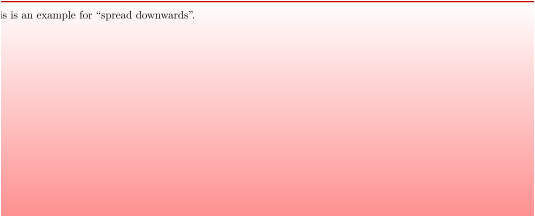
4.15.5 Box Extrusion
The following keys should not be used with breakable boxes.
/tcb/shrink tight(style, no value, initially unset)
The total colored box is shrunk to the dimensions of the upper part. There should be no lower part and no title. This style sets the /tcb/boxsep to 0pt and other geometry keys to fitting values. This option is likely to be used with the following extrusion keys.

\tcbset{colframe=blue!75!black,colback=white,arc=0mm,boxrule=0.4pt,

        nobeforeafter,tcbox raise base,shrink tight}


\begin{tcolorbox}

This is a \textbf{tcolorbox}.

\end{tcolorbox}


Lorem \tcbox{ipsum} dolor sit amet, consectetuer adipiscing elit.
/tcb/extrude left by=⟨length⟩(style, no default, initially unset)Updated: 2014-09-19
The colored box is extruded by the given ⟨length⟩ to the left side. The inner width and the bounding box is kept unchanged and the operation is additive!

\tcbset{enhanced,colframe=red,colback=yellow!25!white,

  frame style={opacity=0.25},interior style={opacity=0.5},

  nobeforeafter,tcbox raise base,shrink tight,extrude by=2mm}


Lorem ipsum dolor sit amet, consectetuer adipiscing elit. Ut purus elit,

vestibulum ut, placerat ac, adipiscing vitae, felis.

\tcbox[extrude left by=1cm]{Curabitur} dictum gravida mauris.

Nam arcu libero, nonummy eget, consectetuer id, vulputate a, magna.
/tcb/extrude right by=⟨length⟩(style, no default, initially unset)Updated: 2014-09-19
The colored box is extruded by the given ⟨length⟩ to the right side. The inner width and the bounding box is kept unchanged and the operation is additive!

\tcbset{enhanced,colframe=red,colback=yellow!25!white,

  frame style={opacity=0.25},interior style={opacity=0.5},

  nobeforeafter,tcbox raise base,shrink tight,extrude by=2mm}


Lorem ipsum dolor sit amet, consectetuer adipiscing elit. Ut purus elit,

vestibulum ut, placerat ac, adipiscing vitae, felis.

\tcbox[extrude right by=1cm]{Curabitur} dictum gravida mauris.

Nam arcu libero, nonummy eget, consectetuer id, vulputate a, magna.
/tcb/extrude top by=⟨length⟩(style, no default, initially unset)
The colored box is extruded by the given ⟨length⟩ to the top side. The inner width and the bounding box is kept unchanged and the operation is additive!

\tcbset{enhanced,colframe=red,colback=yellow!25!white,

  frame style={opacity=0.25},interior style={opacity=0.5},

  nobeforeafter,tcbox raise base,shrink tight,extrude by=2mm}


Lorem ipsum dolor sit amet, consectetuer adipiscing elit. Ut purus elit,

vestibulum ut, placerat ac, adipiscing vitae, felis.

\tcbox[extrude top by=1cm]{Curabitur} dictum gravida mauris.

Nam arcu libero, nonummy eget, consectetuer id, vulputate a, magna.
/tcb/extrude bottom by=⟨length⟩(style, no default, initially unset)
The colored box is extruded by the given ⟨length⟩ to the bottom side. The inner width and the bounding box is kept unchanged and the operation is additive!

\tcbset{enhanced,colframe=red,colback=yellow!25!white,

  frame style={opacity=0.25},interior style={opacity=0.5},

  nobeforeafter,tcbox raise base,shrink tight,extrude by=2mm}


Lorem ipsum dolor sit amet, consectetuer adipiscing elit. Ut purus elit,

vestibulum ut, placerat ac, adipiscing vitae, felis.

\tcbox[extrude bottom by=1cm]{Curabitur} dictum gravida mauris.

Nam arcu libero, nonummy eget, consectetuer id, vulputate a, magna.
/tcb/extrude by=⟨length⟩(style, no default, initially unset)
The colored box is extruded by the given ⟨length⟩ to all sides. The inner width and the bounding box is kept unchanged and the operation is additive!

\tcbset{enhanced,colframe=red,colback=yellow!25!white,

  frame style={opacity=0.25},interior style={opacity=0.5},

  nobeforeafter,tcbox raise base,shrink tight,extrude by=2mm}


Lorem ipsum dolor sit amet, consectetuer adipiscing elit. Ut purus elit,

vestibulum ut, placerat ac, adipiscing vitae, felis. \tcbox{Curabitur} dictum

gravida mauris. \tcbox[colframe=Green,interior style={opacity=0.0}]{Nam}

arcu libero, nonummy eget, consectetuer id, \tcbox{vulputate} a, magna. Donec

vehicula augue eu neque. Pellentesque habitant morbi tristique senectus et netus

et malesuada fames ac turpis egestas. \tcbox{Mauris ut leo.}
4.16 Layered Boxes and Every Box Settings
A tcolorbox may contain another tcolorbox and so on. The package takes track of the nesting level using a counter tcblayer. Counter values may be used for doing some fancy things, but you should never change the counter value yourself.
The package takes special care for the first four layers or nesting levels, called managed layers. Here, footnote texts are administrated to find their intended place and specific layer dependent options may be set by changing /tcb/every box on layer n. If needed, the number of managed layers can be increased by setting \tcbsetmanagedlayers to a higher value than 4.
The following styles have a considerable influence on how layered boxes are processed. Note especially that nested boxes are getting a /tcb/reset by default. You can change this, but be prepared for surprises if you do.
If the defaults are not changed, a tcolorbox gets its options in the following order. Following options overwrite preceding options.
On package load, all options are set to default values.
Every \tcbset command adds or changes options for the following boxes inside the current TeX group.
While entering a tcolorbox, a /tcb/every box on layer n or /tcb/every box on higher layers option list is applied. With default settings this means:
For layer 1 (lowest layer), the /tcb/every box option list is applied. Not overwritten options given by a preceding \tcbset survive.
For layer 2 and above (nested boxes), a /tcb/reset followed by /tcb/every box option list is applied. Every resettable options given by a preceding \tcbset and by the surrounding box(es) are reset.
The ⟨options⟩ given to the tcolorbox are applied. Or, if the box was generated by \newtcolorbox or friends, the ⟨options⟩ given there are applied.
If the box was generated by \newtcolorbox or friends, some automated options are applied.
/tcb/every box(style)
By default, this style is empty.
It may be changed by redefining this style.
The alternative for setting something for every box (on every layer) is
\tcbsetforeverylayer:
% setting all boxes to be enhanced:

\tcbsetforeverylayer{enhanced}
/tcb/every box on layer n(style)
Here, n has to be replaced by a number ranging from 1 to the highest managed layer number (4 by default).
/tcb/every box on higher layers(style)
Higher layers are layers above the highest managed layer number (4 by default).
% default setting:

\tcbset{every box on higher layers/.style={reset,every box}}
\tcbsetmanagedlayers{⟨number⟩}
Replaces the highest managed layer number by ⟨number⟩ where 4 is the default. This macro can only be used inside the preamble. Using a ⟨number⟩ lower than 4 typically makes no sense, but is not forbidden.
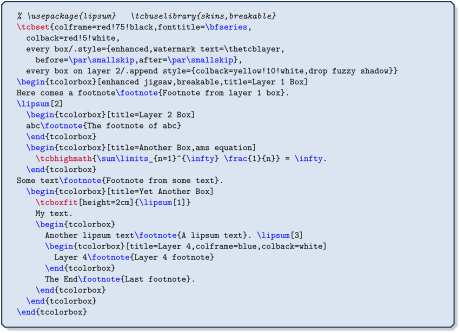
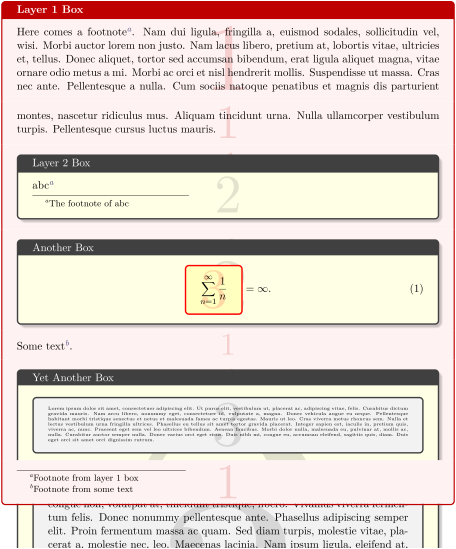
4.17 Capture Mode
/tcb/capture=⟨mode⟩(no default, initially minipage)
minipage:
This is the default ⟨mode⟩ for tcolorbox. The content may have an upper and a lower part. Optionally, the box can be /tcb/breakable. The box content is put into a minipage or into something similar to a minipage.hbox:
This is the default ⟨mode⟩ for \tcbox. The content cannot have a lower part and cannot be broken. The colored box is sized according to the dimensions of the content. A shortcut to set this mode is /tcb/hbox.fitbox: (needs the fitting library)
This is the default ⟨mode⟩ for \tcboxfit. The content cannot have a lower part and cannot be broken. The content is sized according to the dimensions of the colored box. A shortcut to set this mode is /tcb/fit.
The capture ⟨mode⟩ defines how the box content is processed.
Feasible values for ⟨mode⟩ are:
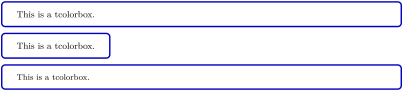
/tcb/hbox(style, no default)
Shortcut for capture=hbox.
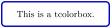
/tcb/minipage(style, no default)
Shortcut for capture=minipage.
4.18 Text Characteristics
/tcb/parbox=true|false(default true, initially true)Updated: 2024-01-10
The text inside a tcolorbox is formatted using a LaTeX minipage if the box is unbreakable. If breakable, the box tries a mimicry of a minipage. In a minipage or parbox, paragraphs are formatted slightly different as the main text. If the key value is set to false, the normal main text behavior is restored. In some situations, this has some unwanted side effects. It is recommended that you use this experimental setting only where you really want to have this feature.
% \usepackage{lipsum}  % preamble

\tcbset{width=(\linewidth-2mm)/2,nobeforeafter,arc=1mm,

  colframe=blue!75!black,colback=white,fonttitle=\bfseries,fontupper=\small,

  left=2mm,right=2mm,top=1mm,bottom=1mm,equal height group=parbox}


\begin{tcolorbox}[parbox,adjusted title={parbox=true (normal)}]

  \lipsum[1-2]

\end{tcolorbox}\hfill%

\begin{tcolorbox}[parbox=false,adjusted title={parbox=false}]

  \lipsum[1-2]

\end{tcolorbox}%
/tcb/hyphenationfix=true|false(default true, initially false)
Long words at the beginning of paragraphs in very narrow boxes will not be hyphenated using pdflatex. This problem is circumvented by applying the hyphenationfix option.

parbox=false and hyphenationfix should not be used together. They are targeting different box types and they do not blend very well.
4.19 Files
/tcb/tempfile=⟨file name⟩(no default, initially \jobname.tcbtemp)
Sets ⟨file name⟩ as name for the temporary file which is used inside tcbwritetemp and \tcbusetemp implicitly.
4.20 \tcbox Specials
The following options are applicable for \tcbox and \tcboxmath only.
/tcb/tcbox raise=⟨length⟩(no default, initially 0pt)
Raises the \tcbox by the given ⟨length⟩.

\tcbset{colframe=blue!50!black,colback=white,colupper=red!50!black,

        fonttitle=\bfseries,nobeforeafter,center title}


Test\dotfill

\tcbox[tcbox raise base]{Hello World 1}\dotfill

\tcbox{Hello World 2}\dotfill

\tcbox[tcbox raise=5mm]{Hello World 3}
/tcb/on line(style, no value, initially unset)
Combines /tcb/tcbox raise base with /tcb/nobeforeafter. The resulting box behaves analogue to \fbox.
/tcb/verbatim(style, no value)
Sets options for a verbatim style \tcbox. Since the indented boxes may contain only very few words, the dimensions are made smaller and /tcb/nobeforeafter and /tcb/tcbox raise base are set.

\DeclareTotalTCBox{\myverb}{ v }{verbatim,

  colframe=red!75!black,colupper=blue}{#1}


\myverb{\textbf} is a \myverb{\LaTeX} command.
/tcb/tcbox width=⟨mode⟩(no default, initially auto)New: 2015-03-23
auto (initial setting): ignore /tcb/width and set box width according to its content.
auto limited: Set box width according to its content, if it is smaller than /tcb/width. Otherwise, the content is set like in a tcolorbox with line breaks.
forced center: Set box width according to /tcb/width. The content is centered and may overlap the box borders.
forced left: Set box width according to /tcb/width. The content is left aligned and may overlap the box borders.
forced right: Set box width according to /tcb/width. The content is right aligned and may overlap the box borders.
minimum center: Set box width according to /tcb/width, if the content fits into. The content is centered and the box width may grow beyond /tcb/width.
minimum left: Set box width according to /tcb/width, if the content fits into. The content is left aligned and the box width may grow beyond /tcb/width.
minimum right: Set box width according to /tcb/width, if the content fits into. The content is right aligned and the box width may grow beyond /tcb/width.
Controls how \tcbox respects a /tcb/width setting. Feasible values for ⟨mode⟩ are:
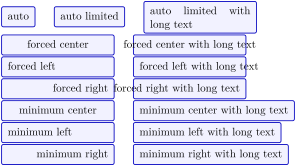
\tcbset{size=small,on line,before upper=\strut,

  colframe=blue!75!black,colback=blue!5!white,

  fontupper=\normalsize,width=4cm}


\tcbox[tcbox width=auto]{auto}\qquad

\tcbox[tcbox width=auto limited]{auto limited}\qquad

\tcbox[tcbox width=auto limited]{auto limited with long text}\\

\tcbox[tcbox width=forced center]{forced center}\qquad

\tcbox[tcbox width=forced center]{forced center with long text}\\

\tcbox[tcbox width=forced left]{forced left}\qquad

\tcbox[tcbox width=forced left]{forced left with long text}\\

\tcbox[tcbox width=forced right]{forced right}\qquad

\tcbox[tcbox width=forced right]{forced right with long text}\\

\tcbox[tcbox width=minimum center]{minimum center}\qquad

\tcbox[tcbox width=minimum center]{minimum center with long text}\\

\tcbox[tcbox width=minimum left]{minimum left}\qquad

\tcbox[tcbox width=minimum left]{minimum left with long text}\\

\tcbox[tcbox width=minimum right]{minimum right}\qquad

\tcbox[tcbox width=minimum right]{minimum right with long text}
4.21 Counters, Labels, and References
/tcb/phantom=⟨code⟩(no default, initially unset)
The ⟨code⟩ is executed before the title and box content, i. e., counter values are ensured to be increased before usage.
Labels are ensured to reference the correct page number.
The ⟨code⟩ is executed only once even during fitting operations for title and box content.
In combination with the hyperref package, the hyper anchor is set to the upper left corner of the tcolorbox, i. e., links inside the pdf document will jump to the box pleasantly.
Since the ⟨code⟩ is executed inside a TeX group, only global operations can survive this group.
The ⟨code⟩ is put in a box at the upper left corner of the tcolorbox. If the tcolorbox is breakable, the ⟨code⟩ is executed for the first box of the break sequence only. If there already was some phantom code given, the new ⟨code⟩ is appended. The ⟨code⟩ is intended to be used for counter stepping, labelling, and related operations which do not produce visible text.
Examples for the phantom usage are given in Section 17.11, e. g. Example 17.1 on section 17.11.
/tcb/nophantom(no value, initially set)
Removes the phantom code if set before.
/tcb/label is label(no value, initially set)New: 2023-02-08
Sets \label as labelling for tcolorbox (global or per box). When /tcb/label and friends are used, the underlying labeling macro is \label. References can be made by \ref, \pageref, and similar macros. This is the default LaTeX behaviour. Note that this option is not getting reset by /tcb/reset.
/tcb/label is zlabel(no value, initially unset)New: 2023-02-08
Sets \zlabel as labelling for tcolorbox (global or per box). When /tcb/label and friends are used, the underlying labeling macro is \zlabel. This needs the zref package [Oberdiek 2023a] or packages building upon zref to be loaded. References can be made by \zref. If the zref-clever package [Barros 2024] is loaded, \zcref, \zcpageref, and similar macros can be applied. Note that this option is not getting reset by /tcb/reset.
Recent versions of zref-clever hook into the common \label and not need setting \zlabel explicitly. /tcb/label is zlabel can be omitted and applied only for optimization (for experts). See /tcb/label type for more information.
/tcb/label=⟨marker⟩(no default, initially unset)Updated: 2023-02-08
The ⟨marker⟩ is set as label text with \label for a reference with the \ref macro, if /tcb/label is label is active, or as label text with \zlabel for a reference with the \zref macro and similar, if /tcb/label is zlabel is active. Typically, this option is used for numbered boxes, see Section 5.1, e. g. /tcb/new/auto counter.
/tcb/phantomlabel=⟨marker⟩(no default, initially unset)New: 2014-11-28
Equivalent to /tcb/label for an unnumbered box. A \phantomsection from the package hyperref [Rahtz and Oberdiek 2025] is used to set a correct hyperlink target. This is not needed and should typically not be used for a numbered box.
/tcb/step=⟨counter⟩(no default, initially unset)
Shortcut for /tcb/phantom={\refstepcounter{#1}}. The given ⟨counter⟩ is increased and ready for labelling. This option is not needed when using the convenient automated numbering introduced with version 2.40, see Section 5.1.
/tcb/step and label={⟨counter⟩}{⟨marker⟩}(no default, initially unset)
Shortcut for using /tcb/step and /tcb/label. This option is not needed when using the convenient automated numbering introduced with version 2.40, see Section 5.1.
/tcb/label type=⟨type⟩(no default, initially unset)Updated: 2024-10-22
If /tcb/label is label is active: The option key /tcb/label type can be used in conjunction with the cleveref package [Cubitt 2018] or the zref-clever package [Barros 2024] which have to be loaded separately. ⟨type⟩ has to be a cross-reference type known to cleveref like theorem, algorithm, result, etc. References made with cleveref will use this type. For an example, see 18.3.5. Recent versions of zref-clever also work with /tcb/label is label and /tcb/label type can be used as described below for /tcb/label is zlabel.
If /tcb/label is zlabel is active: The option key /tcb/label type can be used only in conjunction with the zref-clever package [Barros 2024] which has to be loaded separately. ⟨type⟩ is passed to the zref-clever option reftype, thus it has to be a cross-reference type known to zref-clever. This ⟨type⟩ is bound to an automatic tcolorbox counter which has to be set up using /tcb/new/auto counter, /tcb/new/use counter from, /tcb/new/use counter, or /tcb/new/use counter*.
This option has a different meaning based upon the chosen labeling mechanism.
/tcb/no label type(no value, initially set)Updated: 2023-02-09
Removes a /tcb/label type, if set before.
/tcb/nameref=⟨text⟩(no default, initially unset)New: 2016-06-22Updated: 2023-02-08
If the nameref package is loaded, the given ⟨text⟩ is used for corresponding \nameref macros. If the zref-titleref package is loaded, the given ⟨text⟩ is used to set the reference text for \ztitleref. Typically, the ⟨text⟩ will be chosen to be identical or nearly identical to the one for /tcb/title.
\newtcolorbox[auto counter,counter within=section]{pabox}[2][]{%

  colback=red!5!white,colframe=red!75!black,fonttitle=\bfseries,

  title=Examp.~\thetcbcounter: #2,#1}

%\RequirePackage{zref-clever,zref-titleref}

\begin{pabox}[label={mynamelabel},nameref={Title or anything else}]{Title text}

This is a tcolorbox.

\end{pabox}

This box is automatically numbered with \ref{mynamelabel} on page

\pageref{mynamelabel}.


The box is titled \enquote{\nameref{mynamelabel}},

alternatively \enquote{\ztitleref{mynamelabel}},

or \enquote{\zcref[noname,ref=title]{mynamelabel}}.
/tcb/nameref is used automatically inside \newtcbtheorem.
/tcb/short title=⟨text⟩(style, no default)New: 2022-07-18
Sets both /tcb/list entry and /tcb/nameref to ⟨text⟩. The most likely use case is to set a short title for the «list of tcolorbox(es)» and for box referencing.
/tcb/hypertarget=⟨marker⟩(no default, initially unset)New: 2017-02-03
A \hypertarget from the package hyperref [Rahtz and Oberdiek 2025] is used to create an internal link of an anchor ⟨marker⟩. This ⟨marker⟩ can be referenced by \hyperlink or /tcb/hyperlink.
/tcb/bookmark=⟨text⟩(no default, initially unset)New: 2017-02-10
Sets a PDF bookmark with the given ⟨text⟩, if the package bookmark [Oberdiek 2023b] is loaded. Otherwise, this option is silently ignored. This bookmark is set with an automated destination (the current box) and is set one level below the current bookmark level.
/tcb/bookmark*={⟨options⟩}{⟨text⟩}(no default, initially unset)New: 2017-02-10
Identical to /tcb/bookmark, but additional ⟨options⟩ from the package bookmark [Oberdiek 2023b] can be given. If the package bookmark [Oberdiek 2023b] is not loaded, this option is silently ignored.
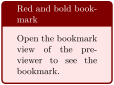
/tcb/index=⟨entry⟩(no default, initially unset)New: 2018-07-26
Adds an index ⟨entry⟩ for the box. This is a shortcut for setting \index{⟨entry⟩} to /tcb/phantom.
/tcb/index*={⟨name⟩}{⟨entry⟩}(no default, initially unset)New: 2018-07-26
Adds an ⟨entry⟩ to an index with a specific ⟨name⟩. This is a shortcut for setting \index[⟨name⟩]{⟨entry⟩} to /tcb/phantom. An index extension package like imakeidx has to be loaded to use this option key.
4.22 Even and Odd Pages
Also see /tcb/toggle left and right and /tcb/toggle enlargement for further even/odd options.
/tcb/check odd page=true|false(default true, initially false)Updated: 2015-11-13
If set to true, a precise even/odd page testing for the current box is applied. This is done by using labels. If a box moves to another page, the document has to be compiled twice for the correct settings. If set to false, even/odd page tests may give wrong results for the first box of a page.
/tcb/toggle left and right, /tcb/toggle enlargement, and /tcb/if odd page automatically set check odd page, but for \tcbifoddpage this option has to be set explicitly.
/tcb/if odd page={⟨odd options⟩}{⟨even options⟩}(style, no default)New: 2015-11-13
If the current box is on an odd page, the ⟨odd options⟩ are applied. On an even page, the ⟨even options⟩ are applied. /tcb/check odd page is automatically set for precise even/odd page testing.

\begin{tcolorbox}[if odd page={colback=yellow!50}{colback=red!50}]

  This box is colored in yellow on an odd page

  and is colored in red on an even page.

\end{tcolorbox}
If a box is /tcb/breakable, using /tcb/if odd page only acts upon the first box. If the setting should be repeated for every partial box of the break sequence, the option should be packed into /tcb/extras. In this case, /tcb/check odd page has to be set explicitly! Also see /tcb/if odd page*.
/tcb/if odd page or oneside={⟨odd options⟩}{⟨even options⟩}(style, no default)New: 2016-11-18
For onesided documents, the ⟨odd options⟩ are applied always. For twosided documents, this style is identical to /tcb/if odd page.
/tcb/if odd page*={⟨odd options⟩}{⟨even options⟩}(style, no default)New: 2015-11-13
This option needs the breakable library, see Section 19.
For breakable boxes, if the current partial box is on an odd page, the ⟨odd options⟩ are applied. On an even page, the ⟨even options⟩ are applied. /tcb/check odd page is automatically set for precise even/odd page testing.
In contrast to /tcb/if odd page, /tcb/if odd page* is used on every partial box of a break sequences and not only on the first box. Another difference is that /tcb/if odd page* is applied quite late during option processing, while /tcb/if odd page is applied immediately.
/tcb/if odd page* is implemented as /tcb/if odd page packed into /tcb/extras.

% \tcbuselibrary{breakable}

\begin{tcolorbox}[breakable,if odd page*={colback=yellow!50}{colback=red!50}]

  This breakable box is colored in yellow on an odd page

  and is colored in red on an even page. For every partial box, the

  test is repeated, i.\,e., this would give a yellow, red, yellow, red, \ldots\
  sequence for a long content.

\end{tcolorbox}
/tcb/if odd page or oneside*={⟨odd options⟩}{⟨even options⟩}(style, no default)New: 2016-11-18
For onesided documents, the ⟨odd options⟩ are applied always. For twosided documents, this style is identical to /tcb/if odd page*.
\tcbifoddpage{⟨odd code⟩}{⟨even code⟩}New: 2015-11-13
If the current box is on an odd page, the ⟨odd code⟩ is executed. On an even page, the ⟨even code⟩ is executed. For precise even/odd page testing, the /tcb/check odd page has to be set manually inside the box options.
The macro \tcbifoddpage can be used inside underlay, overlay, or watermark code to test if the box is on an odd page. This will work also for boxes in a break sequence.
The macro can also be used inside the box content text. For unbreakable boxes, the correct page test is applied. But for /tcb/breakable boxes, \tcbifoddpage will always give the result for the page of the first box inside the box content text. If needed, the methods from the packages changepage or ifoddpage could be used here.
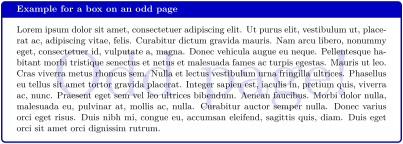
\tcbset{colframe=blue!75!black,colback=white,fonttitle=\bfseries}


\begin{tcolorbox}[enhanced,check odd page,

  title={Example for a box on an \tcbifoddpage{odd}{even} page},

  watermark text={\tcbifoddpage{Odd}{Even} page!}]

\lipsum[1]

\end{tcolorbox}
\tcbifoddpageoroneside{⟨odd code⟩}{⟨even code⟩}New: 2016-11-18
For onesided documents, the ⟨odd code⟩ is executed always. For twosided documents, this macro is identical to \tcbifoddpage.
\thetcolorboxnumberNew: 2015-11-13
This is a unique identifier (arabic number) for a tcolorbox. It is locally defined inside boxes and has no meaning outside. It is used for precise even/odd page testing, but may also be valuable for elaborate user code.

\begin{tcolorbox}[colback=yellow!5,title=Box \thetcolorboxnumber]

  This box is \thetcolorboxnumber.

  \tcbox[on line,size=fbox]{This box is \thetcolorboxnumber} and

  \tcbox[on line,size=fbox]{this box is \thetcolorboxnumber}.

  This box is \thetcolorboxnumber.

\end{tcolorbox}
\thetcolorboxpageNew: 2015-11-13
This macro contains the expanded arabic page number of the current tcolorbox. It is locally defined inside boxes and has no meaning outside. It is precise only, if /tcb/check odd page was set.

\begin{tcolorbox}[colback=yellow!5,check odd page,

    title=Box on page~\thetcolorboxpage]

  This box is located on page~\thetcolorboxpage.

\end{tcolorbox}
4.23 Externalization
See Section 25 for the external library of tcolorbox.
If the externalization library external of the tikz package is used, a tcolorbox could trigger the externalization process which will arise a compilation error.
To avoid this, there are two possible strategies:
Ensure, that \tikzexternaldisable is set before a tcolorbox is used. If you typically use the pattern \tikzexternalenable some picture \tikzexternaldisable, there is nothing to care about.
If externalization is enabled globally, use /tcb/shield externalize to shield any tcolorbox. The preamble code could look like this:
\usetikzlibrary{external}

\tikzexternalize

\tcbset{shield externalize}
/tcb/shield externalize=true|false(default true, initially false)
If set to true, the drawing part of the tcolorbox is not being externalized which is a good thing at the current state of art. Nevertheless, if the tcolorbox contains a tikzpicture, this picture is still externalized. Pictures drawn with help of /tcb/tikz upper or alike are not externalized.
If a tcolorbox is used inside a node of an encircling tikzpicture which is externalized, do not use \tikzexternaldisable in front of the tcolorbox. /tcb/shield externalize is deactivated automatically inside a tikzpicture.
/tcb/shield externalize is applied for every following tcolorbox inside the current TeX group and is not affected by /tcb/reset.
/tcb/external=⟨file name⟩(no default, initially unset)
Convenience option which calls \tikzsetnextfilename{⟨file name⟩}. Typically, it may be used inside the option list of a tcolorbox to set the externalization ⟨file name⟩ for the first tikzpicture which is discovered inside the box content. The package tikz [Tantau 2023] or the library skins has to be loaded to use this option. Additionally, \usetikzlibrary{external} has to be used.
/tcb/remake=true|false(default true, initially false)
Convenience option which calls /tikz/external/remake next. Typically, it may be used inside the option list of a tcolorbox to force the remake of the first tikzpicture which is discovered inside the box content. The package tikz [Tantau 2023] or the library skins has to be loaded to use this option. Additionally, \usetikzlibrary{external} has to be used.
4.24 Miscellaneous
/tcb/reset(no value, initially set)
Sets (nearly) all tcolorbox settings (including loaded libraries) back to their default values plus any settings given by \tcbsetforeverylayer. /tcb/savedelimiter, /tcb/capture, and /tcb/shield externalize keep their values. Also, all raster values (see Section 16) are not reset.
This option is useful for boxes in boxes where the inner box should not inherit the settings of the outer box. Note that for boxes inside boxes the reset is done automatically, if the standard settings of the package are used (v2.40 and above), see Section 4.16.
/tcb/code=⟨code⟩(no default, initially unset)
The given ⟨code⟩ is executed immediately. This option is useful to place some arbitrary code into an option list.

/tcb/IfBlankTF={⟨token list⟩}{⟨true options⟩}{⟨false options⟩}(no default)New: 2022-05-25
/tcb/IfBlankT={⟨token list⟩}{⟨true options⟩}(no default)New: 2022-05-25
/tcb/IfBlankF={⟨token list⟩}{⟨false options⟩}(no default)New: 2022-05-25
Wraps the \tl_if_blank:n(TF) command(s) of expl3 for option setting. If the ⟨token list⟩ consists only of blank spaces or is entirely empty, the ⟨true options⟩ are set. Otherwise, the ⟨false options⟩ are set.

\newtcolorbox{mybox}[1]{ IfBlankF={#1}{title=`#1'} }
\begin{mybox}{My title}
This is a tcolorbox.
\end{mybox}
\begin{mybox}{ }
This is a tcolorbox.
\end{mybox}
/tcb/IfEmptyTF={⟨token list⟩}{⟨true options⟩}{⟨false options⟩}(no default)New: 2022-05-25
/tcb/IfEmptyT={⟨token list⟩}{⟨true options⟩}(no default)New: 2022-05-25
/tcb/IfEmptyF={⟨token list⟩}{⟨false options⟩}(no default)New: 2022-05-25
Wraps the \tl_if_empty:n(TF) command(s) of expl3 for option setting. If the ⟨token list⟩ is entirely empty, the ⟨true options⟩ are set. Otherwise, the ⟨false options⟩ are set.

\newtcolorbox{mybox}[1]{ IfEmptyTF={#1}{colframe=red}{title=`#1'} }
\begin{mybox}{My title}
This is a tcolorbox.
\end{mybox}
\begin{mybox}{}
This is a tcolorbox.
\end{mybox}
/tcb/IfNoValueTF={⟨argument⟩}{⟨true options⟩}{⟨false options⟩}(no default)
/tcb/IfNoValueT={⟨argument⟩}{⟨true options⟩}(no default)New: 2020-09-16
/tcb/IfNoValueF={⟨argument⟩}{⟨false options⟩}(no default)New: 2020-09-16
Wraps the \IfNoValue(TF) command(s) for option setting, see [Team 2025]. If the ⟨argument⟩ has no value, the ⟨true options⟩ are set. Otherwise, the ⟨false options⟩ are set.

\DeclareTColorBox{mybox}{ o }{colframe=red!75!black,
IfNoValueTF={#1}{colback=red!5!white}{enhanced,interior style image=#1}}
\begin{mybox}
This is a tcolorbox.
\end{mybox}
\begin{mybox}[goldshade.png]
This is a tcolorbox.
\end{mybox}
/tcb/IfValueTF={⟨argument⟩}{⟨true options⟩}{⟨false options⟩}(no default)
/tcb/IfValueT={⟨argument⟩}{⟨true options⟩}(no default)New: 2020-09-16
/tcb/IfValueF={⟨argument⟩}{⟨false options⟩}(no default)New: 2020-09-16
Wraps the \IfValue(TF) command(s) for option setting, see [Team 2025]. If the ⟨argument⟩ has a value, the ⟨true options⟩ are set. Otherwise, the ⟨false options⟩ are set.

/tcb/IfBooleanTF={⟨argument⟩}{⟨true options⟩}{⟨false options⟩}(no default)
/tcb/IfBooleanT={⟨argument⟩}{⟨true options⟩}(no default)New: 2020-09-16
/tcb/IfBooleanF={⟨argument⟩}{⟨false options⟩}(no default)New: 2020-09-16
Wraps the \IfBoolean(TF) command(s) for option setting, see [Team 2025]. If the ⟨argument⟩ is \BooleanTrue, the ⟨true options⟩ are set. If the ⟨argument⟩ is \BooleanFalse, the ⟨false options⟩ are set.

\DeclareTColorBox{mybox}{ s }{colframe=red!75!black,
IfBooleanTF={#1}{colback=yellow!50!red}{colback=red!5!white}}
\begin{mybox}
This is a tcolorbox.
\end{mybox}
\begin{mybox}*
This is a tcolorbox.
\end{mybox}
/tcb/void(no value, initially unset)New: 2016-10-21
Annihilates the current tcolorbox as far as possible. Basically, this comments out the whole tcolorbox by using a key. If the option list of the current tcolorbox contains arbitrary code with global impact (like counter settings), these actions are not undone automatically. Nevertheless, the effects of /tcb/phantom, /tcb/step, /tcb/new/auto counter, etc., are removed by /tcb/void.

This option key cannot be applied for every situation. For example, if several box environments with the same environment name are nested, for the outer environment /tcb/void cannot be used, since the end of the inner environment will be misinterpreted as end of the outer environment. Also, /tcb/void cannot be used for environments wrapped with \tcolorboxenvironment.
/tcb/nirvana(no value, initially unset)New: 2019-03-01
The contents of the current tcolorbox are processed including counter settings, but the box is just not drawn. Therefore, /tcb/nirvana is less radical than /tcb/void and several box environments can be nested without problems.

1 Strictly speaking, they are pgfkeys keys. The pgfkeys package is auto-loaded by pgf and is documented in [Tantau 2023, Part VII].
2 The graphical examples assume that the boxes where set to have sharp corners before.