The tcolorbox package
Libraries
10 Library skins
The library is loaded by a package option or inside the preamble by:
This also loads the package tikzfill.image.
In the following, general settings and options of the library are documented. The actual catalog of skins is found in Section 11.
10.1 Style Option Keys
The following style options are applicable for all skins which use engines of type path, pathfirst, pathmiddle, or pathlast. Especially, the skin enhanced supports all of them and standard none.
/tcb/frame style=⟨tikz keys⟩(style, no default)
The ⟨tikz keys⟩ are used inside the TikZ path command for drawing the frame of the box.
This option is available if the /tcb/frame engine is set to path, pathfirst, pathmiddle, or pathlast. It is not available for standard.
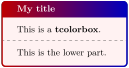
/tcb/frame style image=⟨file name⟩(no default, initially unset)
Fills the frame with an external image referenced by ⟨file name⟩.
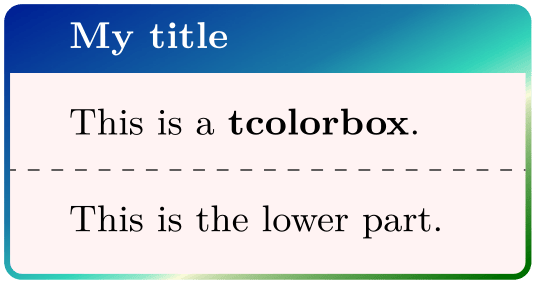
/tcb/frame style tile={⟨graphics options⟩}{⟨file name⟩}(no default, initially unset)
Fills the frame with a tile pattern based on an external image referenced by ⟨file name⟩. The ⟨graphics options⟩ are given to the underlying \includegraphics command.
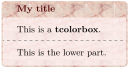
/tcb/frame hidden(style, no value)
This is a shortcut for frame style={draw=none,fill=none}. Depending on the skin, this option switches off the drawing of the frame. Alternatively, use /tcb/frame empty.

/tcb/interior style=⟨tikz keys⟩(style, no default)
The ⟨tikz keys⟩ are used inside the TikZ path command for drawing the interior of the box. They are used for the titled and for the untitled version as well.
This option is available if the /tcb/interior titled engine or /tcb/interior engine is set to path, pathfirst, pathmiddle, or pathlast. It is not available for standard.
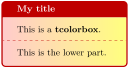
/tcb/interior style image=⟨file name⟩(no default, initially unset)
Fills the interior with an external image referenced by ⟨file name⟩.
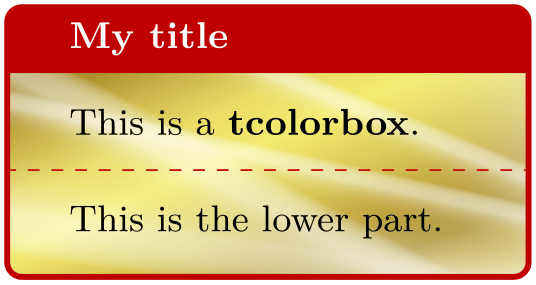
/tcb/interior style tile={⟨graphics options⟩}{⟨file name⟩}(no default, initially unset)
Fills the interior with a tile pattern based on an external image referenced by ⟨file name⟩. The ⟨graphics options⟩ are given to the underlying \includegraphics command.
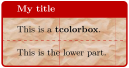
/tcb/interior hidden(style, no value)
This is a shortcut for interior style={draw=none,fill=none}. Depending on the skin, this option switches off the drawing of the interior. Alternatively, use /tcb/interior empty and/or /tcb/interior titled empty.
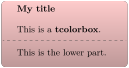
\tcbset{frame style={top color=red!20!white,

  bottom color=red!20!white!75!black},

  fonttitle=\bfseries,coltitle=black}


\begin{tcolorbox}[enhanced,title=My title,

  interior hidden]

This is a \textbf{tcolorbox}.

\tcblower

This is the lower part.

\end{tcolorbox}
/tcb/segmentation style=⟨tikz keys⟩(style, no default)
The ⟨tikz keys⟩ are used inside the TikZ path command for drawing the segmentation line of the box.
This option is available if the /tcb/segmentation engine is set to path. It is not available for standard.
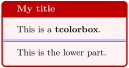
/tcb/segmentation hidden(style, no value)
This is a shortcut for segmentation style={draw=none,fill=none}. Depending on the skin, this option switches off the drawing of the segmentation line. See also /tcb/lower separated which has the same effect for most skins. Alternatively, use /tcb/segmentation empty.
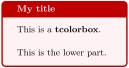
/tcb/title style=⟨tikz keys⟩(style, no default)
The ⟨tikz keys⟩ are used inside the TikZ path command for drawing the title area of the box.
This option is available if the /tcb/title engine is set to path, pathfirst, pathmiddle, or pathlast. It is not available for standard.
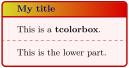
/tcb/title style image=⟨file name⟩(no default, initially unset)
Fills the title area with an external image referenced by ⟨file name⟩.
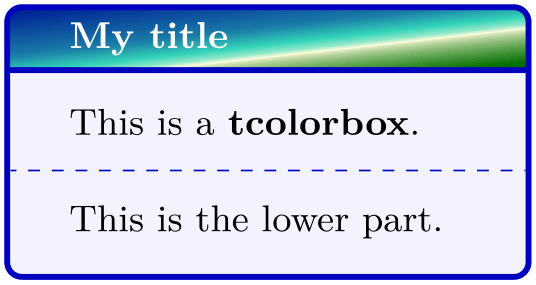
/tcb/title style tile={⟨graphics options⟩}{⟨file name⟩}(no default, initially unset)
Fills the title area with a tile pattern based on an external image referenced by ⟨file name⟩. The ⟨graphics options⟩ are given to the underlying \includegraphics command.

/tcb/title hidden(style, no value)
This is a shortcut for title style={draw=none,fill=none}. Depending on the skin, this option switches off the drawing of the title background. See also /tcb/title filled for a similar effect. Alternatively, use /tcb/title empty.
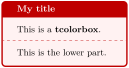
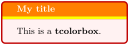
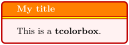
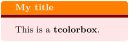
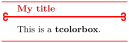
/tcb/titlerule style=⟨tikz keys⟩(style, no default)New: 2015-01-14
The ⟨tikz keys⟩ are used to draw a title rule, i. e., a rule below the optional title. The width of the rule is controlled by /tcb/titlerule. It may be set directly to a smaller width to create mixed effects with the standard rule. This option is implemented as an /tcb/underlay. Thus, it is not available for standard and standard jigsaw, but for all other skins, e. g. enhanced. As an underlay, this option can be used multiple times and is removed by /tcb/no underlay.
\begin{tcolorbox}[enhanced,

  colback=red!5!white,colframe=red!75!black,

  colbacktitle=red!50!yellow,fonttitle=\bfseries,

  title=My title,

  titlerule=1mm,

  titlerule style=yellow  ]

This is a \textbf{tcolorbox}.

\end{tcolorbox}
\begin{tcolorbox}[enhanced,

  colback=red!5!white,colframe=red!75!black,

  colbacktitle=red!50!yellow,fonttitle=\bfseries,

  title=My title,

  titlerule=1mm,

  titlerule style={yellow,line width=0.5mm}  ]

This is a \textbf{tcolorbox}.

\end{tcolorbox}
\begin{tcolorbox}[enhanced,

  colback=red!10!white,colframe=red!75!black,

  colbacktitle=red!50!yellow,fonttitle=\bfseries,

  frame hidden,

  title=My title,

  boxrule=0pt,titlerule=1mm,

  titlerule style=red!50!black  ]

This is a \textbf{tcolorbox}.

\end{tcolorbox}
%\usetikzlibrary{arrows.meta}

\begin{tcolorbox}[empty,

  coltitle=red!75!black,fonttitle=\bfseries,

  borderline horizontal={0.5mm}{0pt}{red!50!white},

  title=My title,

  titlerule style={red,

    arrows = {Hooks[arc=270]-Hooks[arc=270]}} ]

This is a \textbf{tcolorbox}.

\end{tcolorbox}
The combined TikZ style applied to frame, interior, and title background can used by authors in customizing code.
/tikz/tcb fill frame(style, no value)
This is a TikZ style which is finally applied to the frame of the box.
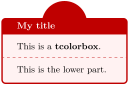
% \tcbuselibrary{hooks}

\tcbset{enhanced,colback=red!5!white,

  colframe=red!75!black,fonttitle=\bfseries,

  frame code app={\path[tcb fill frame]

    ([yshift=-2mm]frame.north)

        circle (8mm); }  }


\begin{tcolorbox}[title=My title]

This is a \textbf{tcolorbox}.

\tcblower

This is the lower part.

\end{tcolorbox}
/tikz/tcb fill interior(style, no value)
This is a TikZ style which is finally applied to the interior of the box.
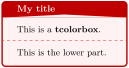
% \tcbuselibrary{hooks}

\tcbset{enhanced,colback=red!5!white,

  colframe=red!75!black,fonttitle=\bfseries,

  interior titled code app={\path[tcb fill interior]

      ([yshift=-0.1pt]interior.north east)

    --([yshift=3pt]interior.north)

    --([yshift=-0.1pt]interior.north west)

    --cycle;}  }


\begin{tcolorbox}[title=My title]

This is a \textbf{tcolorbox}.

\tcblower

This is the lower part.

\end{tcolorbox}
/tikz/tcb fill title(style, no value)
This is a TikZ style which is finally applied to the title area of the box.
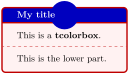
% \tcbuselibrary{hooks}

\tcbset{enhanced,colback=red!5!white,

  colframe=red!75!black,fonttitle=\bfseries,

  colbacktitle=blue!75!black,

  title code app={\path[tcb fill title]

    (title) circle (5mm); }  }


\begin{tcolorbox}[title=My title]

This is a \textbf{tcolorbox}.

\tcblower

This is the lower part.

\end{tcolorbox}
/tikz/tcb fill lower bicolor(style, no value)New: 2025-07-07
This is a TikZ style which is finally applied to the interior lower part of the box, when the bicolor skin is used.
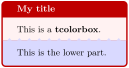
% \tcbuselibrary{hooks}

% \usetikzlibrary{decorations.pathmorphing}

\tcbset{bicolor,colback=red!5!white,

  colbacklower=blue!15!white,

  colframe=red!75!black,fonttitle=\bfseries,

  segmentation code app={

    \path[tcb fill lower bicolor,

          decoration={zigzag,amplitude=1mm}]

      decorate {

          ([yshift=-0.1pt]segmentation.east)

        --([yshift=-0.1pt]segmentation.west) }

      --cycle;}  }


\begin{tcolorbox}[title=My title]

This is a \textbf{tcolorbox}.

\tcblower

This is the lower part.

\end{tcolorbox}
10.2 Boxed Title Option Keys
10.2.1 Boxed Title Placement
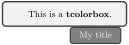
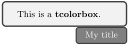
The following options place the title text into an own \tcbox. This boxed title can be customized independently from the main box using /tcb/boxed title style. The placement can be influenced by ⟨boxtitle options⟩.
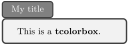
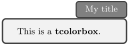
/tcb/attach boxed title to top text left={⟨boxtitle options⟩}(style, default empty)New: 2021-07-30
The title is boxed with a \tcbox and attached to the top left corner of the main box and shifted to match title text and box text.
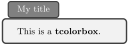
\begin{tcolorbox}[enhanced,title=My title,

  attach boxed title to top text left]

  This is a \textbf{tcolorbox}.

\end{tcolorbox}
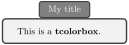
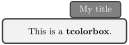
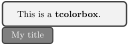
/tcb/attach boxed title to bottom text left={⟨boxtitle options⟩}(style, default empty)New: 2021-07-30
The title is boxed with a \tcbox and attached to the bottom left corner of the main box and shifted to match title text and box text. Note that this matches the upper part, even, if there is a lower part.
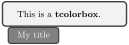
\begin{tcolorbox}[enhanced,title=My title,

  attach boxed title to bottom text left]

  This is a \textbf{tcolorbox}.

\end{tcolorbox}
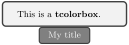
/tcb/attach boxed title to bottom text right={⟨boxtitle options⟩}(style, default empty)New: 2021-07-30
The title is boxed with a \tcbox and attached to the bottom right corner of the main box and shifted to match title text and box text. Note that this matches the upper part, even, if there is a lower part.
/tcb/attach boxed title to top={⟨boxtitle options⟩}(style, default empty)New: 2016-02-26
This is a convenient style to mimic a standard title. It uses /tcb/attach boxed title to top center, /tcb/minipage boxed title, and sizes the boxed title to match the base box.
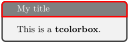
\begin{tcolorbox}[enhanced,title=My title,

  attach boxed title to top,

  boxed title style={colframe=red}]

  This is a \textbf{tcolorbox}.

\end{tcolorbox}
/tcb/attach boxed title to top*={⟨boxtitle options⟩}(style, default empty)New: 2016-02-26
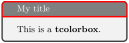
In contrast to /tcb/attach boxed title to top, this style uses smaller left and right rules to avoid previewer glitches. Typically, one would not use different colors for the frame as in the example below.
/tcb/attach boxed title to bottom={⟨boxtitle options⟩}(style, default empty)New: 2016-02-26
This is a convenient style to produce a standard-like title at the bottom of the box. It uses /tcb/attach boxed title to bottom center, /tcb/minipage boxed title, and sizes the boxed title to match the base box.
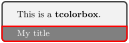
\begin{tcolorbox}[enhanced,title=My title,

  attach boxed title to bottom,

  boxed title style={colframe=red}]

  This is a \textbf{tcolorbox}.

\end{tcolorbox}
/tcb/attach boxed title to bottom*={⟨boxtitle options⟩}(style, default empty)New: 2016-02-26
In contrast to /tcb/attach boxed title to top, this style uses smaller left and right rules to avoid previewer glitches.
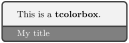
/tcb/flip title={⟨options⟩}(style, default empty)New: 2016-02-26
This style combines /tcb/attach boxed title to bottom* with /tcb/boxed title style. The ⟨options⟩ are given to /tcb/boxed title style.
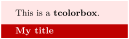
\begin{tcolorbox}[tile,flip title={sharp corners},

  title=My title,colback=red!10,

  colbacktitle=red!75!black]

  This is a \textbf{tcolorbox}.

\end{tcolorbox}
10.2.2 Options for the Boxed Title Placement
The ⟨boxtitle options⟩ of the keys described above are shift values. The dimensions of the boxed title are stored into two macros \tcboxedtitleheight and \tcboxedtitlewidth. These macros can be used inside the following ⟨boxtitle options⟩:
/tcb/boxtitle/xshift=⟨length⟩(no default, initially 0pt)
The boxed title is shifted by ⟨length⟩ in the horizontal direction.
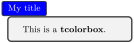
\begin{tcolorbox}[enhanced,title=My title,

  attach boxed title to top left={xshift=-2mm},

  boxed title style={size=small,colback=blue}]

  This is a \textbf{tcolorbox}.

\end{tcolorbox}
/tcb/boxtitle/yshift=⟨length⟩(no default, initially 0pt)
The boxed title is shifted by ⟨length⟩ in the vertical direction.
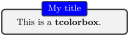
\begin{tcolorbox}[enhanced,title=My title,

  attach boxed title to top center=

    {yshift=-\tcboxedtitleheight/2},

  boxed title style={size=small,colback=blue}]

  This is a \textbf{tcolorbox}.

\end{tcolorbox}
/tcb/boxtitle/yshifttext=⟨length⟩(no default, initially 0pt)
The text inside the main box is shifted by ⟨length⟩ to give room for e. g. a sunken title.
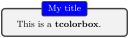
\begin{tcolorbox}[enhanced,title=My title,

  attach boxed title to top center=

    {yshift=-3mm,yshifttext=-1mm},

  boxed title style={size=small,colback=blue}]

  This is a \textbf{tcolorbox}.

\end{tcolorbox}
/tcb/boxtitle/yshift*=⟨length⟩(no default, initially 0pt)
Sets /tcb/boxtitle/yshift and /tcb/boxtitle/yshifttext the same time.
/tcb/boxtitle/yshifttext is only set if necessary.
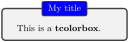
\begin{tcolorbox}[enhanced,title=My title,

  attach boxed title to top center={yshift*=-3mm},

  boxed title style={size=small,colback=blue}]

  This is a \textbf{tcolorbox}.

\end{tcolorbox}
The bounding box of the resulting total tcolorbox is adapted automatically to the vertical dimensions of the boxed title. Possible horizontal enlargements are not automatically computed.
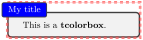
\begin{tcolorbox}[enhanced,title=My title,

  attach boxed title to top left=

    {xshift=-2mm,yshift=-2mm},

  boxed title style={size=small,colback=blue},

  show bounding box]

  This is a \textbf{tcolorbox}.

\end{tcolorbox}
10.2.3 Options for the Boxed Title Box
The boxed title options are implemented as an underlay, see Section 10.8. Therefore, a boxed title is not drawn, if a skin does not support underlays like standard. Still, the room for the boxed titles gets reserved in these cases.
A TikZ node title is produced by a boxed title which can be used inside /tcb/frame code, /tcb/interior code, underlays, overlays, and finishes.
A boxed title is almost always the first underlay. The only exceptions are underlays defined by /tcb/underlay boxed title which are drawn before. Additionally, underlays defined by /tcb/underlay boxed title are only drawn, if a boxed title is actually set. They are ignored, if there is no boxed title.
/tcb/boxed title size=⟨size⟩(no default, initially title)New: 2016-02-26
title: Sets the size according to /tcb/size=title.
standard: No size setting. Typically, this is identical to /tcb/size=normal.
copy: The size values for a title of the base box are copied for the title box.
This setting defines the basic size for the title box. Further settings can be applied using /tcb/boxed title style. Feasible values for ⟨size⟩ are:

% \tcbuselibrary{raster}

\begin{tcbraster}[raster columns=3,enhanced,boxrule=0.4pt,

    title=My title,attach boxed title to top center]

  \begin{tcolorbox}[boxed title size=title]

    This is a \textbf{tcolorbox}.

  \end{tcolorbox}

  \begin{tcolorbox}[boxed title size=standard]

    This is a \textbf{tcolorbox}.

  \end{tcolorbox}

  \begin{tcolorbox}[boxed title size=copy]

    This is a \textbf{tcolorbox}.

  \end{tcolorbox}

\end{tcbraster}
/tcb/boxed title style=⟨options⟩(style, initially empty)Updated: 2016-02-26
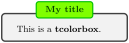
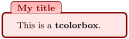
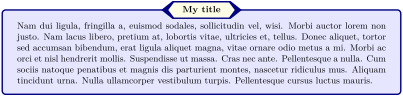
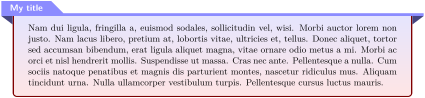
By default, a boxed title is dimensioned with /tcb/size=title and inherits the /tcb/skin and /tcb/colframe of the main box. Also, the /tcb/colback is inherited from the main /tcb/colbacktitle. Font and color of the title text are set as usual. All other ⟨options⟩ are set by the /tcb/boxed title style key. Since a boxed title is set by \tcbox, all tcolorbox options are applicable here. If /tcb/boxed title style is used several times, the ⟨options⟩ are appended.
\begin{tcolorbox}[enhanced,title=My title,

  fonttitle=\bfseries,coltitle=green!25!black,

  attach boxed title to top center=

    {yshift=-2mm,yshifttext=-1mm},

  boxed title style={colframe=green!75!black,

    colback=yellow!50!green}]

  This is a \textbf{tcolorbox}.

\end{tcolorbox}
\begin{tcolorbox}[enhanced,title=My title,

  colframe=red!50!black,colback=red!10!white,

  arc=1mm,colbacktitle=red!10!white,

  fonttitle=\bfseries,coltitle=red!50!black,

  attach boxed title to top text left=

    {yshift=-0.50mm},

  boxed title style={skin=enhancedfirst jigsaw,

    size=small,arc=1mm,bottom=-1mm,

    interior style={fill=none,

      top color=red!30!white,

      bottom color=red!20!white}}]

  This is a \textbf{tcolorbox}.

\end{tcolorbox}
\begin{tcolorbox}[enhanced,title=My title,

  colframe=blue!50!black,colback=blue!10!white,colbacktitle=blue!5!yellow!10!white,

  fonttitle=\bfseries,coltitle=black,attach boxed title to top center=

    {yshift=-0.25mm-\tcboxedtitleheight/2,yshifttext=2mm-\tcboxedtitleheight/2},

  boxed title style={boxrule=0.5mm,

    frame code={ \path[tcb fill frame] ([xshift=-4mm]frame.west)

    -- (frame.north west) -- (frame.north east) -- ([xshift=4mm]frame.east)

    -- (frame.south east) -- (frame.south west) -- cycle; },

    interior code={ \path[tcb fill interior] ([xshift=-2mm]interior.west)

    -- (interior.north west) -- (interior.north east)

    -- ([xshift=2mm]interior.east) -- (interior.south east) -- (interior.south west)

    -- cycle;}  }]

  \lipsum[2]

\end{tcolorbox}
% \usepackage{varwidth}

\newtcolorbox{mybox}[2][]{enhanced,skin=enhancedlast jigsaw,

  attach boxed title to top left={xshift=-4mm,yshift=-0.5mm},

  fonttitle=\bfseries\sffamily,varwidth boxed title=0.7\linewidth,

  colbacktitle=blue!45!white,colframe=red!50!black,

  interior style={top color=blue!10!white,bottom color=red!10!white},

  boxed title style={empty,arc=0pt,outer arc=0pt,boxrule=0pt},

  underlay boxed title={

    \fill[blue!45!white] (title.north west) -- (title.north east)

      -- +(\tcboxedtitleheight-1mm,-\tcboxedtitleheight+1mm)

      -- ([xshift=4mm,yshift=0.5mm]frame.north east) -- +(0mm,-1mm)

      -- (title.south west) -- cycle;

    \fill[blue!45!white!50!black] ([yshift=-0.5mm]frame.north west)

      -- +(-0.4,0) -- +(0,-0.3) -- cycle;

    \fill[blue!45!white!50!black] ([yshift=-0.5mm]frame.north east)

      -- +(0,-0.3) -- +(0.4,0) -- cycle;  },

  title={#2},#1}


\begin{mybox}{My title}

  \lipsum[2]

\end{mybox}
% \usepackage{varwidth}

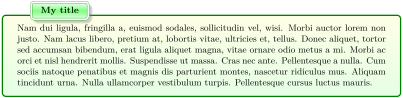
\newtcolorbox{mybox}[2][]{enhanced,

  attach boxed title to top left={xshift=1cm,yshift=-2mm},

  fonttitle=\bfseries,varwidth boxed title=0.7\linewidth,

  colbacktitle=green!45!white,coltitle=green!10!black,colframe=green!50!black,

  interior style={top color=yellow!10!white,bottom color=green!10!white},

  boxed title style={boxrule=0.75mm,colframe=white,

    borderline={0.1mm}{0mm}{green!50!black},

    borderline={0.1mm}{0.75mm}{green!50!black},

    interior style={top color=green!10!white,bottom color=green!10!white,

      middle color=green!50!white},

    drop fuzzy shadow},

  title={#2},#1}


\begin{mybox}{My title}

  \lipsum[2]

\end{mybox}
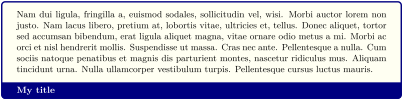
\newtcolorbox{flipbox}[2][]{

  enhanced,colframe=blue!50!black,colback=yellow!5,fonttitle=\bfseries,

  flip title={interior hidden},title={#2},#1}


\begin{flipbox}{My title}

\lipsum[2]

\end{flipbox}
% \usepackage{varwidth}

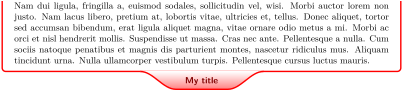
\newtcolorbox{mybox}[2][]{skin=enhancedlast jigsaw,interior hidden,

  boxsep=0pt,top=0pt,colframe=red,coltitle=red!50!black,

  fonttitle=\bfseries\sffamily,

  attach boxed title to bottom center,

  boxed title style={empty,boxrule=0.5mm},

  varwidth boxed title=0.5\linewidth,

  underlay boxed title={

    \draw[white,line width=0.5mm]

      ([xshift=0.3mm-\tcboxedtitleheight*2,yshift=0.3mm]title.north west)

      --([xshift=-0.3mm+\tcboxedtitleheight*2,yshift=0.3mm]title.north east);

    \path[draw=red,top color=white,bottom color=red!50!white,line width=0.5mm]

    ([xshift=0.25mm-\tcboxedtitleheight*2,yshift=0.25mm]title.north west)

    cos +(\tcboxedtitleheight,-\tcboxedtitleheight/2)

    sin +(\tcboxedtitleheight,-\tcboxedtitleheight/2)

    -- ([xshift=0.25mm,yshift=0.25mm]title.south west)

    -- ([yshift=0.25mm]title.south east)

    cos +(\tcboxedtitleheight,\tcboxedtitleheight/2)

    sin +(\tcboxedtitleheight,\tcboxedtitleheight/2); },

  title={#2},#1}


\begin{mybox}{My title}

  \lipsum[2]

\end{mybox}
% \usepackage{varwidth}

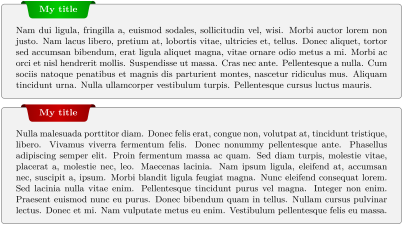
\newtcolorbox{mybox}[2][]{enhanced,

  before skip=2mm,after skip=2mm,

  colback=black!5,colframe=black!50,boxrule=0.2mm,

  attach boxed title to top left={xshift=1cm,yshift*=1mm-\tcboxedtitleheight},

  varwidth boxed title*=-3cm,

  boxed title style={frame code={

    \path[fill=tcbcolback!30!black]

      ([yshift=-1mm,xshift=-1mm]frame.north west)

        arc[start angle=0,end angle=180,radius=1mm]

      ([yshift=-1mm,xshift=1mm]frame.north east)

        arc[start angle=180,end angle=0,radius=1mm];

    \path[left color=tcbcolback!60!black,right color=tcbcolback!60!black,

      middle color=tcbcolback!80!black]

      ([xshift=-2mm]frame.north west) -- ([xshift=2mm]frame.north east)

      [rounded corners=1mm]-- ([xshift=1mm,yshift=-1mm]frame.north east)

      -- (frame.south east) -- (frame.south west)

      -- ([xshift=-1mm,yshift=-1mm]frame.north west)

      [sharp corners]-- cycle;

    },interior engine=empty,

  },

  fonttitle=\bfseries,

  title={#2},#1}


\begin{mybox}[colbacktitle=green]{My title}

\lipsum[2]

\end{mybox}

\begin{mybox}[colbacktitle=red]{My title}

\lipsum[3]

\end{mybox}
/tcb/no boxed title style(style, initially set)New: 2016-02-26
Removes all options which were set by /tcb/boxed title style.
/tcb/hbox boxed title(no value, initially set)
The title text content is captured with a horizontal box. Especially, there are no linebreak possible.
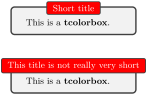
\newtcolorbox{mybox}[1]{hbox boxed title,

  enhanced,attach boxed title to top center=

    {yshift=-3mm,yshifttext=-1mm},

  boxed title style={size=small,colback=red},

  title={#1}}


\begin{mybox}{Short title}

  This is a \textbf{tcolorbox}.

\end{mybox}\bigskip


\begin{mybox}{This title is not really very short}

  This is a \textbf{tcolorbox}.

\end{mybox}
/tcb/minipage boxed title=⟨length⟩(initially unset)
The title text content is captured with a minipage with a width of ⟨length⟩. By default, the resulting boxed title is somewhat smaller than the main box.
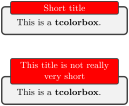
\newtcolorbox{mybox}[1]{minipage boxed title,

  enhanced,attach boxed title to top center=

    {yshift=-3mm,yshifttext=-1mm},

  boxed title style={size=small,colback=red},

  center title,title={#1}}


\begin{mybox}{Short title}

  This is a \textbf{tcolorbox}.

\end{mybox}\bigskip


\begin{mybox}{This title is not really very short}

  This is a \textbf{tcolorbox}.

\end{mybox}
/tcb/minipage boxed title*=⟨length⟩(initially unset)
The title text content is captured with a minipage with a width of main box width plus ⟨length⟩. By default, the resulting boxed title is somewhat smaller than the main box.
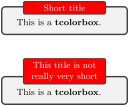
\newtcolorbox{mybox}[1]{minipage boxed title*=-2cm,

  enhanced,attach boxed title to top center=

    {yshift=-3mm,yshifttext=-1mm},

  boxed title style={size=small,colback=red},

  center title,title={#1}}


\begin{mybox}{Short title}

  This is a \textbf{tcolorbox}.

\end{mybox}\bigskip


\begin{mybox}{This title is not really very short}

  This is a \textbf{tcolorbox}.

\end{mybox}
/tcb/tikznode boxed title=⟨options⟩(initially unset)
The title text content is captured with a TikZ node with given TikZ ⟨options⟩. The text is centered by default
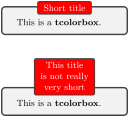
\newtcolorbox{mybox}[1]{tikznode boxed title,

  enhanced,attach boxed title to top center=

    {yshift=-3mm,yshifttext=-1mm},

  boxed title style={size=small,colback=red},

  title={#1}}


\begin{mybox}{Short title}

  This is a \textbf{tcolorbox}.

\end{mybox}\bigskip


\begin{mybox}{This title\\is not really\\very short}

  This is a \textbf{tcolorbox}.

\end{mybox}
/tcb/varwidth boxed title=⟨length⟩(initially unset)
The title text content is captured with a varwidth environment with a width of ⟨length⟩. This style needs the varwidth package [Arseneau 2011] to be loaded manually. By default, the resulting boxed title is somewhat smaller than the main box.
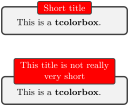
% \usepackage{varwidth}

\newtcolorbox{mybox}[1]{varwidth boxed title,

  enhanced,attach boxed title to top center=

    {yshift=-3mm,yshifttext=-1mm},

  boxed title style={size=small,colback=red},

  center title,title={#1}}


\begin{mybox}{Short title}

  This is a \textbf{tcolorbox}.

\end{mybox}\bigskip


\begin{mybox}{This title is not really very short}

  This is a \textbf{tcolorbox}.

\end{mybox}
/tcb/varwidth boxed title*=⟨length⟩(initially unset)
The title text content is captured with a varwidth environment with a width of main box width plus ⟨length⟩. This style needs the varwidth package [Arseneau 2011] to be loaded manually. By default, the resulting boxed title is somewhat smaller than the main box.
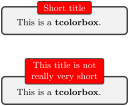
% \usepackage{varwidth}

\newtcolorbox{mybox}[1]{varwidth boxed title*=-2cm,

  enhanced,attach boxed title to top center=

    {yshift=-3mm,yshifttext=-1mm},

  boxed title style={size=small,colback=red},

  center title,title={#1}}


\begin{mybox}{Short title}

  This is a \textbf{tcolorbox}.

\end{mybox}\bigskip


\begin{mybox}{This title is not really very short}

  This is a \textbf{tcolorbox}.

\end{mybox}
10.3 Watermark Option Keys
The skin standard does not support these watermarks, but all other skins, e. g. enhanced.
The watermark options rely on the more general overlay options described in Section 4.12. Therefore, watermarks and overlays cannot be used mixed. But a mixture is possible with the hooks library, see Section 23.
/tcb/watermark text=⟨text⟩(no default, initially unset)
Writes some ⟨text⟩ in the center of the interior region of a tcolorbox. This ⟨text⟩ is written after the frame and interior are drawn and before the text content is drawn. It is zoomed or stretched according the values of /tcb/watermark zoom or /tcb/watermark stretch.
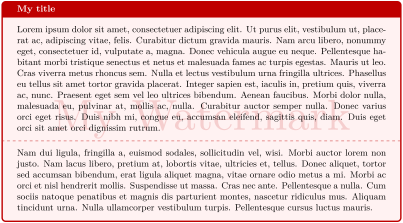
/tcb/watermark text on=⟨part⟩ is ⟨text⟩(no default, initially unset)
broken: all broken box parts,
unbroken: unbroken boxes only,
first: first parts of a break sequence,
middle: middle parts of a break sequence,
last: last parts of a break sequence,
unbroken and first: unbroken boxes and first parts of a break sequence,
middle and last: middle and last parts of a break sequence.
first and middle: first and middle parts of a break sequence.
This option writes some ⟨text⟩ in the center of the interior region of a tcolorbox as described for /tcb/watermark text. But this is done only for boxes named ⟨part⟩ of a break sequence, see /tcb/breakable.
Feasible values for ⟨part⟩ are:
/tcb/watermark graphics=⟨file name⟩(no default, initially unset)
Draws an external picture referenced by ⟨file name⟩ in the center of the interior region of a tcolorbox. The picture is drawn after the frame and interior are drawn and before the text content is drawn. It is zoomed or stretched according the values of /tcb/watermark zoom or /tcb/watermark stretch.
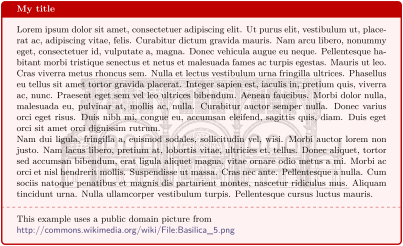
\tcbset{colback=red!5!white,colframe=red!75!black,fonttitle=\bfseries}


\begin{tcolorbox}[enhanced,title=My title,watermark graphics=Basilica_5.png,

  watermark opacity=0.15]

\lipsum[1-2]

\tcblower

This example uses a public domain picture from\\

\url{http://commons.wikimedia.org/wiki/File:Basilica_5.png}

\end{tcolorbox}
/tcb/watermark graphics on=⟨part⟩ is ⟨file name⟩(no default, initially unset)
broken: all broken box parts,
unbroken: unbroken boxes only,
first: first parts of a break sequence,
middle: middle parts of a break sequence,
last: last parts of a break sequence,
unbroken and first: unbroken boxes and first parts of a break sequence,
middle and last: middle and last parts of a break sequence.
This option draws a picture referenced by ⟨file name⟩ in the center of the interior region of a tcolorbox as described for /tcb/watermark graphics. But this is done only for boxes named ⟨part⟩ of a break sequence, see /tcb/breakable.
Feasible values for ⟨part⟩ are:
/tcb/watermark tikz=⟨graphical code⟩(no default, initially unset)
Draws the given TikZ ⟨graphical code⟩ in the center of the interior region of a tcolorbox. The code is executed after the frame and interior are drawn and before the text content is drawn. The result is zoomed or stretched according the values of /tcb/watermark zoom or /tcb/watermark stretch.
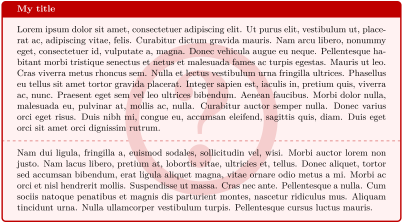
/tcb/watermark tikz on=⟨part⟩ is ⟨graphical code⟩(no default, initially unset)
broken: all broken box parts,
unbroken: unbroken boxes only,
first: first parts of a break sequence,
middle: middle parts of a break sequence,
last: last parts of a break sequence,
unbroken and first: unbroken boxes and first parts of a break sequence,
middle and last: middle and last parts of a break sequence.
This option draws the given TikZ ⟨graphical code⟩ in the center of the interior region of a tcolorbox as described for /tcb/watermark tikz. But this is done only for boxes named ⟨part⟩ of a break sequence, see /tcb/breakable.
Feasible values for ⟨part⟩ are:
/tcb/no watermark(style, no default, initially set)
Removes the watermark if set before. This is an alias for /tcb/no overlay.
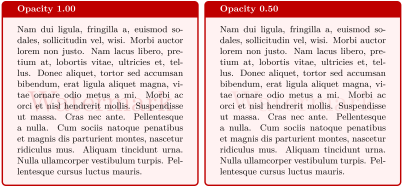
/tcb/watermark opacity=⟨fraction⟩(no default, initially 1.00)
Sets the opacity value \(\in[0,1]\) for a watermark.
\tcbset{enhanced,colback=red!5!white,colframe=red!75!black,fonttitle=\bfseries,

  watermark text=Watermark,nobeforeafter,width=(\linewidth-2mm)/2}


\begin{tcolorbox}[title=Opacity 1.00,watermark opacity=1.00]

\lipsum[2]

\end{tcolorbox}\hfill%

\begin{tcolorbox}[title=Opacity 0.50,watermark opacity=0.50]

\lipsum[2]

\end{tcolorbox}%
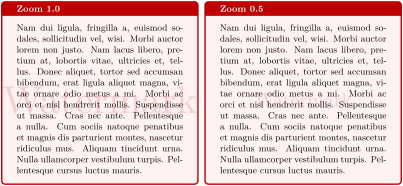
/tcb/watermark zoom=⟨fraction⟩(default 1, initially 0.75)Updated: 2022-07-21
Sets the zoom value for a watermark. The zoom respects the aspect ratio. The value \(1.0\) means to fill the whole box until the watermark touches the frame.
\tcbset{enhanced,colback=red!5!white,colframe=red!75!black,fonttitle=\bfseries,

  watermark text=Watermark,nobeforeafter,width=(\linewidth-2mm)/2}


\begin{tcolorbox}[title=Zoom 1.0,watermark zoom=1.0]

\lipsum[2]

\end{tcolorbox}\hfill%

\begin{tcolorbox}[title=Zoom 0.5,watermark zoom=0.5]

\lipsum[2]

\end{tcolorbox}%
/tcb/watermark shrink=⟨fraction⟩(default 1, initially unset)Updated: 2022-07-21
Identically to /tcb/watermark zoom, but the watermark never gets enlarged. Thus, the watermark keeps its original size or is shrunk.
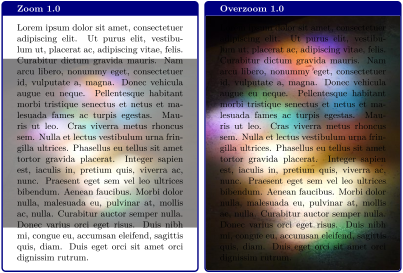
/tcb/watermark overzoom=⟨fraction⟩(default 1, initially unset)Updated: 2022-07-21
Sets the overzoom value for a watermark. The overzoom respects the aspect ratio. The value \(1.0\) means to fill the whole box until the watermark touches all four sides of the frame.
\tcbset{enhanced,colback=white,colframe=blue!50!black,fonttitle=\bfseries,

  watermark opacity=0.5,

  watermark graphics=lichtspiel.jpg,nobeforeafter,width=(\linewidth-2mm)/2}


\begin{tcolorbox}[title=Zoom 1.0,watermark zoom=1.0]

\lipsum[1]

\end{tcolorbox}\hfill%

\begin{tcolorbox}[title=Overzoom 1.0,watermark overzoom=1.0]

\lipsum[1]

\end{tcolorbox}%
If a /tcb/watermark overzoom value of 1.0 is used in connection with invisible top and bottom rules which still have a thickness greater than 0pt, the space of these invisible rules may not be covered by the watermark. For example, this situation may occur during the breaking of /tcb/enhanced boxes. To avoid this optical glitch, just set /tcb/pad at break to any desired value.
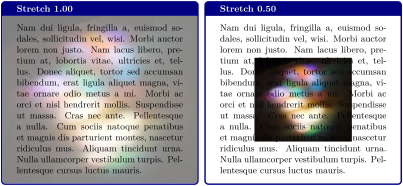
/tcb/watermark stretch=⟨fraction⟩(default 1, initially unset)Updated: 2022-07-21
Sets the stretch value for a watermark. The stretch value is applied to width and height in relation to the box dimensions. It does not respect the aspect ratio. The value \(1.0\) means to fill the whole box.
\tcbset{enhanced,colback=white,colframe=blue!50!black,fonttitle=\bfseries,

  watermark graphics=lichtspiel.jpg,watermark opacity=0.5,

  nobeforeafter,width=(\linewidth-2mm)/2}


\begin{tcolorbox}[title=Stretch 1.00,watermark stretch=1.00]

\lipsum[2]

\end{tcolorbox}\hfill%

\begin{tcolorbox}[title=Stretch 0.50,watermark stretch=0.50]

\lipsum[2]

\end{tcolorbox}%
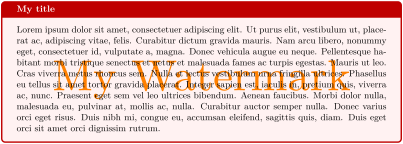
/tcb/watermark color=⟨color⟩(no default, initially mixed background and frame color)
Sets the color for the watermark.
\tcbset{colback=red!5!white,colframe=red!75!black,fonttitle=\bfseries}


\begin{tcolorbox}[enhanced,title=My title,watermark text=My Watermark,

  watermark color=yellow!50!red]

\lipsum[1]

\end{tcolorbox}
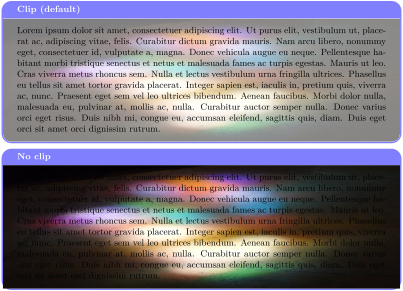
/tcb/clip watermark=true|false(default true, initially true)
Sets the watermark to be clipped to the interior area.
\tcbset{enhanced,colback=white,colframe=blue!50!white,fonttitle=\bfseries,

  watermark opacity=0.5,watermark stretch=1.00,arc=3mm,

  watermark graphics=lichtspiel.jpg}


\begin{tcolorbox}[title=Clip (default),clip watermark]

\lipsum[1]

\end{tcolorbox}


\begin{tcolorbox}[title=No clip,clip watermark=false]

\lipsum[1]

\end{tcolorbox}%
Removing the clipping should be necessary only in very rare situations. Until version 5.1.1 (2022/06/24), theoretically, the watermark could be extended over the boundaries of the box without limit. Newer versions restrict the watermark to a box scaled 4 times the actual tcolorbox. If you really need to extend further, you are strongly advised to implement this by using /tcb/overlay or /tcb/underlay directly where no restrictions apply. Note that a watermark is just a special /tcb/overlay.
10.4 Clip Environments
The following clip environments are applicable for all skins which use engines of type path, pathfirst, pathmiddle, or pathlast. Especially, the skin enhanced supports all of them and standard none. The typical area of application is inside overlay code, see Section 4.12.
\begin{tcbclipframe}
⟨environment content⟩
\end{tcbclipframe}
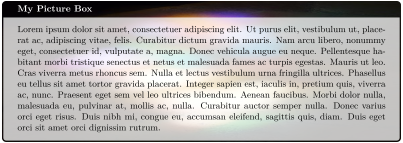
Defines a TikZ scope which clips to the frame area path.
\makeatletter

\newtcolorbox{picturebox}[2][]{%

  enhanced,frame hidden,interior hidden,fonttitle=\bfseries,

  overlay={\begin{tcbclipframe}\node at (frame)

    {\includegraphics[width=\tcb@width,height=\tcb@height]{#2}};\end{tcbclipframe}%

    \begin{tcbclipinterior}\fill[white,opacity=0.75]

    (frame.south west) rectangle (frame.north east);\end{tcbclipinterior}},#1}

\makeatother


\begin{picturebox}[title=My Picture Box]{lichtspiel.jpg}

\lipsum[1]

\end{picturebox}
\begin{tcbinvclipframe}
⟨environment content⟩
\end{tcbinvclipframe}
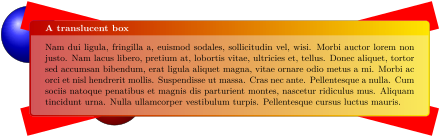
Defines a TikZ scope which clips to the outside of the frame area path.
\tcbset{enhanced jigsaw,fonttitle=\bfseries,opacityback=0.35,colback=blue!5!white,

  frame style={left color=red!75!black,right color=red!10!yellow}}


\begin{tikzpicture}% draw two balls

  \path[use as bounding box] (0,0.8) rectangle +(0.1,0.1);

  \shadedraw [shading=ball] (0,0) circle (1cm);

  \shadedraw [ball color=red] (3,-2.2) circle (1cm);

\end{tikzpicture}


\begin{tcolorbox}[title=A translucent box,

  overlay={\begin{tcbinvclipframe}

    \draw[red,line width=1cm] ([xshift=-2mm,yshift=2mm]frame.north west)

      --([xshift=2mm,yshift=-2mm]frame.south east);

    \draw[red,line width=1cm] ([xshift=-2mm,yshift=-2mm]frame.south west)

      --([xshift=2mm,yshift=2mm]frame.north east);

  \end{tcbinvclipframe}}]

  \lipsum[2]

\end{tcolorbox}
\begin{tcbclipinterior}
⟨environment content⟩
\end{tcbclipinterior}
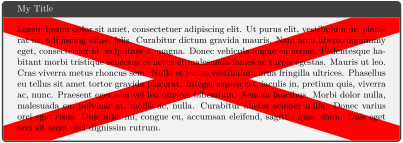
Defines a TikZ scope which clips to the interior area path.
\begin{tcolorbox}[enhanced,title=My Title,

  overlay={\begin{tcbclipinterior}

    \draw[red,line width=1cm] (interior.north west)--(interior.south east);

    \draw[red,line width=1cm] (interior.south west)--(interior.north east);

  \end{tcbclipinterior}}]

\lipsum[1]

\end{tcolorbox}
\begin{tcbcliptitle}
⟨environment content⟩
\end{tcbcliptitle}
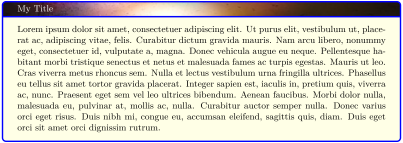
Defines a TikZ scope which clips to the title area path.
\begin{tcolorbox}[enhanced,title=My Title,colframe=blue,colback=yellow!10!white,

  overlay={\begin{tcbcliptitle}\node at (title)

  {\includegraphics[width=\linewidth]{lichtspiel.jpg}};\end{tcbcliptitle}}]

\lipsum[1]

\end{tcolorbox}
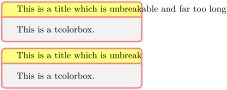
/tcb/clip title=true|false(default true, initially false)
Sets the title to be clipped to the title area.
\tcbset{enhanced,width=5cm,colframe=red!50!white,coltitle=black,

  colbacktitle=yellow!50!white}


\begin{tcolorbox}[title=\mbox{This is a title which is unbreakable and far too long}]

This is a tcolorbox.

\end{tcolorbox}


\begin{tcolorbox}[title=\mbox{This is a title which is unbreakable and far too long},

  clip title]

This is a tcolorbox.

\end{tcolorbox}
/tcb/clip upper=true|false(default true, initially false)
Sets the upper part to be clipped to the interior area.
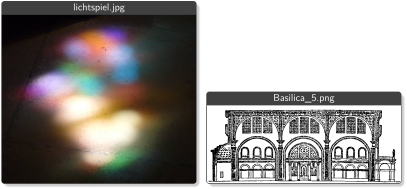
\newcommand{\mygraphics}[2][]{%

  \tcbox[enhanced,boxsep=0pt,top=0pt,bottom=0pt,left=0pt,

    right=0pt,boxrule=0.4pt,drop fuzzy shadow,clip upper,

    colback=black!75!white,toptitle=2pt,bottomtitle=2pt,nobeforeafter,

    center title,fonttitle=\small\sffamily,title=\detokenize{#2}]

  {\includegraphics[width=\the\dimexpr(\linewidth-4mm)/2\relax]{#2}}}


\mygraphics{lichtspiel.jpg}\hfill

\mygraphics{Basilica_5.png}
The example for /tcb/clip upper sizes the box according to the dimensions of the picture. To do it the other way around, the watermark options provide an easy solution.
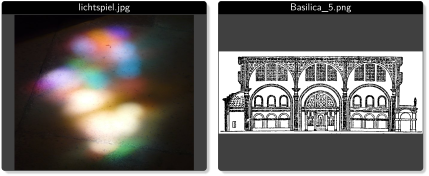
\newcommand{\mygraphics}[2][]{%

  \tcbox[enhanced,capture=minipage,boxsep=0pt,top=0pt,bottom=0pt,left=0pt,

    right=0pt,boxrule=0.4pt,drop fuzzy shadow,nobeforeafter,

    colback=black!75!white,toptitle=2pt,bottomtitle=2pt,

    center title,fonttitle=\small\sffamily,title=\detokenize{#2},

    width=(\linewidth-4mm)/2,height=6cm,colbacktitle={black},

    watermark zoom=1.0,watermark graphics={#2}]{}}


\mygraphics{lichtspiel.jpg}\hfill

\mygraphics{Basilica_5.png}
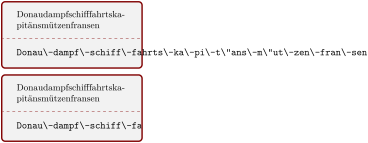
/tcb/clip lower=true|false(default true, initially false)
Sets the lower part to be clipped to the interior area.
\tcbset{enhanced,width=5cm,colframe=red!50!black,text and listing}


\begin{tcblisting}{}

Donau\-dampf\-schiff\-fahrts\-ka\-pi\-t\"ans\-m\"ut\-zen\-fran\-sen

\end{tcblisting}


\begin{tcblisting}{clip lower}

Donau\-dampf\-schiff\-fahrts\-ka\-pi\-t\"ans\-m\"ut\-zen\-fran\-sen

\end{tcblisting}
10.5 Border Line Option Keys
The skin standard does not support these border lines, but most other skins, e. g. enhanced.
The borderlines are independent from the normal tcolorbox rules. They may be used with or without the /tcb/segmentation engine.
The borderlines are stackable, i. e., several different border lines can be used on the same tcolorbox. They are drawn after the box frame and box interior and before overlays or watermarks.
Technically, the normal tcolorbox rules result from a TikZ filling process. The border lines are created by a TikZ drawing process. This can be used to apply different effects.
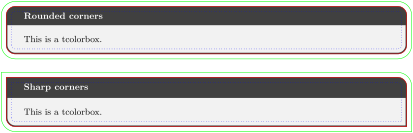
/tcb/borderline={⟨width⟩}{⟨offset⟩}{⟨options⟩}(no default, initially unset)
Adds a new borderline to the stack of border lines. This border line is drawn with the given ⟨width⟩ and gets an ⟨offset⟩ computed from the frame outline. A positive ⟨offset⟩ value moves the borderline inside the tcolorbox and a negative ⟨offset⟩ value moves it outside without changing the bounding box.
The border line is drawn along a TikZ path with the given TikZ ⟨options⟩. Note that the TikZ line width option should not be used here.
The border lines adapt to the rounded corners of the tcolorbox. An inside borderline will switch to sharp corners if necessary, an outside borderline will always be rounded except for /tcb/sharp corners.
\begin{tcolorbox}[enhanced,title=Rounded corners,fonttitle=\bfseries,boxsep=5pt,

  arc=8pt,

  borderline={0.5pt}{0pt}{red},

  borderline={0.5pt}{5pt}{blue,dotted},

  borderline={0.5pt}{-5pt}{green} ]

This is a tcolorbox.

\end{tcolorbox}

\bigskip

\begin{tcolorbox}[enhanced,title=Sharp corners,fonttitle=\bfseries,boxsep=5pt,

  arc=8pt,sharp corners=downhill,

  borderline={0.5pt}{0pt}{red},

  borderline={0.5pt}{5pt}{blue,dotted},

  borderline={0.5pt}{-5pt}{green} ]

This is a tcolorbox.

\end{tcolorbox}
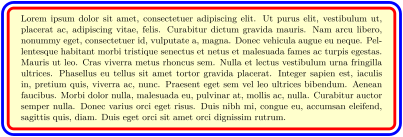
% \usepackage{lipsum}

\begin{tcolorbox}[enhanced,arc=3mm,boxrule=1.5mm,boxsep=1.5mm,

  colback=yellow!20!white,

  colframe=blue,

  borderline={1mm}{1mm}{white},

  borderline={1mm}{2mm}{red} ]

  \lipsum[1]

\end{tcolorbox}
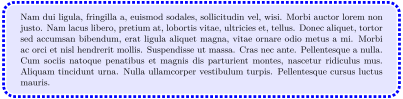
% \usepackage{lipsum}

\begin{tcolorbox}[enhanced,arc=3mm,boxrule=1.5mm,

  frame hidden,colback=blue!10!white,

  borderline={1mm}{0mm}{blue,dotted} ]

  \lipsum[2]

\end{tcolorbox}
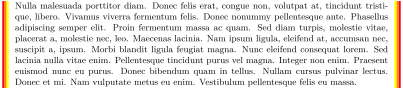
% \usepackage{lipsum}

\begin{tcolorbox}[enhanced,skin=enhancedmiddle,

  frame hidden,interior hidden,top=0mm,bottom=0mm,boxsep=0mm,

  borderline={0.75mm}{0mm}{red},

  borderline={0.75mm}{0.75mm}{red!50!yellow},

  borderline={0.75mm}{1.5mm}{yellow}, ]

  \lipsum[3]

\end{tcolorbox}
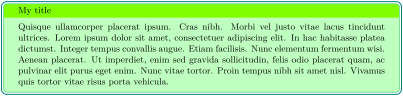
% \usepackage{lipsum}

\newtcolorbox{mygreenbox}[2][]{%

  enhanced,width=\linewidth-6pt,

  enlarge top by=3pt,enlarge bottom by=3pt,

  enlarge left by=3pt,enlarge right by=3pt,

  title={#2},frame hidden,boxrule=0pt,top=1mm,bottom=1mm,

  colframe=green!30!black, colbacktitle=green!50!yellow,

  coltitle=black, colback=green!25!white,

  borderline={0.5pt}{-0.5pt}{green!75!blue},

  borderline={1pt}{-3pt}{green!50!blue},#1}


\begin{mygreenbox}{My title}

  \lipsum[4]

\end{mygreenbox}
/tcb/no borderline(no default, initially set)
Removes all borderlines if set before.
/tcb/show bounding box=⟨color⟩(default red, initially unset)
Displays the bounding box borderline of a tcolorbox. Its intended use is debugging and fine tuning. It should not be part of a final document. The optional ⟨color⟩ is the base color for the bounding box borderline.

\tcbset{enhanced,nobeforeafter,width=4cm,fonttitle=\bfseries}


\begin{tcolorbox}[show bounding box,title=Normal]

This is a tcolorbox.

\end{tcolorbox}%

\begin{tcolorbox}[show bounding box=blue,title=Shadow,drop fuzzy shadow]

This is a tcolorbox.

\end{tcolorbox}%

\begin{tcolorbox}[show bounding box=green,title=Enlarged,drop fuzzy shadow,

  enlarge by=2mm]

This is a tcolorbox.

\end{tcolorbox}
The following partial borderlines act slightly different from the complete borderlines described before. They ignore rounded corner settings, their length is not modified by their ⟨offset⟩, they ignore skin settings but adapt to breakable boxes.
/tcb/borderline north={⟨width⟩}{⟨offset⟩}{⟨options⟩}(no default, initially unset)New: 2014-10-20
Adds a new borderline with the given ⟨width⟩ to the north of the tcolorbox. A positive ⟨offset⟩ value moves the borderline inside the tcolorbox and a negative ⟨offset⟩ value moves it outside without changing the bounding box.

\begin{tcolorbox}[enhanced,

  borderline north={2pt}{-2pt}{red}]

  This is a \textbf{tcolorbox}.

\end{tcolorbox}
/tcb/borderline south={⟨width⟩}{⟨offset⟩}{⟨options⟩}(no default, initially unset)New: 2014-10-20
Adds a new borderline with the given ⟨width⟩ to the south of the tcolorbox. A positive ⟨offset⟩ value moves the borderline inside the tcolorbox and a negative ⟨offset⟩ value moves it outside without changing the bounding box.

\begin{tcolorbox}[enhanced,

  borderline south={2pt}{-2pt}{red}]

  This is a \textbf{tcolorbox}.

\end{tcolorbox}
/tcb/borderline east={⟨width⟩}{⟨offset⟩}{⟨options⟩}(no default, initially unset)New: 2014-10-20
Adds a new borderline with the given ⟨width⟩ to the east of the tcolorbox. A positive ⟨offset⟩ value moves the borderline inside the tcolorbox and a negative ⟨offset⟩ value moves it outside without changing the bounding box.

\begin{tcolorbox}[enhanced,

  borderline east={2pt}{-2pt}{red}]

  This is a \textbf{tcolorbox}.

\end{tcolorbox}
/tcb/borderline west={⟨width⟩}{⟨offset⟩}{⟨options⟩}(no default, initially unset)New: 2014-10-20
Adds a new borderline with the given ⟨width⟩ to the west of the tcolorbox. A positive ⟨offset⟩ value moves the borderline inside the tcolorbox and a negative ⟨offset⟩ value moves it outside without changing the bounding box.

\begin{tcolorbox}[enhanced,

  borderline west={2pt}{-2pt}{red}]

  This is a \textbf{tcolorbox}.

\end{tcolorbox}
/tcb/borderline horizontal={⟨width⟩}{⟨offset⟩}{⟨options⟩}(no default, initially unset)New: 2014-10-20
Adds a new borderline with the given ⟨width⟩ to the north and south of the tcolorbox. A positive ⟨offset⟩ value moves the borderlines inside the tcolorbox and a negative ⟨offset⟩ value moves them outside without changing the bounding box.

/tcb/borderline vertical={⟨width⟩}{⟨offset⟩}{⟨options⟩}(no default, initially unset)New: 2014-10-20
Adds a new borderline with the given ⟨width⟩ to the east and west of the tcolorbox. A positive ⟨offset⟩ value moves the borderlines inside the tcolorbox and a negative ⟨offset⟩ value moves them outside without changing the bounding box.


\begin{tcolorbox}[enhanced,colback=yellow!10!white,boxrule=0pt,frame hidden,

  borderline north={1mm}{-2mm}{red},

  borderline south={1mm}{-2mm}{blue},

  borderline west={1mm}{-2mm}{green},

  borderline east={1mm}{-2mm}{yellow}]

\lipsum[1]

\end{tcolorbox}
10.6 Shadow Option Keys
The skin standard does not support these shadows, but most other skins, e. g. enhanced.
The shadows are stackable, i. e., several different shadows can be used on the same tcolorbox. They are drawn before the box frame is drawn.
/tcb/no shadow(no default)
Removes all shadows if set before.
10.6.1 Common Shadows and Halos
/tcb/drop shadow=⟨color⟩(style, default black!50!white)
Adds a new shadow with standard dimensions to the stack of shadows. Optionally, the ⟨color⟩ for the shadow can be changed.
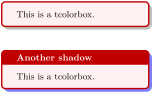
/tcb/drop fuzzy shadow=⟨color⟩(style, default black!50!white)
Adds a new fuzzy shadow with standard dimensions to the stack of shadows. Optionally, the ⟨color⟩ for the shadow can be changed.
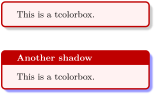
/tcb/drop midday shadow=⟨color⟩(style, default black!50!white)
Adds a new shadow with standard dimensions to the stack of shadows. Optionally, the ⟨color⟩ for the shadow can be changed.
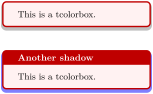
/tcb/drop fuzzy midday shadow=⟨color⟩(style, default black!50!white)
Adds a new fuzzy shadow with standard dimensions to the stack of shadows. Optionally, the ⟨color⟩ for the shadow can be changed.
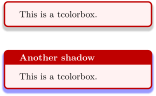
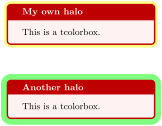
/tcb/halo=⟨size⟩ with ⟨color⟩(style, default 0.9mm with yellow)
Adds a new halo shadow with the given ⟨color⟩ which overlaps the colorbox an all sides by ⟨size⟩.
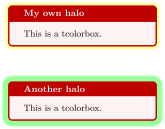
/tcb/fuzzy halo=⟨size⟩ with ⟨color⟩(style, default 0.9mm with yellow)
Adds a new fuzzy halo shadow with the given ⟨color⟩ which overlaps the colorbox an all sides by ⟨size⟩ plus 0.48mm.
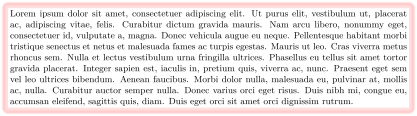
\begin{tcolorbox}[blank,enhanced jigsaw,boxsep=2pt,arc=2pt,

  fuzzy halo=2mm with red!50!white,

  fuzzy halo=1mm with white]

\lipsum[1]

\end{tcolorbox}
For all following shadows, the optionally given ⟨color⟩ for the shadow can be changed equivalent to the preceding examples.
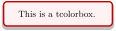
/tcb/drop shadow southeast=⟨color⟩(style, default black!50!white)
Adds a new shadow with standard dimensions to the stack of shadows. This shadow is identical to /tcb/drop shadow.

/tcb/drop shadow south=⟨color⟩(style, default black!50!white)
Adds a new shadow with standard dimensions to the stack of shadows. This shadow is identical to /tcb/drop midday shadow.
/tcb/drop shadow southwest=⟨color⟩(style, default black!50!white)
Adds a new shadow with standard dimensions to the stack of shadows.
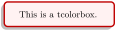
/tcb/drop shadow west=⟨color⟩(style, default black!50!white)
Adds a new shadow with standard dimensions to the stack of shadows.
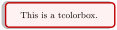
/tcb/drop shadow northwest=⟨color⟩(style, default black!50!white)
Adds a new shadow with standard dimensions to the stack of shadows.
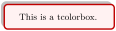
/tcb/drop shadow north=⟨color⟩(style, default black!50!white)
Adds a new shadow with standard dimensions to the stack of shadows.
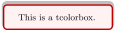
/tcb/drop shadow northeast=⟨color⟩(style, default black!50!white)
Adds a new shadow with standard dimensions to the stack of shadows.
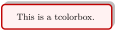
/tcb/drop shadow east=⟨color⟩(style, default black!50!white)
Adds a new shadow with standard dimensions to the stack of shadows.

/tcb/drop fuzzy shadow southeast=⟨color⟩(style, default black!50!white)
Adds a new fuzzy shadow with standard dimensions to the stack of shadows. This shadow is identical to /tcb/drop fuzzy shadow.
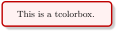
/tcb/drop fuzzy shadow south=⟨color⟩(style, default black!50!white)
Adds a new fuzzy shadow with standard dimensions to the stack of shadows. This shadow is identical to /tcb/drop fuzzy midday shadow.
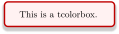
/tcb/drop fuzzy shadow southwest=⟨color⟩(style, default black!50!white)
Adds a new fuzzy shadow with standard dimensions to the stack of shadows.
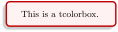
/tcb/drop fuzzy shadow west=⟨color⟩(style, default black!50!white)
Adds a new fuzzy shadow with standard dimensions to the stack of shadows.
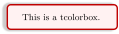
/tcb/drop fuzzy shadow northwest=⟨color⟩(style, default black!50!white)
Adds a new fuzzy shadow with standard dimensions to the stack of shadows.
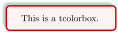
/tcb/drop fuzzy shadow north=⟨color⟩(style, default black!50!white)
Adds a new fuzzy shadow with standard dimensions to the stack of shadows.
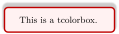
/tcb/drop fuzzy shadow northeast=⟨color⟩(style, default black!50!white)
Adds a new fuzzy shadow with standard dimensions to the stack of shadows.
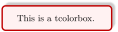
/tcb/drop fuzzy shadow east=⟨color⟩(style, default black!50!white)
Adds a new fuzzy shadow with standard dimensions to the stack of shadows.
10.6.2 Lifted Shadows
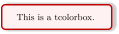
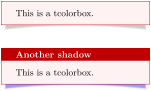
/tcb/drop lifted shadow=⟨color⟩(style, default black!50!white)
Adds a new lifted shadow with standard dimensions to the stack of shadows. Optionally, the ⟨color⟩ for the shadow can be changed.
\tcbset{enhanced,colback=red!5!white,

  boxrule=0.4pt,sharp corners,

  colframe=red!75!black,fonttitle=\bfseries}


\begin{tcolorbox}[drop lifted shadow]

This is a tcolorbox.

\end{tcolorbox}\par\bigskip

\begin{tcolorbox}[title=Another shadow,

  drop lifted shadow=blue]

This is a tcolorbox.

\end{tcolorbox}
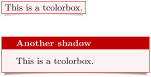
/tcb/drop small lifted shadow=⟨color⟩(style, default black!50!white)
Adds a new small lifted shadow with standard dimensions to the stack of shadows. Optionally, the ⟨color⟩ for the shadow can be changed.
\tcbset{enhanced,colback=red!5!white,

  boxrule=0.4pt,sharp corners,

  colframe=red!75!black,fonttitle=\bfseries}


\tcbox[drop small lifted shadow,size=fbox]

  {This is a tcolorbox.}

\par\bigskip

\begin{tcolorbox}[title=Another shadow,

  drop small lifted shadow=black]

This is a tcolorbox.

\end{tcolorbox}
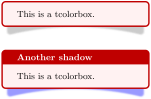
/tcb/drop large lifted shadow=⟨color⟩(style, default black!50!white)
Adds a new large lifted shadow with standard dimensions to the stack of shadows. Optionally, the ⟨color⟩ for the shadow can be changed.
10.6.3 Generic Shadows
/tcb/shadow={⟨xshift⟩}{⟨yshift⟩}{⟨offset⟩}{⟨options⟩}(no default)
Adds a new shadow to the stack of shadows. This shadow follows the outline of the tcolorbox but is shifted by ⟨xshift⟩ and ⟨yshift⟩. The ⟨offset⟩ value is a distance value from the frame outline. A positive ⟨offset⟩ value shrinks the shadow and a negative ⟨offset⟩ value enlarges the shadow. The shadow is filled along a TikZ path with the given TikZ ⟨options⟩.
The shadows adapt to the rounded corners of the tcolorbox. A shrunken shadow will switch to sharp corners if necessary, an enlarged shadow may become more rounded depending on several factors. But /tcb/sharp corners have sharp shadows.
Shadows are not considered for the bounding box computation by default. Large shadows may be overlapped by the following content. But, the bounding box can be adapted if necessary.
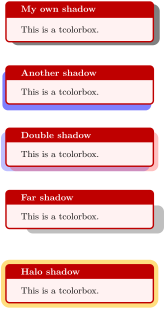
\tcbset{enhanced,colback=red!5!white,

  colframe=red!75!black,fonttitle=\bfseries}


\begin{tcolorbox}[title=My own shadow,

  shadow={2mm}{-1mm}{0mm}{black!50!white}]

This is a tcolorbox.

\end{tcolorbox}

\par\bigskip

\begin{tcolorbox}[title=Another shadow,

  shadow={-1mm}{-2mm}{0mm}{fill=blue,

    opacity=0.5}]

This is a tcolorbox.

\end{tcolorbox}

\par\bigskip

\begin{tcolorbox}[title=Double shadow,

  shadow={-1.5mm}{-1.5mm}{0mm}{fill=blue,

    opacity=0.25},

  shadow={1.5mm}{-1.5mm}{0mm}{fill=red,

    opacity=0.25}]

This is a tcolorbox.

\end{tcolorbox}

\par\bigskip

\begin{tcolorbox}[title=Far shadow,

  shadow={5.5mm}{-3.5mm}{2mm}{fill=black,

    opacity=0.25}]

This is a tcolorbox.

\end{tcolorbox}

\par\bigskip\bigskip

\begin{tcolorbox}[title=Halo shadow,

  shadow={0mm}{0mm}{-1.5mm}%

     {fill=yellow!75!red,opacity=0.5}]

This is a tcolorbox.

\end{tcolorbox}
/tcb/fuzzy shadow={⟨xshift⟩}{⟨yshift⟩}{⟨offset⟩}{⟨step⟩}{⟨options⟩}(no default)
Adds a new fuzzy shadow to the stack of shadows. Actually, this option adds several shadows which appear like a shadow with a fuzzy border. This fuzzy shadow follows the outline of the tcolorbox but is shifted by ⟨xshift⟩ and ⟨yshift⟩. The ⟨offset⟩ value is a distance value from the frame outline. A positive ⟨offset⟩ value shrinks the shadow and a negative ⟨offset⟩ value enlarges the shadow. The {⟨step⟩} value describes a shrink offset used for the combination of the partial shadows. The shadow is filled along a TikZ path with the given TikZ ⟨options⟩ but any opacity value will be ignored.
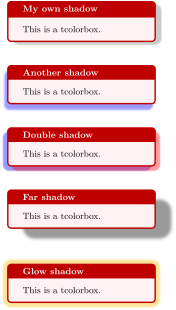
\tcbset{enhanced,colback=red!5!white,

  colframe=red!75!black,fonttitle=\bfseries}


\begin{tcolorbox}[title=My own shadow,

  fuzzy shadow={2mm}{-1mm}{0mm}{0.1mm}%

               {black!50!white}]

This is a tcolorbox.

\end{tcolorbox}

\par\bigskip

\begin{tcolorbox}[title=Another shadow,

  fuzzy shadow={-1mm}{-2mm}{0mm}{0.2mm}%

               {fill=blue}]

This is a tcolorbox.

\end{tcolorbox}

\par\bigskip

\begin{tcolorbox}[title=Double shadow,

  fuzzy shadow={-1.5mm}{-1.5mm}{0mm}{0.1mm}%

               {blue},

  fuzzy shadow={1.5mm}{-1.5mm}{0mm}{0.1mm}%

               {red}]

This is a tcolorbox.

\end{tcolorbox}

\par\bigskip

\begin{tcolorbox}[title=Far shadow,

  fuzzy shadow={5.5mm}{-3.5mm}{0mm}{0.3mm}%

               {black}]

This is a tcolorbox.

\end{tcolorbox}

\par\bigskip\bigskip

\begin{tcolorbox}[title=Glow shadow,

  fuzzy shadow={0mm}{0mm}{-1.5mm}{0.15mm}%

               {yellow!75!red}]

This is a tcolorbox.

\end{tcolorbox}

\newtcolorbox{mybox}[1][]{enhanced,

  fuzzy shadow={1.0mm}{-1.0mm}{0.12mm}{0mm}{blue!50!white},

  fuzzy shadow={-1.0mm}{-1.0mm}{0.12mm}{0mm}{red!50!white},

  fuzzy shadow={-1.0mm}{1.0mm}{0.12mm}{0mm}{green!50!white},

  fuzzy shadow={1.0mm}{1.0mm}{0.12mm}{0mm}{yellow!50!white},#1

}


\begin{mybox}[title=A multi shadow box]

This is a tcolorbox.

\end{mybox}
/tcb/smart shadow arc=true|false(default true, initially true)New: 2015-05-05
If set to true, the shadow drawing algorithm tries to do a somewhat smart calculation of the arc for the shadow. The result is pleasing for typical boxes with rounded corners, but gives strange results for circular boxes.
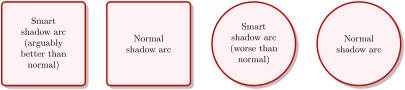
\tcbset{enhanced,nobeforeafter,colback=red!5!white,

  colframe=red!75!black,width=3cm,square,halign=center,valign=center

  }


\begin{tcolorbox}[drop shadow]

Smart shadow arc (arguably better than normal)

\end{tcolorbox}

\hfill

\begin{tcolorbox}[smart shadow arc=false, drop shadow]

Normal shadow arc

\end{tcolorbox}

\hfill

\begin{tcolorbox}[circular arc, drop shadow]

Smart shadow arc (worse than normal)

\end{tcolorbox}

\hfill

\begin{tcolorbox}[circular arc, smart shadow arc=false, drop shadow]

Normal shadow arc

\end{tcolorbox}
/tcb/lifted shadow={⟨xshift⟩}{⟨yshift⟩}{⟨bend⟩}{⟨step⟩}{⟨options⟩}(no default)
Adds a new lifted shadow to the stack of shadows. Actually, this option adds several shadows which appear like a shadow with a fuzzy border. This lifted shadow follows the outline of the tcolorbox but is shifted by ⟨xshift⟩ and ⟨yshift⟩ on the lower left corner and by \(-\)⟨xshift⟩ and ⟨yshift⟩ on the lower right corner. Additionally, there is a ⟨bend⟩ in the middle. The {⟨step⟩} value describes a shrink offset used for the combination of the partial shadows. The shadow is filled along a TikZ path with the given TikZ ⟨options⟩ but any opacity value will be ignored.

10.6.4 TikZ Shadows
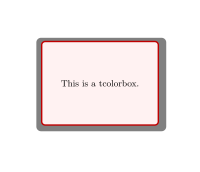
Alternative to the package shadow options described before, shadows from the «Shadows Library» of TikZ can be used. Such shadows can be added directly to the frame path using /tcb/frame style.

% \usetikzlibrary{shadows}

\begin{tcolorbox}[enhanced,

  colback=red!5!white,colframe=red!75!black,

  frame style={drop shadow} ]

  This is a tcolorbox.

\end{tcolorbox}
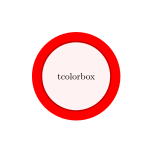
10.7 TikZ Picture Option Keys
/tcb/tikz=⟨tikz option list⟩(no default, initially empty)
Adds the given ⟨tikz option list⟩ to the main tikzpicture environment used to draw the color box, see [Tantau 2023]. If this option is applied a second time, the new ⟨tikz option list⟩ is appended to the current option list. Note that, if TikZ coordinate transformation options are used, transform shape may also be needed to transform all box elements.
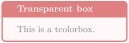

/tcb/at begin tikz=⟨tikz code⟩(no default, initially empty)
The given ⟨tikz code⟩ is executed at the beginning of the tikzpicture environment after the TikZ option execute at begin picture was applied. If this option is applied a second time, the new ⟨tikz code⟩ is appended to the current code.
/tcb/at begin tikz reset(initially set)
Removes all code given by /tcb/at begin tikz.
/tcb/at end tikz=⟨tikz code⟩(no default, initially empty)
The given ⟨tikz code⟩ is executed at the ending of the tikzpicture environment before the TikZ option execute at end picture was applied. If this option is applied a second time, the new ⟨tikz code⟩ is appended to the current code.
/tcb/at end tikz reset(initially set)
Removes all code given by /tcb/at end tikz.
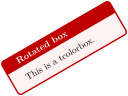
/tcb/rotate=⟨angle⟩(no default, initially unset)
Rotates the tcolorbox by the given ⟨angle⟩. This also applys transform shape. Note that this is a TikZ coordinate transformation i. e., not all graphical elements like shadings will really be rotated.
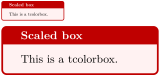
/tcb/scale=⟨fraction⟩(no default, initially unset)
Scales the tcolorbox by the given ⟨fraction⟩. This also applys transform shape. Note that this is a TikZ coordinate transformation i. e., not all graphical elements like line widths will really be scaled.
/tcb/remember(style, initially unset)
Shortcut for tikz={remember picture}. This allows one to reference nodes in other TikZ pictures.
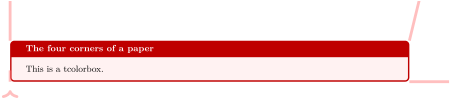
\begin{tcolorbox}[enhanced,remember,colback=red!5!white,colframe=red!75!black,

  fonttitle=\bfseries,title=The four corners of a paper,

  overlay={\draw[red!50!white,line width=1mm,opacity=0.5,shorten >=3mm]

    (frame.north west) edge[->] (current page.north west)

    (frame.north east) edge[->] (current page.north east)

    (frame.south west) edge[->] (current page.south west)

    (frame.south east) edge[->] (current page.south east);}]

This is a tcolorbox.

\end{tcolorbox}
/tcb/remember as=⟨name⟩(style, no default, initially unset)
The frame node will be remembered by the given ⟨name⟩ to be referenced in other TikZ pictures.
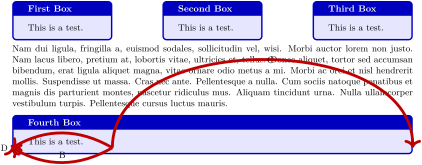
% \usepackage{lipsum}

\newtcolorbox{mybox}[1][]{enhanced,colframe=blue!75!black,colback=blue!10!white,

  fonttitle=\bfseries,#1}


\begin{mybox}[title=First Box,nobeforeafter,width=\linewidth/4,remember as=one]

This is a test.

\end{mybox}

\hfill

\begin{mybox}[title=Second Box,nobeforeafter,width=\linewidth/4,remember as=two]

This is a test.

\end{mybox}

\hfill

\begin{mybox}[title=Third Box,nobeforeafter,width=\linewidth/4,remember as=three]

This is a test.

\end{mybox}


\lipsum[2]


\begin{mybox}[title=Fourth Box,remember as=four]

This is a test.

\end{mybox}


\begin{tikzpicture}[overlay,remember picture,line width=1mm,draw=red!75!black]

  \draw[->] (one.east) to[bend right] node[above] {A} (two.west);

  \draw[->] (two.east) to[bend left] node[above] {B} (three.west);

  \draw[->] (three.east) to[bend left=90] node[right] {C} (four.east);

  \draw[->] (four.west) to[bend left=90] node[left] {D} (one.west);

\end{tikzpicture}
10.8 Underlay Option Keys
Underlays are quite similar to overlays described in Section 4.12. Underlays are drawn after the frame and interior are drawn and before overlays and the text content is drawn; see Section 9.4 for the general drawing scheme.
The differences between underlays and overlays are:
Underlays are not applicable for the skins standard and standard jigsaw, whereas overlays are applicable also for these skins. The skin spartan supports underlays but no overlays.
If an underlay is used with the standard skin, it is silently ignored.
Underlays are stackable, i. e., several different underlays can be used on the same tcolorbox. Overlays are not stackable by default (but with some help of the library hooks).
Boxed titles are implemented with underlays (Section 10.2), watermarks are implemented with overlays (Section 10.3).
/tcb/underlay=⟨graphical code⟩(no default, initially unset)
Adds ⟨graphical code⟩ to the box drawing process. This ⟨graphical code⟩ is drawn after the frame and interior and before the text content.
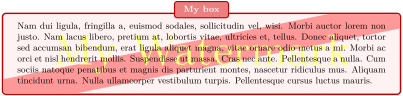
\newtcolorbox{mybox}[1][]{enhanced,colback=red!5!white,

  colbacktitle=red!85!black!50!white,

  colframe=red!75!black,fonttitle=\bfseries,watermark color=yellow!50!white,

  underlay={\begin{tcbclipinterior}

    \draw[red!40!white,line width=1cm] (interior.south west)--(interior.north east);

    \end{tcbclipinterior}},

  attach boxed title to top center={yshift=-2mm},#1}


\begin{mybox}[title=My box,watermark text=My Watermark]

\lipsum[2]

\end{mybox}
/tcb/no underlay(style, no default, initially set)
Removes the underlay if set before.
/tcb/underlay broken=⟨graphical code⟩(no default, initially unset)
If the box is set to be /tcb/breakable and is broken actually, then the ⟨graphical code⟩ is added to the box drawing process. /tcb/underlay overwrites this key.
/tcb/underlay unbroken=⟨graphical code⟩(no default, initially unset)
If the box is set to be /tcb/breakable but is not broken actually or if the box is set to be /tcb/unbreakable, then the ⟨graphical code⟩ is added to the box drawing process. /tcb/underlay overwrites this key.
/tcb/no underlay unbroken(style, no default, initially set)
Removes the unbroken underlay if set before.
/tcb/underlay first=⟨graphical code⟩(no default, initially unset)
If the box is set to be /tcb/breakable and is broken actually, then the ⟨graphical code⟩ is added to the box drawing process for the first part of the break sequence. /tcb/underlay overwrites this key.
/tcb/no underlay first(style, no default, initially set)
Removes the first underlay if set before.
/tcb/underlay middle=⟨graphical code⟩(no default, initially unset)
If the box is set to be /tcb/breakable and is broken actually, then the ⟨graphical code⟩ is added to the box drawing process for the middle parts (if any) of the break sequence. /tcb/underlay overwrites this key.
/tcb/no underlay middle(style, no default, initially set)
Removes the middle underlay if set before.
/tcb/underlay last=⟨graphical code⟩(no default, initially unset)
If the box is set to be /tcb/breakable and is broken actually, then the ⟨graphical code⟩ is added to the box drawing process for the last part of the break sequence. /tcb/underlay overwrites this key.
/tcb/no underlay last(style, no default, initially set)
Removes the last underlay if set before.
/tcb/underlay boxed title=⟨graphical code⟩(no default, initially unset)
If the box has a boxed title, see Section 10.2, then the ⟨graphical code⟩ is added to the box drawing process before the boxed title is drawn.
/tcb/no underlay boxed title(style, no default, initially set)
Removes the boxed title underlay if set before.
/tcb/underlay unbroken and first=⟨graphical code⟩(no default, initially unset)
This is an abbreviation for setting /tcb/underlay unbroken and /tcb/underlay first together. /tcb/underlay overwrites this key.
/tcb/underlay middle and last=⟨graphical code⟩(no default, initially unset)
This is an abbreviation for setting /tcb/underlay middle and /tcb/underlay last together. /tcb/underlay overwrites this key.
/tcb/underlay unbroken and last=⟨graphical code⟩(no default, initially unset)
This is an abbreviation for setting /tcb/underlay unbroken and /tcb/underlay last together. /tcb/underlay overwrites this key.
/tcb/underlay first and middle=⟨graphical code⟩(no default, initially unset)New: 2014-09-19
This is an abbreviation for setting /tcb/underlay first and /tcb/underlay middle together. /tcb/underlay overwrites this key.
10.9 Finish Option Keys
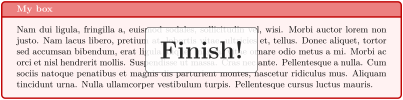
Finishes are quite similar to underlays described in Section 10.8 and overlays described in Section 4.12. Finishes are drawn after the text content is drawn; see Section 9.4 for the general drawing scheme. Therefore, a finish will reduce the readability of the text content.
Finishes are intended for special effects like highlights or glosses or text over text.
Finishes are only applicable for the skins enhanced, empty, freelance, bicolor, beamer, and widget.
If a finish is used with the standard skin, it is silently ignored.
Finishes are stackable, i. e., several different finishes can be used on the same tcolorbox.
/tcb/finish=⟨graphical code⟩(no default, initially unset)
Adds ⟨graphical code⟩ to the box drawing process. This ⟨graphical code⟩ is drawn after the text content.
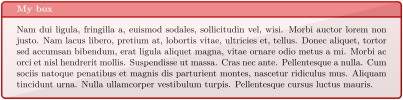
\newtcolorbox{mybox}[1][]{enhanced,colback=red!5!white,

  colbacktitle=red!85!black!50!white,colframe=red!75!black,fonttitle=\bfseries,

  finish={\begin{tcbclipframe}

    \path[bottom color=black,top color=black!50!white,opacity=0.1]

      (frame.south west) -- (frame.south east) -- (frame.north east) -- cycle;

    \path[top color=white,bottom color=black!50!white,opacity=0.1]

      (frame.south west) -- (frame.north east) -- (frame.north west) -- cycle;

    \end{tcbclipframe}},#1}


\begin{mybox}[title=My box]

\lipsum[2]

\end{mybox}
\newtcolorbox{mybox}[1][]{enhanced,colback=red!5!white,

  colbacktitle=red!85!black!50!white,colframe=red!75!black,fonttitle=\bfseries,

  finish={\node[draw,fill=white,fill opacity=0.85,inner sep=5mm,

    rounded corners] at (frame.center) {\Huge\bfseries Finish!};},#1}


\begin{mybox}[title=My box]

\lipsum[2]

\end{mybox}
/tcb/no finish(style, no default, initially set)
Removes the finish if set before.
/tcb/finish broken=⟨graphical code⟩(no default, initially unset)
If the box is set to be /tcb/breakable and is broken actually, then the ⟨graphical code⟩ is added to the box drawing process. /tcb/finish overwrites this key.
/tcb/finish unbroken=⟨graphical code⟩(no default, initially unset)
If the box is set to be /tcb/breakable but is not broken actually or if the box is set to be /tcb/unbreakable, then the ⟨graphical code⟩ is added to the box drawing process. /tcb/finish overwrites this key.
/tcb/no finish unbroken(style, no default, initially set)
Removes the unbroken finish if set before.
/tcb/finish first=⟨graphical code⟩(no default, initially unset)
If the box is set to be /tcb/breakable and is broken actually, then the ⟨graphical code⟩ is added to the box drawing process for the first part of the break sequence. /tcb/finish overwrites this key.
/tcb/no finish first(style, no default, initially set)
Removes the first finish if set before.
/tcb/finish middle=⟨graphical code⟩(no default, initially unset)
If the box is set to be /tcb/breakable and is broken actually, then the ⟨graphical code⟩ is added to the box drawing process for the middle parts (if any) of the break sequence. /tcb/finish overwrites this key.
/tcb/no finish middle(style, no default, initially set)
Removes the middle finish if set before.
/tcb/finish last=⟨graphical code⟩(no default, initially unset)
If the box is set to be /tcb/breakable and is broken actually, then the ⟨graphical code⟩ is added to the box drawing process for the last part of the break sequence. /tcb/finish overwrites this key.
/tcb/no finish last(style, no default, initially set)
Removes the last finish if set before.
/tcb/finish unbroken and first=⟨graphical code⟩(no default, initially unset)
This is an abbreviation for setting /tcb/finish unbroken and /tcb/finish first together. /tcb/finish overwrites this key.
/tcb/finish middle and last=⟨graphical code⟩(no default, initially unset)
This is an abbreviation for setting /tcb/finish middle and /tcb/finish last together. /tcb/finish overwrites this key.
/tcb/finish unbroken and last=⟨graphical code⟩(no default, initially unset)
This is an abbreviation for setting /tcb/finish unbroken and /tcb/finish last together. /tcb/finish overwrites this key.
/tcb/finish first and middle=⟨graphical code⟩(no default, initially unset)New: 2014-09-19
This is an abbreviation for setting /tcb/finish first and /tcb/finish middle together. /tcb/finish overwrites this key.
10.10 Hyper Option Keys
All options of this section need the package hyperref [Rahtz and Oberdiek 2025] to be loaded separately. All these options are implemented as /tcb/finish and can be disabled by /tcb/no finish.
If the package hyperref [Rahtz and Oberdiek 2025] is not loaded or if the standard skin is used, all hyper option are silently ignored.
/tcb/hyperref=⟨marker⟩(no default, initially unset)New: 2017-02-03
The whole frame of a tcolorbox is made an active hyperlink for a ⟨marker⟩ which was given by \label or /tcb/label or /tcb/phantomlabel. Such, the tcolorbox is made a clickable button (depending on the previewer).
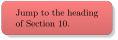
/tcb/hyperref interior=⟨marker⟩(no default, initially unset)New: 2017-02-03
Identical to /tcb/hyperref, but only the interior of a tcolorbox is made a hyperlink (without frame and title).
/tcb/hyperref title=⟨marker⟩(no default, initially unset)New: 2017-02-03
Identical to /tcb/hyperref, but only the title of a tcolorbox is made a hyperlink.
/tcb/hyperref node={⟨marker⟩}{⟨node⟩}(no default, initially unset)New: 2017-02-03
Identical to /tcb/hyperref, but only the given TikZ ⟨node⟩ is made a hyperlink. This ⟨node⟩ may be frame, interior, title, or any other named node used for drawing the tcolorbox. The ⟨node⟩ may be defined inside /tcb/underlay, /tcb/overlay or /tcb/finish. If the later is used, define the node before /tcb/hyperref node is applied.
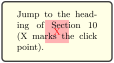
/tcb/hyperlink=⟨marker⟩(no default, initially unset)New: 2017-02-03
The whole frame of a tcolorbox is made an active hyperlink for a ⟨marker⟩ which was given by \hypertarget or /tcb/hypertarget. Such, the tcolorbox is made a clickable button (depending on the previewer).
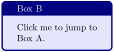
/tcb/hyperlink interior=⟨marker⟩(no default, initially unset)New: 2017-02-03
Identical to /tcb/hyperlink, but only the interior of a tcolorbox is made a hyperlink (without frame and title).
/tcb/hyperlink title=⟨marker⟩(no default, initially unset)New: 2017-02-03
Identical to /tcb/hyperlink, but only the title of a tcolorbox is made a hyperlink.
/tcb/hyperlink node={⟨marker⟩}{⟨node⟩}(no default, initially unset)New: 2017-02-03
Identical to /tcb/hyperlink, but only the given TikZ ⟨node⟩ is made a hyperlink. This ⟨node⟩ may be frame, interior, title, or any other named node used for drawing the tcolorbox. The ⟨node⟩ may be defined inside /tcb/underlay, /tcb/overlay or /tcb/finish. If the later is used, define the node before /tcb/hyperlink node is applied.
/tcb/hyperurl=⟨url⟩(no default, initially unset)New: 2017-02-03
The whole frame of a tcolorbox is made an active hyperlink for a ⟨url⟩ in the same manner as using \href or \url. Such, the tcolorbox is made a clickable button (depending on the previewer).
/tcb/hyperurl interior=⟨url⟩(no default, initially unset)New: 2017-02-03
Identical to /tcb/hyperurl, but only the interior of a tcolorbox is made a hyperlink (without frame and title).
/tcb/hyperurl title=⟨url⟩(no default, initially unset)New: 2017-02-03
Identical to /tcb/hyperurl, but only the title of a tcolorbox is made a hyperlink.
/tcb/hyperurl node={⟨url⟩}{⟨node⟩}(no default, initially unset)New: 2017-02-03
Identical to /tcb/hyperurl, but only the given TikZ ⟨node⟩ is made a hyperlink. This ⟨node⟩ may be frame, interior, title, or any other named node used for drawing the tcolorbox. The ⟨node⟩ may be defined inside /tcb/underlay, /tcb/overlay or /tcb/finish. If the later is used, define the node before /tcb/hyperurl node is applied.
/tcb/hyperurl*={⟨options⟩}{⟨url⟩}(no default, initially unset)New: 2017-02-03
Identical to /tcb/hyperurl, but additional hyperref [Rahtz and Oberdiek 2025] ⟨options⟩ are applied.
/tcb/hyperurl* interior={⟨options⟩}{⟨url⟩}(no default, initially unset)New: 2017-02-03
Identical to /tcb/hyperurl interior, but additional hyperref [Rahtz and Oberdiek 2025] ⟨options⟩ are applied.
/tcb/hyperurl* title={⟨options⟩}{⟨url⟩}(no default, initially unset)New: 2017-02-03
Identical to /tcb/hyperurl title, but additional hyperref [Rahtz and Oberdiek 2025] ⟨options⟩ are applied.
/tcb/hyperurl* node={⟨options⟩}{⟨url⟩}{⟨node⟩}(no default, initially unset)New: 2017-02-03
Identical to /tcb/hyperurl node, but additional hyperref [Rahtz and Oberdiek 2025] ⟨options⟩ are applied.
10.11 Jigsaw Skin Variants
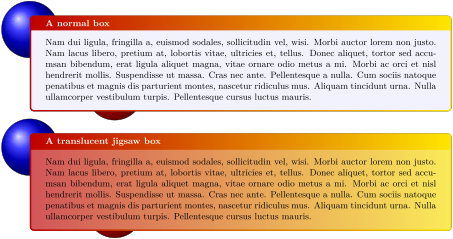
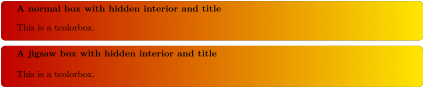
As described in Section 9.1, a tcolorbox is drawn by up to four engines. Typically, the frame engine fills the complete box area with color and the other engines fill certain areas with other colors. Finally, only the area which you see as frame of the box will display the frame color. For most applications, this is a good approach.
For certain boxes, a more delicate procedure is needed. E. g., if the box should be translucent, an already painted area cannot be made unpainted. Therefore, more elaborate frame engines saw holes into the frame where the interior area and optionally the title area will be painted. The resulting skins are called jigsaw skins. For standard, enhanced, and bicolor, there are variants called standard jigsaw, enhanced jigsaw, and bicolor jigsaw.
\newcommand{\ballexample}{\begin{tikzpicture}

  \path[use as bounding box] (0,0.8) rectangle +(0.1,0.1);

  \shadedraw [shading=ball] (0,0) circle (1cm);

  \shadedraw [ball color=red] (3,-2.2) circle (1cm);

\end{tikzpicture}}


\tcbset{enhanced,colback=blue!5!white,

  frame style={left color=red!75!black,right color=red!10!yellow},

  fonttitle=\bfseries }


\ballexample


\begin{tcolorbox}[title=A normal box]

  \lipsum[2]

\end{tcolorbox}


\ballexample


\begin{tcolorbox}[title=A translucent jigsaw box,

  enhanced jigsaw,opacityback=0.35]

  \lipsum[2]

\end{tcolorbox}
\tcbset{enhanced,colback=red!10!white,coltitle=black,

  frame style={left color=red!75!black,right color=red!10!yellow},

  fonttitle=\bfseries,interior hidden,title hidden}


\begin{tcolorbox}[title=A normal box with hidden interior and title]

  This is a tcolorbox.

\end{tcolorbox}


\begin{tcolorbox}[enhanced jigsaw,

  title=A jigsaw box with hidden interior and title]

  This is a tcolorbox.

\end{tcolorbox}

\newtcolorbox{mybox}{skin=enhancedmiddle jigsaw,leftrule=5mm,rightrule=5mm,

  boxsep=0mm,top=0mm,bottom=0mm,

  frame style={top color=blue,bottom color=red},interior hidden}


\begin{mybox}

  \lipsum[2]

\end{mybox}
10.12 Draft Mode
To reduce the compilation time while drafting a document, the draft mode can be applied. Basically, it changes all skins to spartan and sets the /tcb/fit algorithm to squeeze. Especially, when fuzzy shadows are used, the speedup will be considerable high.
It is strongly recommended that the draft mode is not used for the final document. Use spartan directly, if you want to stay with it. The draft mode implementation may change in future.
Normally, switching to the draft mode should not alter the geometry of your document. Since overlays are deactivated, any code placed there (e. g. counter changes) is not executed anymore! Also, /tcb/remember as will not have any effect. You may exclude critical code with \tcbinterruptdraftmode / \tcbcontinuedraftmode from converting to draft mode.
\tcbstopdraftmode
The draft mode is deactivated for the following code.
\tcbinterruptdraftmode
If the compilation is in draft mode, the draft mode is deactivated until a following \tcbcontinuedraftmode is detected. If the compilation is not in draft mode, nothing happens and a following \tcbcontinuedraftmode will not start the draft mode.
The pair \tcbinterruptdraftmode and \tcbcontinuedraftmode cannot be used nested.
\tcbcontinuedraftmode
Continues the draft mode which was suspended by a preceding \tcbinterruptdraftmode. Nothing happens, if there was no draft mode before \tcbinterruptdraftmode.
Code, which is place between \tcbinterruptdraftmode and \tcbcontinuedraftmode is shielded from draft mode.
/tcb/draftmode=true|false(default true, initially false)
If set to true, the draft mode is started. If set to false, the draft mode is stopped.
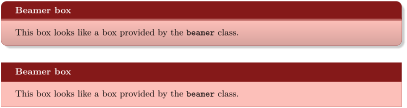
\newtcolorbox{mybeamer}[2][]{beamer,colback=Salmon!50!white,

  colframe=FireBrick!75!black,adjusted title={#2},#1}


\begin{mybeamer}{Beamer box}

This box looks like a box provided by the \texttt{beamer} class.

\end{mybeamer}\par\medskip

\begin{mybeamer}[draftmode]{Beamer box}

This box looks like a box provided by the \texttt{beamer} class.

\end{mybeamer}